


THE PROBLEM

THE PROBLEM
Madison's reps were managing contacts across disconnected views — no single place to understand a contact's full history.
MY ROLE
Led UX design for Navigator CRM — from contact relationship architecture and Gator DS implementation through story lifecycle design and .NET Blazor handoff.
WHAT I OWNED
Research, UX design, annotated Figma deliverables built on Gator DS components, prototypes with recorded functionality, and user validation to back design decisions. Wrote stories across the full lifecycle — from UX research through ready-for-dev, development, QA, and delivery. Collaborated with the PM to define the roadmap, establish the story creation process, and build the Azure DevOps state workflow that governed how work moved through the pipeline.
HOW I WORKED
Navigator runs on .NET Blazor. Every component spec was written for Blazor's rendering model — parameter bindings, state definitions, and responsive behavior across desktop, tablet, and mobile.
WHAT REPS ACTUALLY TOLD US
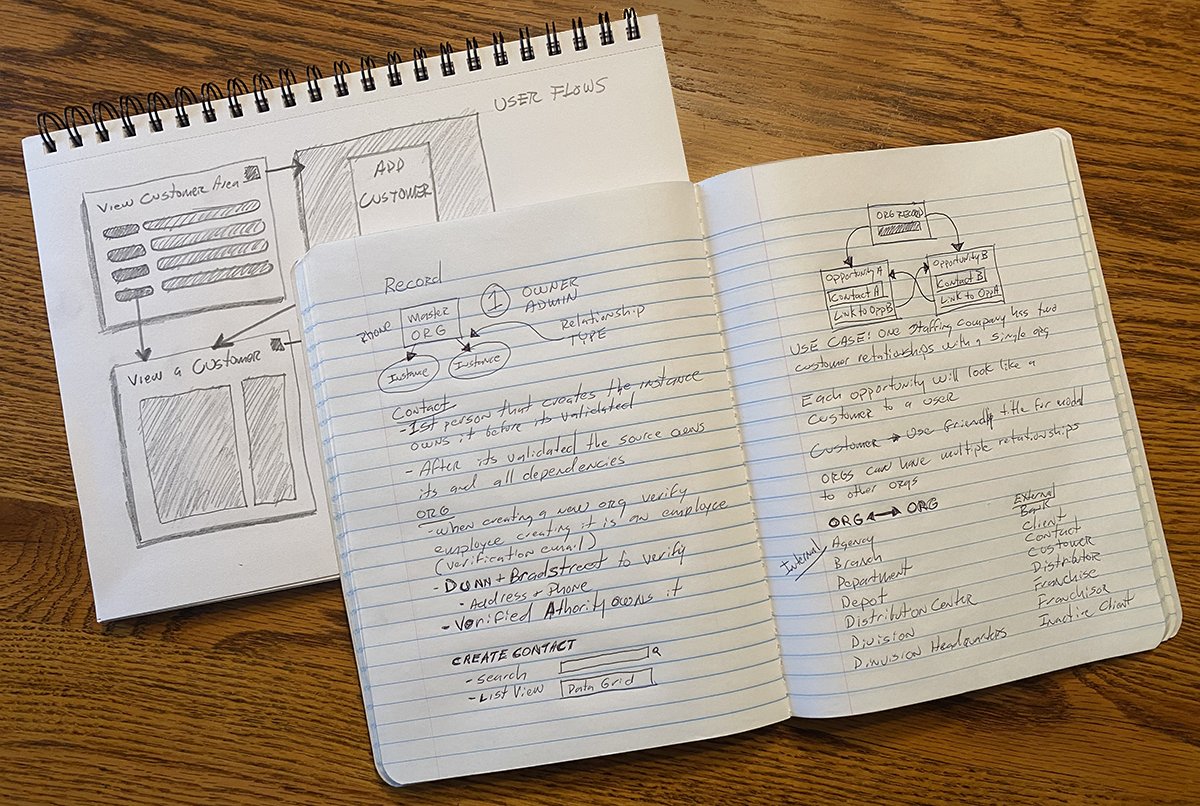
Before wireframes, I talked to sales reps directly. Four things came up in every conversation.
INSIGHT THAT IMPACTED THE DESIGN
Reps weren't hoarding data because the system didn't allow sharing. They were hoarding it deliberately — because sharing a candidate meant losing the commission.
That single insight drove every privacy decision in the system. The Private flag wasn't a feature request. It was the design's answer to a compensation problem.
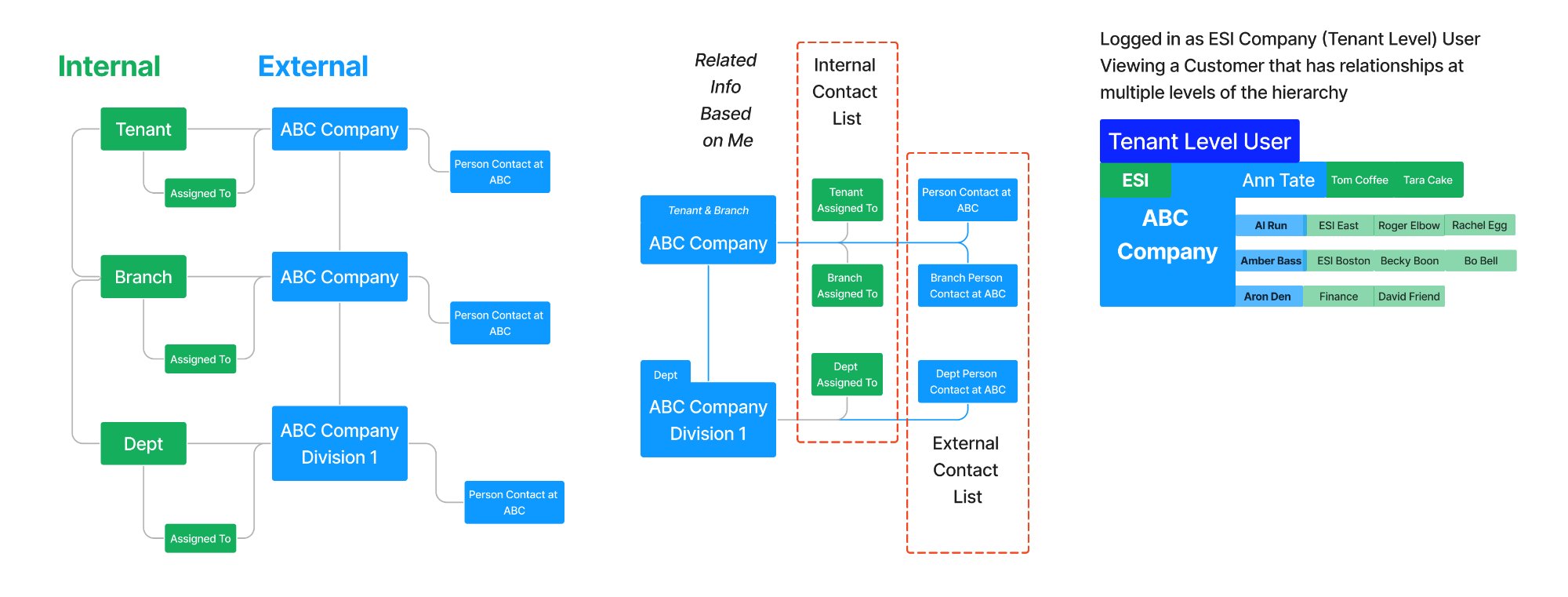
HIERARCHY VISIBILITY MODEL — WHAT EACH USER LEVEL CAN SEE, AND WHY
The tension the design had to resolve.
BUSINESS WANTED
Shared data — Better forecasting
Shared candidate visibility
Manager oversight
Accurate pipeline
Cross-team collaboration
REPS WANTED
Protect the pipeline — Protect the commission
Own their candidates
No management surveillance
Fast entry during calls
Control over visibility
PAYROLL RESOLVED
Accuracy without recruiting access
Accurate customer data
No pipeline visibility
Same UI, scoped by permission
No separate build
DESIGN RESOLVED
Activity transparency — Pipeline privacy
Private flag on contacts
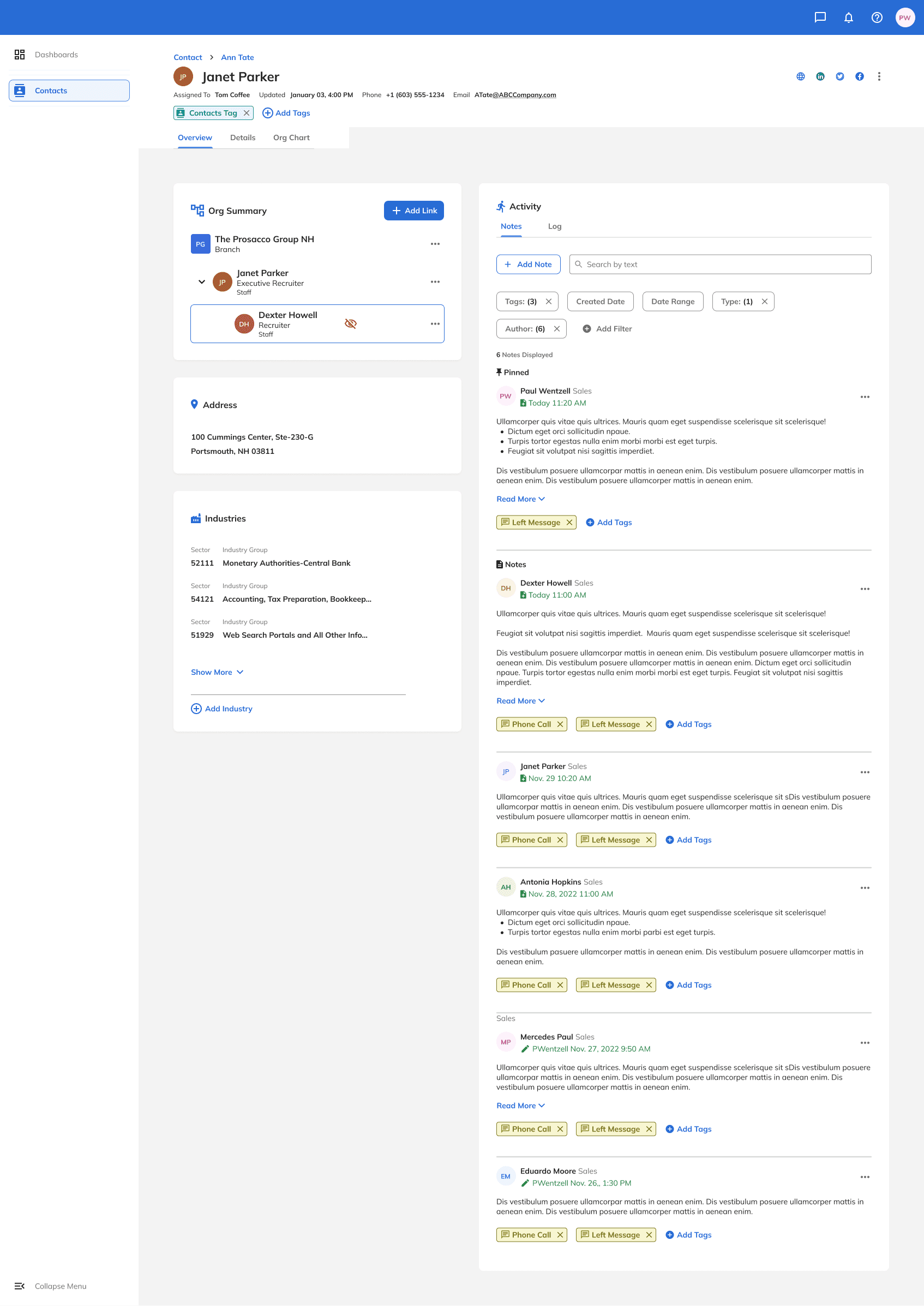
Visibility toggle on relationships
Notes visible — pipeline protected
Permission-based scoping
DESIGN DECISIONS
Every decision traced back to a finding.
Five distinct design choices — each one a direct response to something we heard in the field or found in the system.
DECISION 1
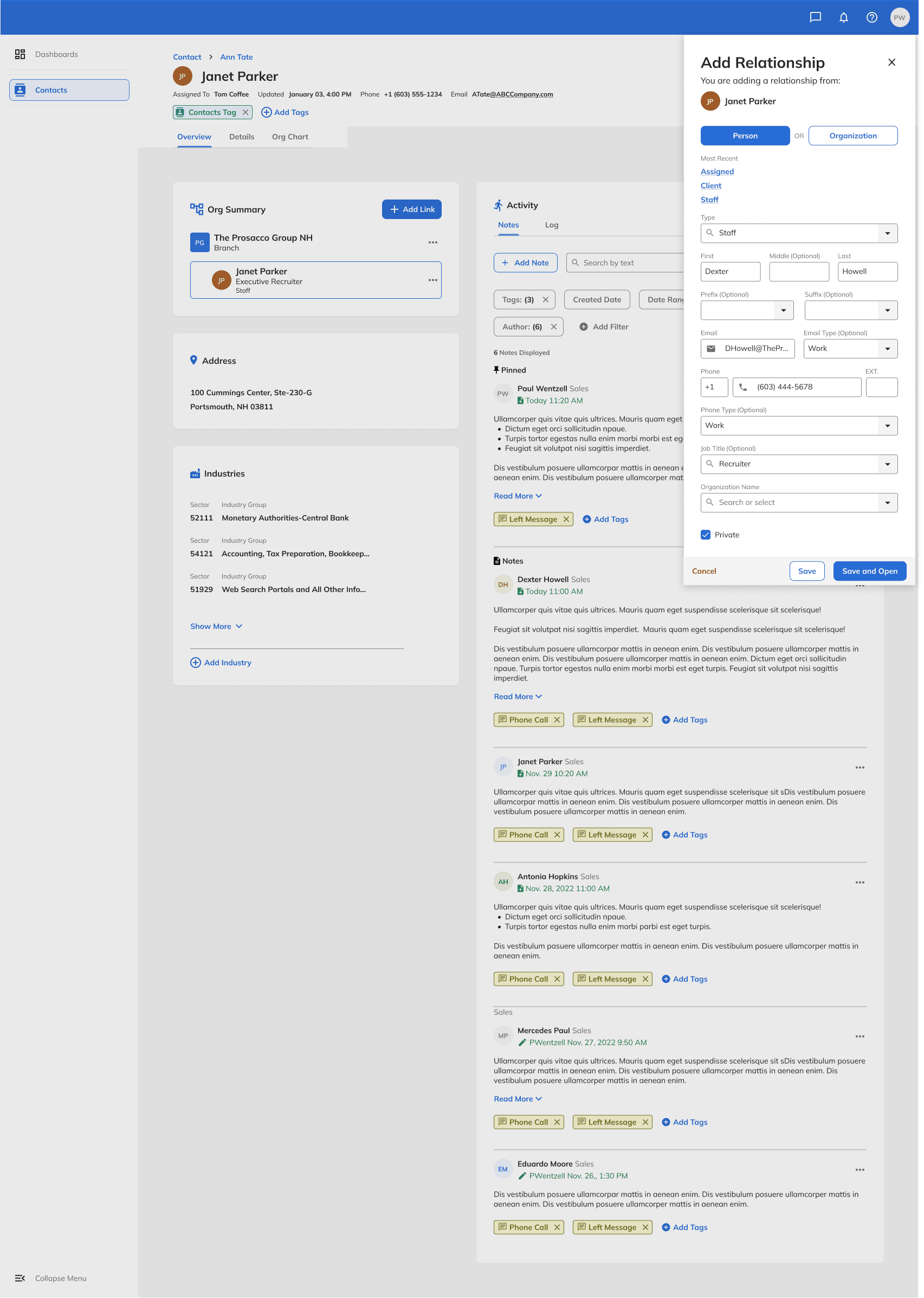
Quick-add panel — designed for the speed of a phone call.
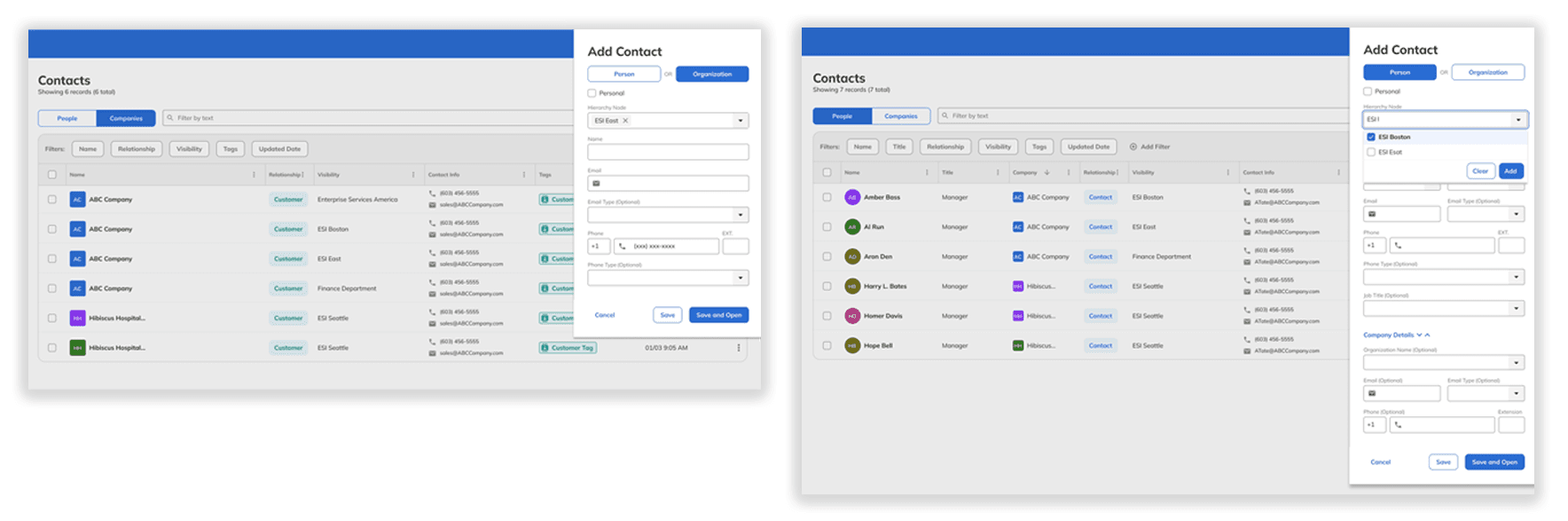
QUICK-ADD-SLIDE-IN CONTACTS LIST STAYS VISIBLE DURING CALL
FINDING
Reps generate leads live on calls. Thirty seconds, limited information. They cannot stop to fill twelve fields while someone is talking.
INSIGHT
Partial records at point of entry are intentional — not a data quality failure. Reps enrich detail as prospects move through the funnel, not all at once.
DESIGN
Slide-in panel keeps the contacts list visible — no navigation break mid-call. Minimal required fields. "Save and Open" creates the record now, lets the rep return for detail later. The contact is placed correctly in the ORG hierarchy immediately — no orphaned records.
DECISION 2
Cards over tables — a layout decision that was also an architectural decision.
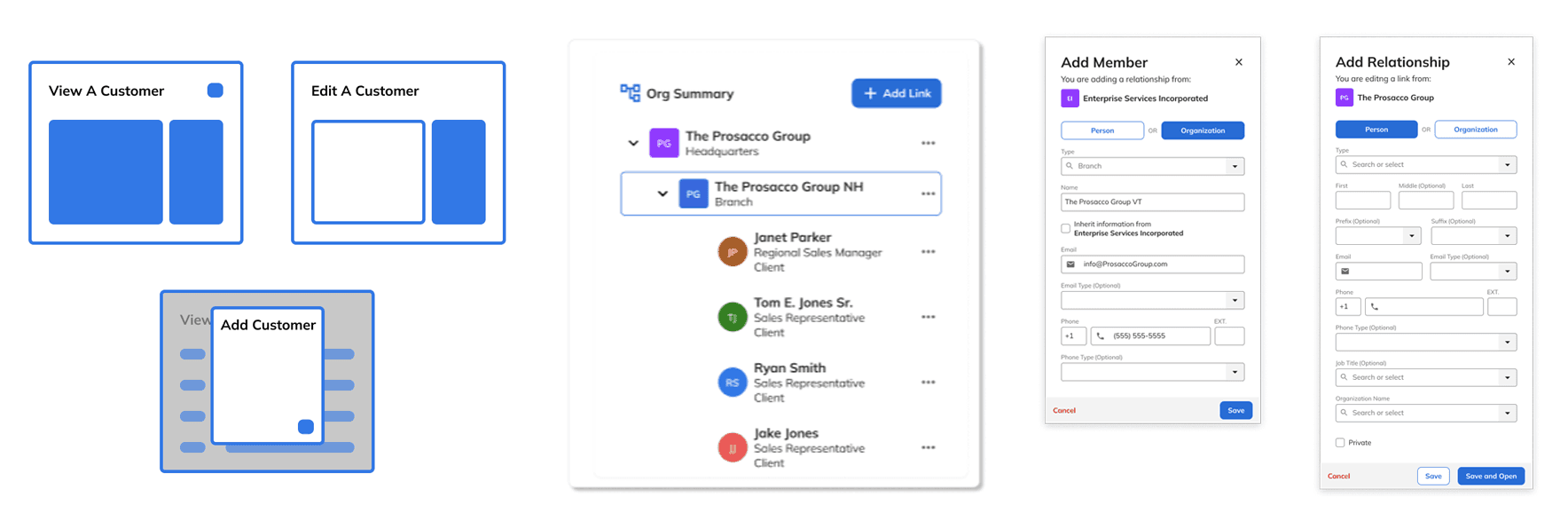
CARD EXPLORATION - ORG STRUCTURE - ADD ORG & PERSON
FINDING
Early-stage records are sparse by design. A data table of empty cells signals bad data — even when the record is intentionally minimal at first-call capture. And the CRM needed to work across screen sizes without rebuilding layouts for each one
INSIGHT
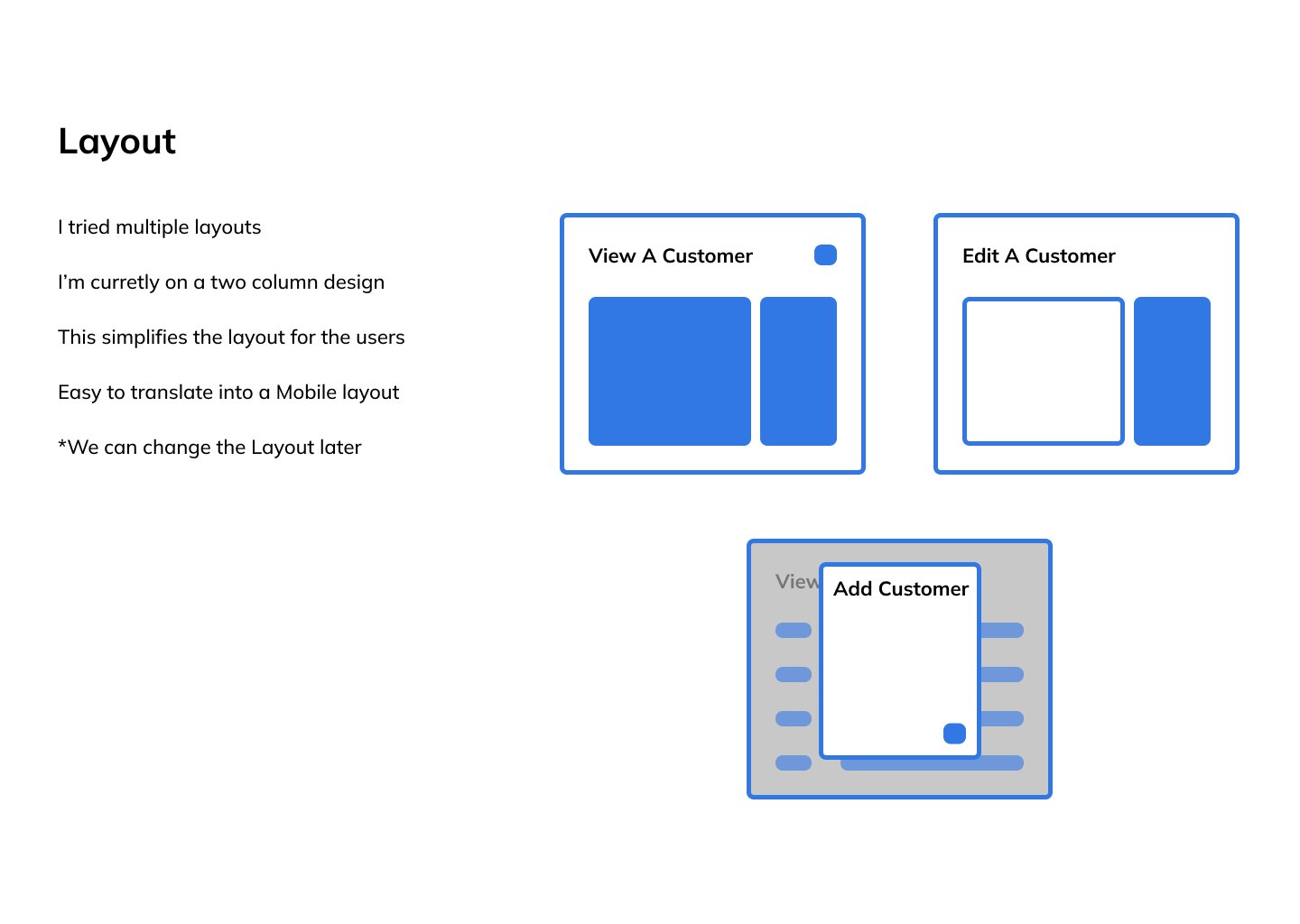
Multiple layouts were explored and rejected. The two-column card layout won on three counts: partial records look intentional, the layout adapts across screen sizes without a rebuild, and cards can change without touching the underlying structure. The layout choice was also an architecture choice.
DESIGN
Cards throughout the CRM. Prospect records, customer records, org entries — all render cleanly from first-call capture to fully qualified customer. The pattern holds at every lifecycle stage and scales across desktop and horizontal tablet without a layout rebuild.
DECISION 3
Duplicate detection at point of entry — before bad data is created.
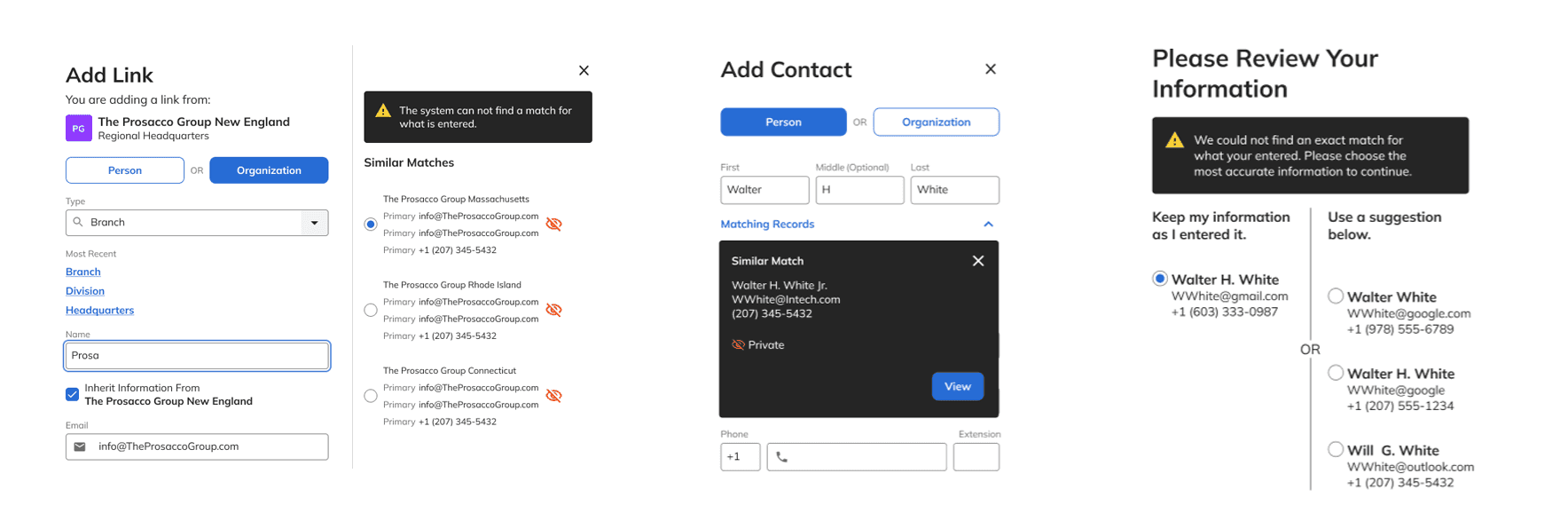
Four states of the validation flow. The Private flag on the third panel is the commission tension made visible in the UI — a match exists, but its details are protected.
FINDING
Duplicate records and inaccurate contact data had eroded trust in the CRM. Reps stopped relying on it because they couldn't trust what was in it. Madison's own term for the accumulated bad data was dirty data — the name stuck because it was accurate.
INSIGHT
Fixing dirty data after the fact is harder than preventing it. The check needs to happen at creation — not during a quarterly cleanup sprint.
DESIGN
Real-time duplicate detection surfaces matches while the rep is still typing. When a match is marked Private, the system shows it exists without exposing the protected details — data integrity enforced without forcing reps to reveal proprietary relationships. That single rule required product owner sign-off. It touched commission territory directly. During limited release, SQL Server scripts confirmed a reduction in duplicate records — the UI gate was preventing entries the old system would have accepted.
DECISION 4
Card layout as relationship architecture — the power of the CRM made visible.
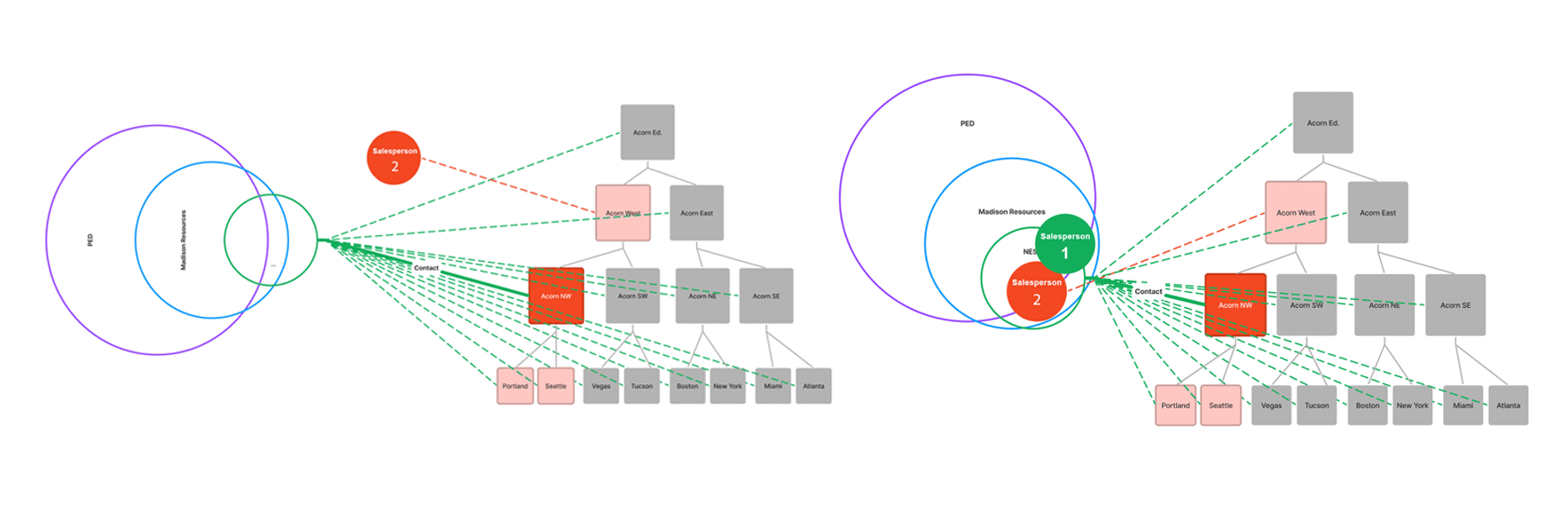
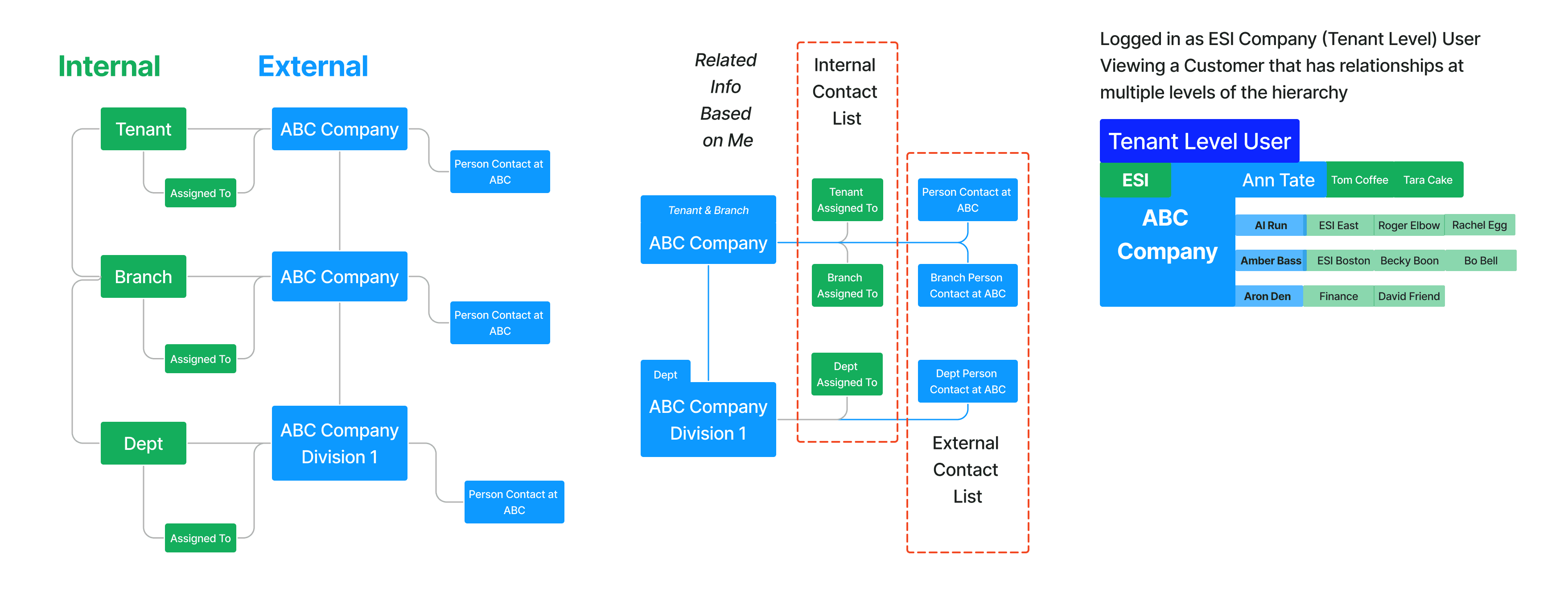
Multiple structural models evaluated before landing on the hierarchy tree. Complexity made navigable without exposing the underlying data model.
FINDING
Staffing relationships are complex. One salesperson can have connections to multiple org levels, branches, and departments simultaneously. The existing system had no way to model this — reps carried the org structure in their heads.
INSIGHT
A card isn't just a UI component — it's a node in a relationship graph. The card pattern makes the data model visible without exposing the technical complexity underneath it.
DESIGN
Three representations were evaluated before landing on the hierarchy tree. Flat table variants made cross-division relationships readable as data but invisible as structure. For a rep managing an account like ESI — East, Mid, and West divisions each with multiple city branches — reading a tree versus scanning a table was the difference between understanding the account and not. The Org Summary embedded directly in the contact record. No separate navigation required.
DECISION 5
Story structure — building a shared language between design, dev, and QA.
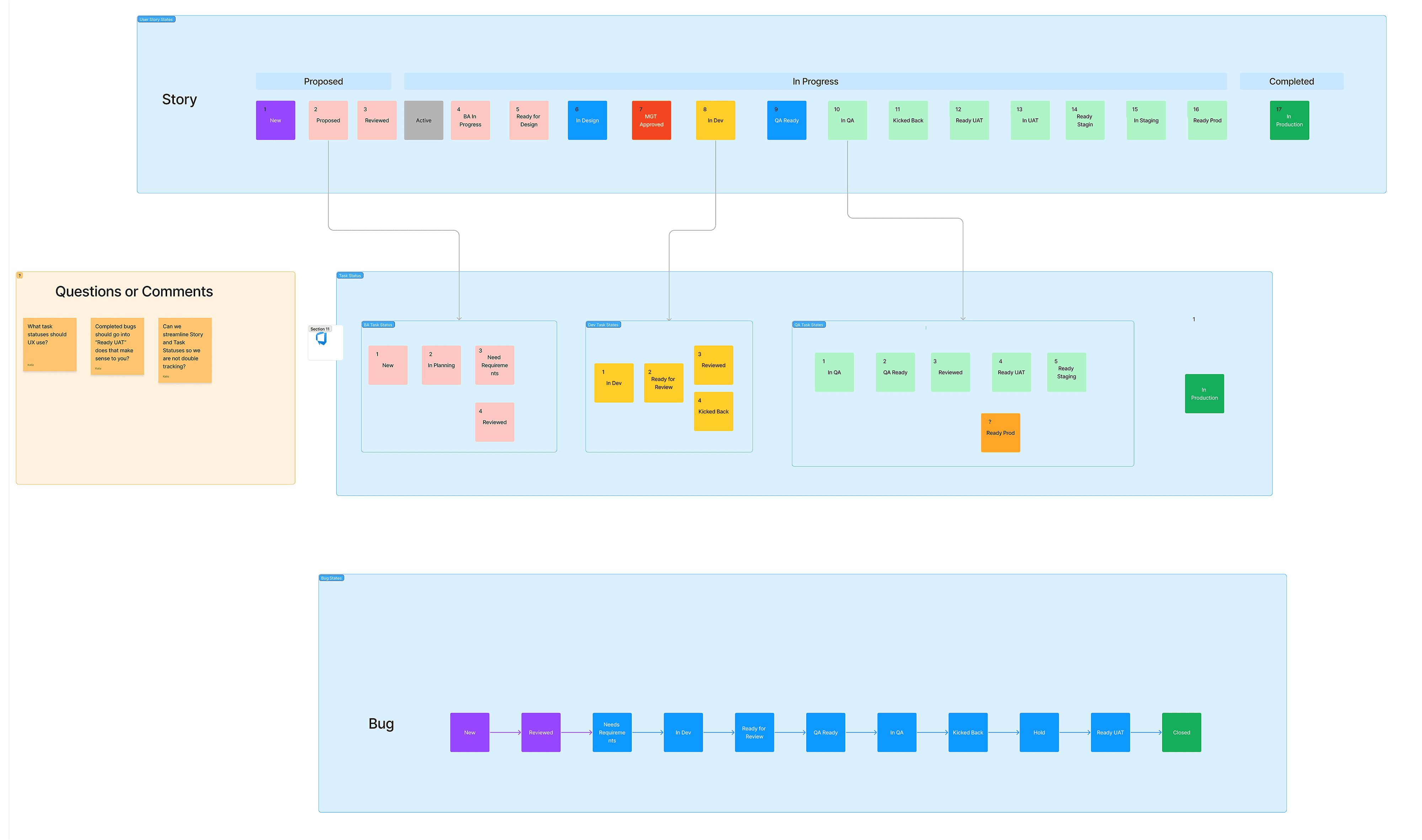
Workflow designed with project manager - Story, Tasks, Bug Workflows
FINDING
Developers were filling in story gaps their own way. QA had no consistent baseline to test against. Stories stalled at handoff because design and dev hadn't agreed on scope before work started. The process was creating rework that showed up mid-sprint — the worst time to catch it.
INSIGHT
A story that can't be tested isn't ready. A story that needs design clarification during development wasn't finished when it left design. The acceptance criteria needed to be written at the level where QA could test directly against them — not interpret intent.
DESIGN
Working with the PM, I designed the story structure and Azure DevOps state workflow. Explicit acceptance criteria reduced developer questions during active sprints. Every kickback was documented with a written reason — creating a traceable record instead of a verbal loop. Stories moved through defined states in sequence. Junior developers could implement complex stories without waiting for design clarification. Design and dev aligned on scope before stories entered the sprint — not after work had already started.
OUTCOMES
A governed, relationship-aware CRM — consistently delivered across Navigator on .NET Blazor.
Navigator went to limited release. The full org wasn't on it yet — but what the limited release showed was enough.

Duplicate entry prevented at point of creation
the UI gate blocked records the old system would have accepted. SQL Server scripts confirmed the reduction during limited release.

Account structure visible to management
for the first time org hierarchy, relationship ownership, pipeline status. The mental models that had lived only in individual reps' heads were now in the system.

Commission tension resolved through design
the Private flag gave reps protection and the business transparency, without forcing a choice between them. That was the hardest problem in the product and it shipped.

One UI, three user groups, one codebase
payroll was designed for through permission-based scoping. No separate build required. Dev burden stayed contained.
The story lifecycle and Azure DevOps workflow outlasted the individual stories. The process didn't just ship Navigator — it gave the team a repeatable way to work.
PROJECT GALLERY
From org modeling to governed contact architecture
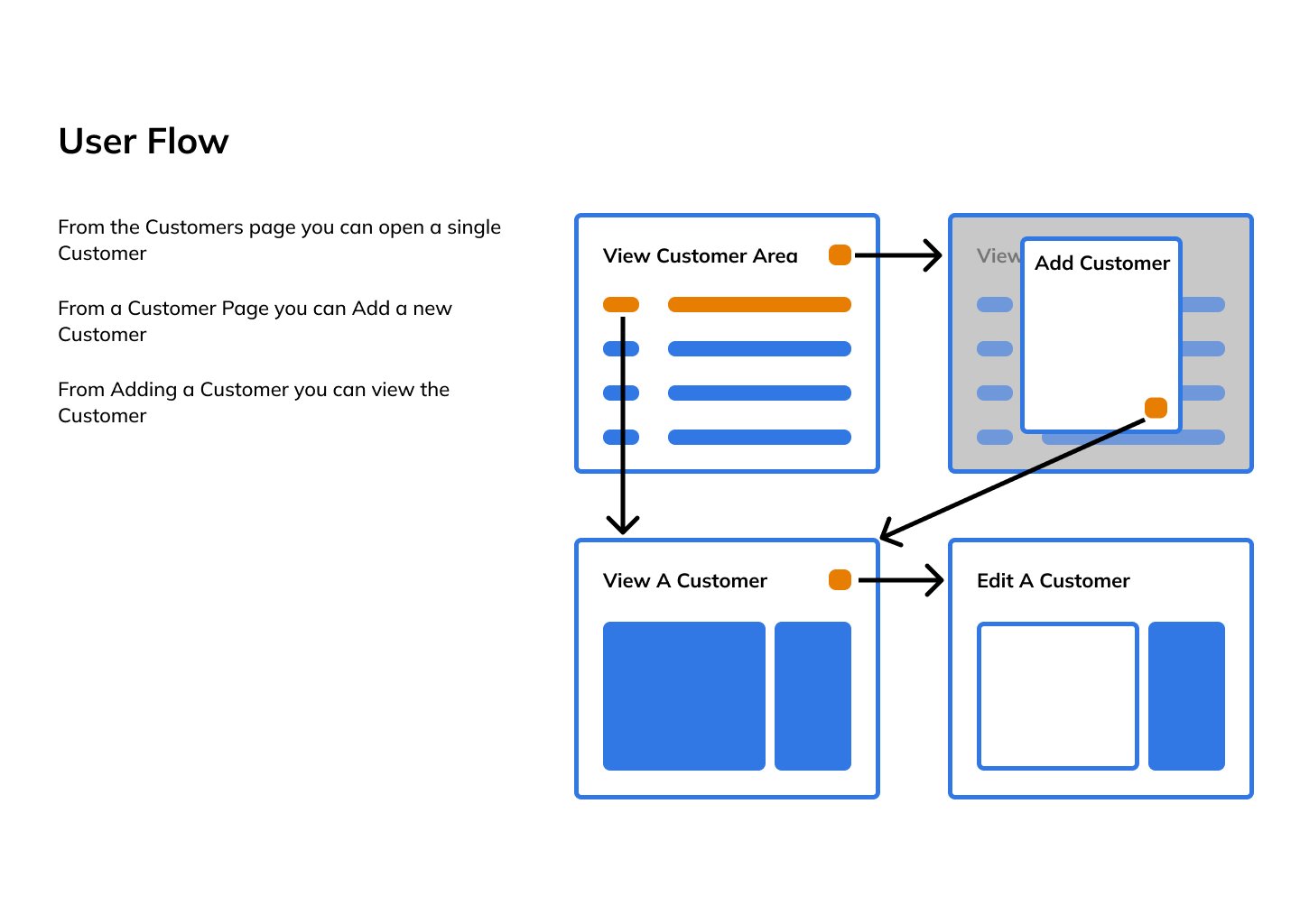
User Flow — View, Add & Edit
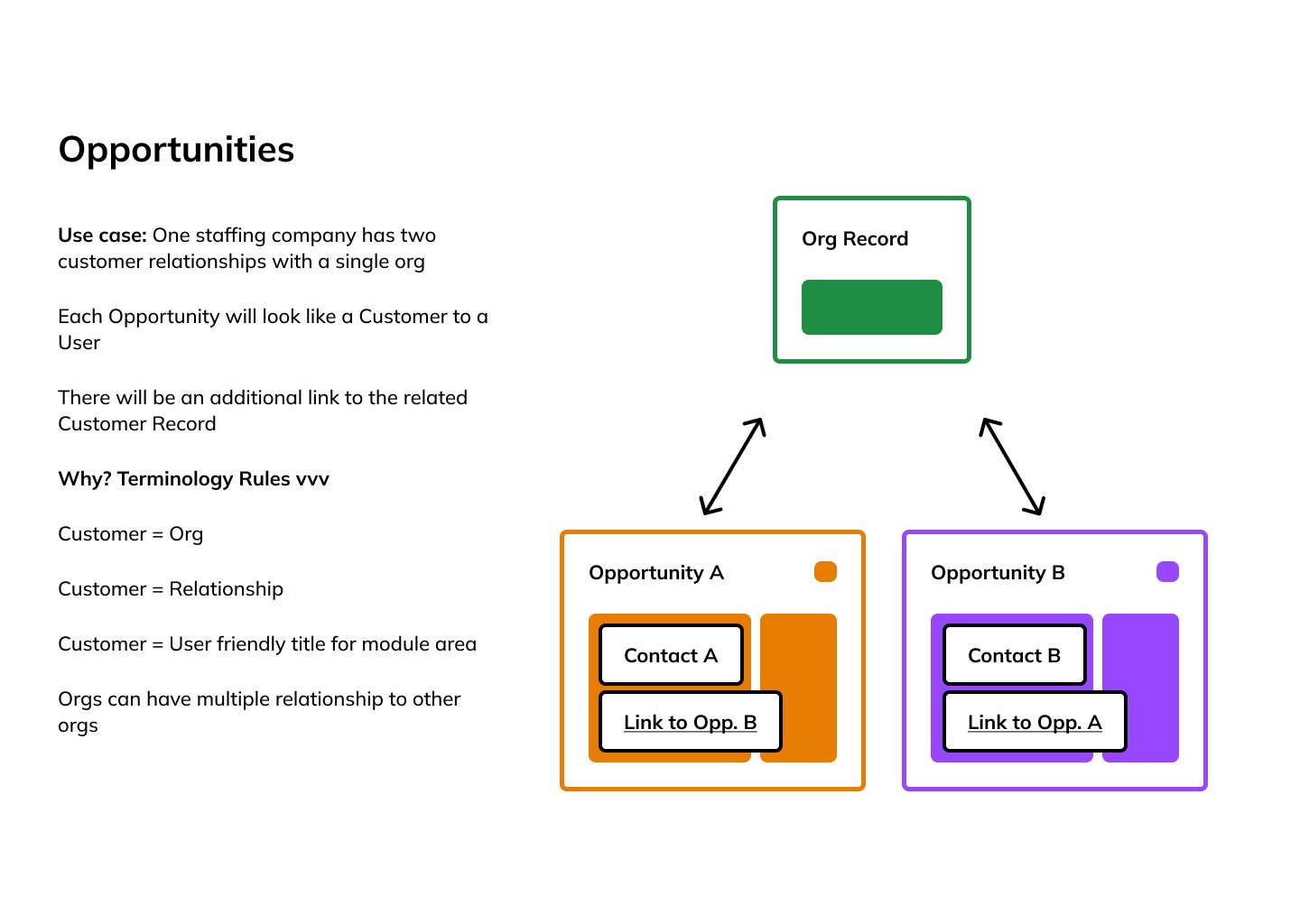
Opportunities Model — One Org, Multiple Relationships
Layout Exploration — Two-Column View/Edit/Add
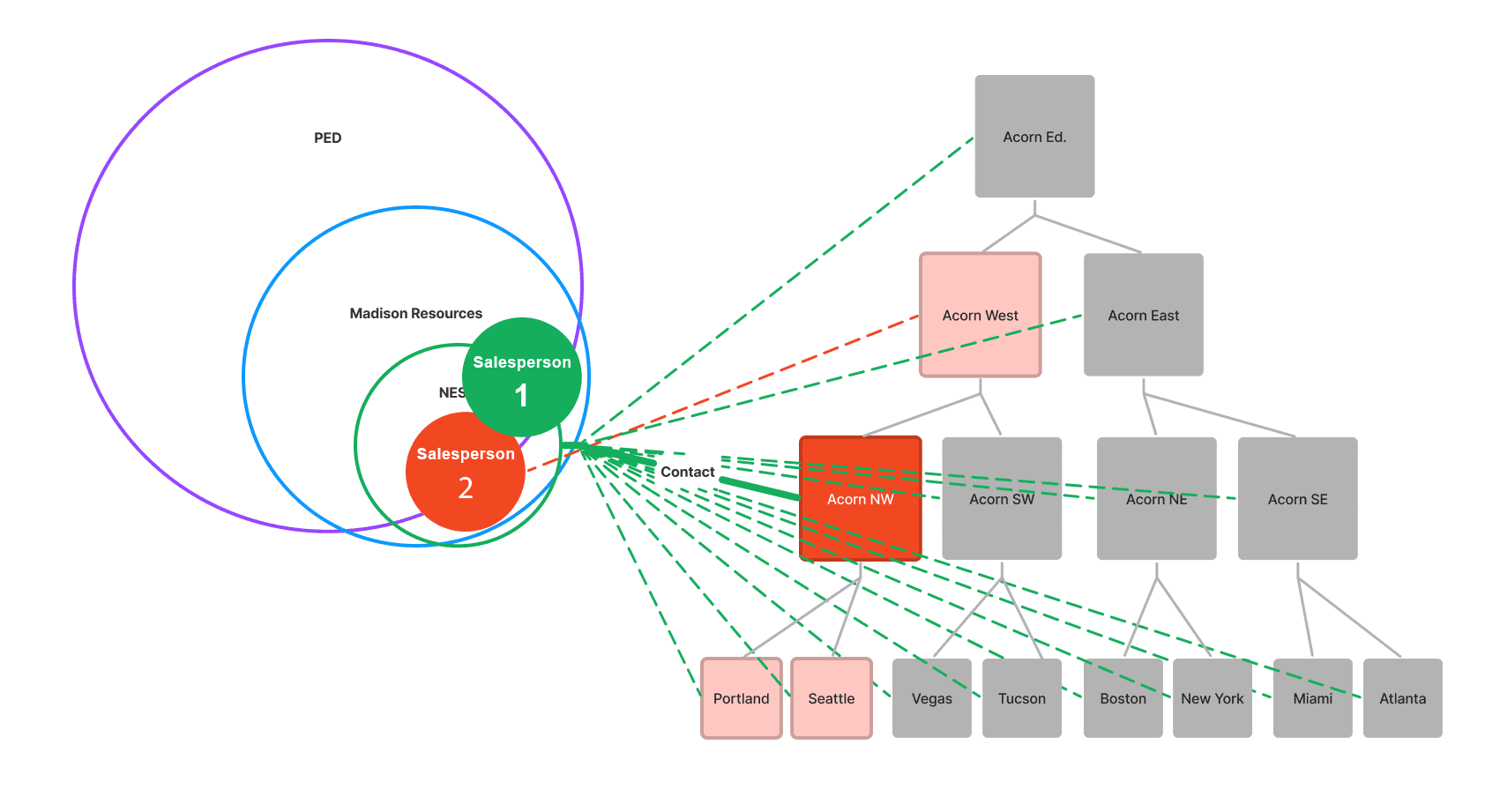
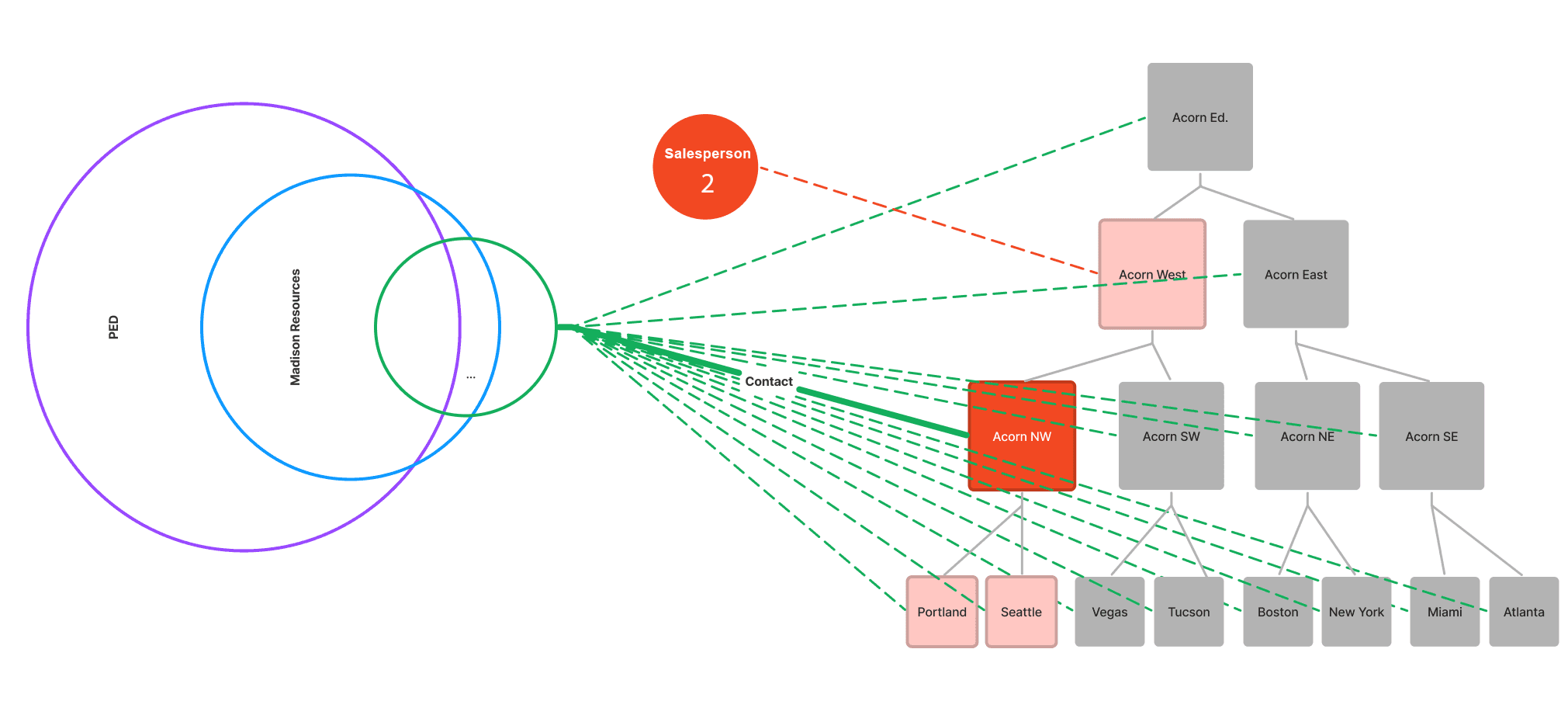
Hierarchy-Visibility-Model
Relationship Diagram Sales Rep
Relationship Diagram Org to Rep
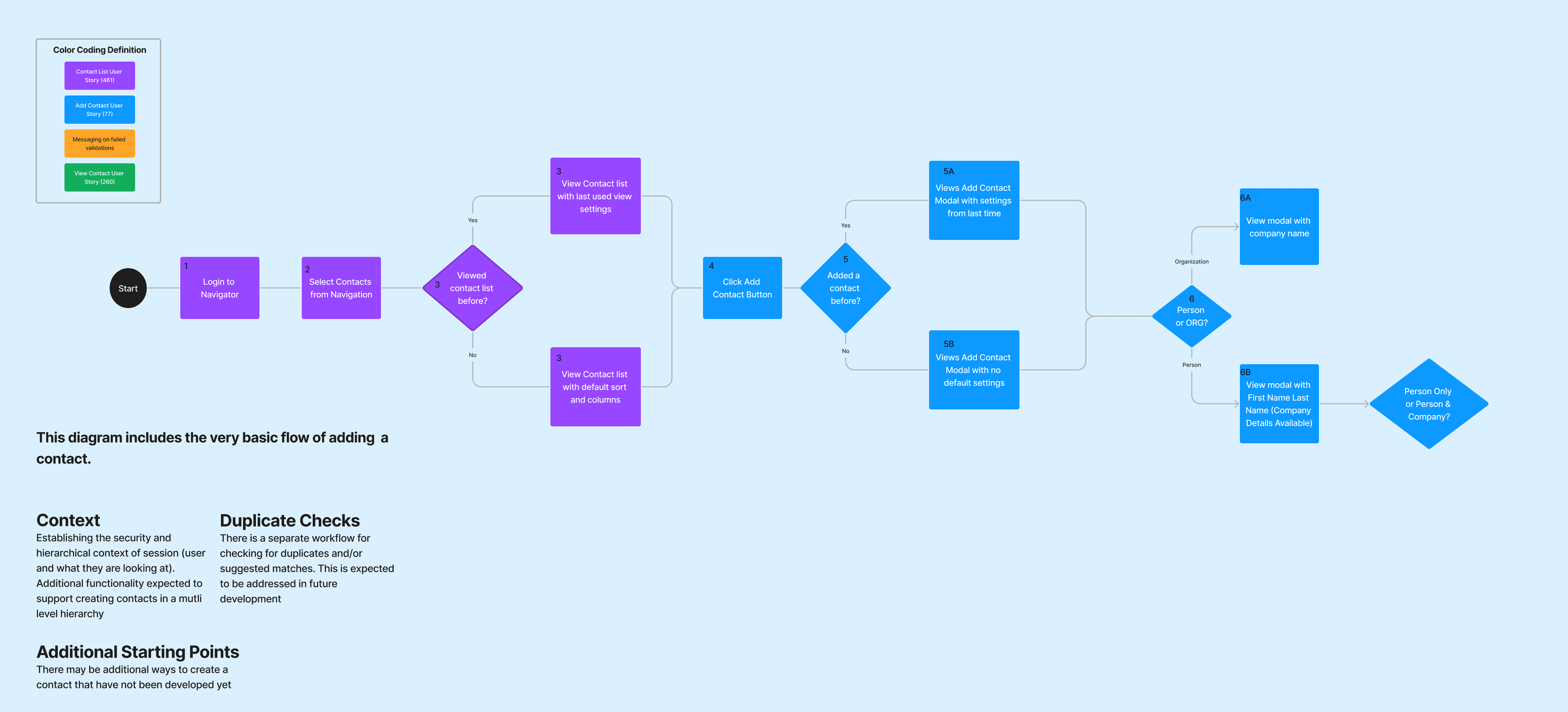
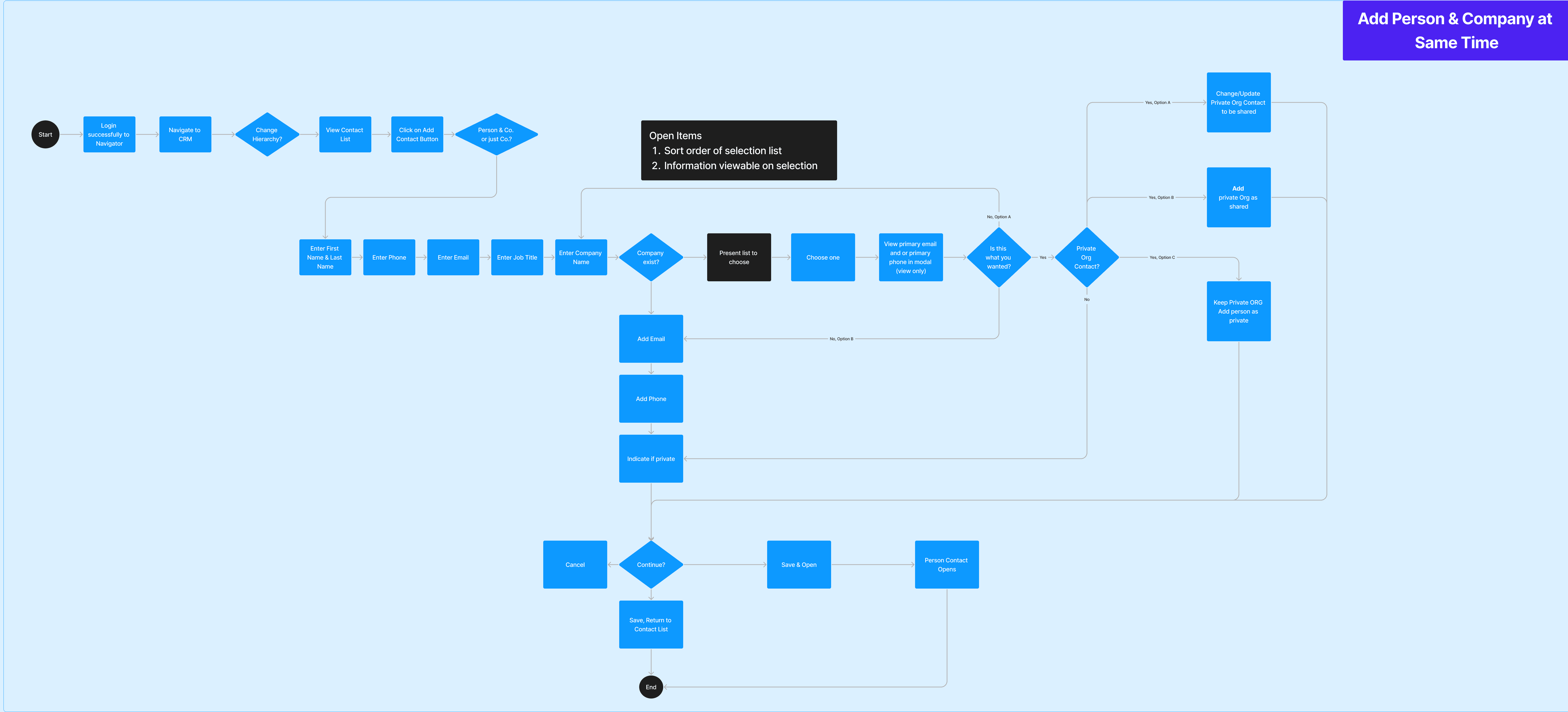
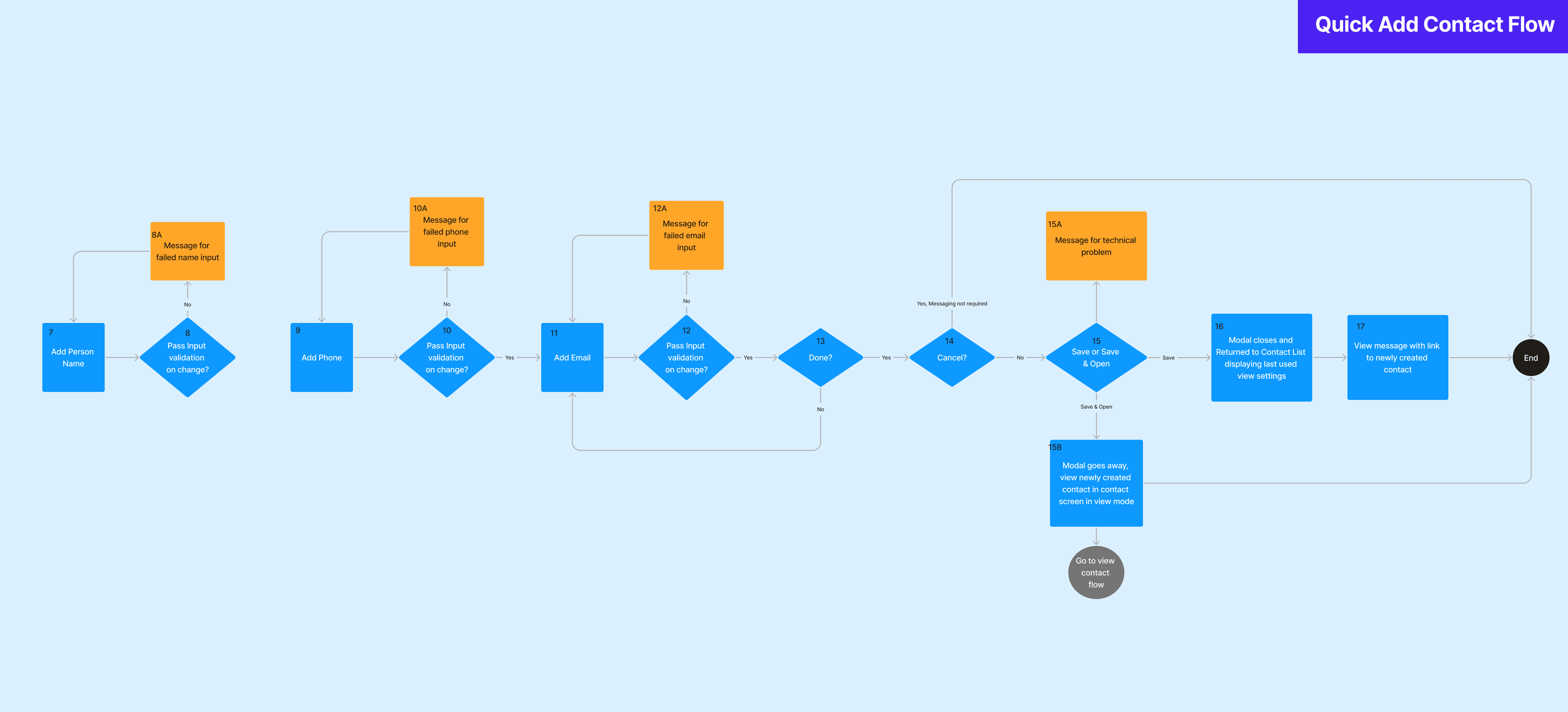
Add Contact Default Flow
Add Person and Contact At Same Time
Quick Add Workflow
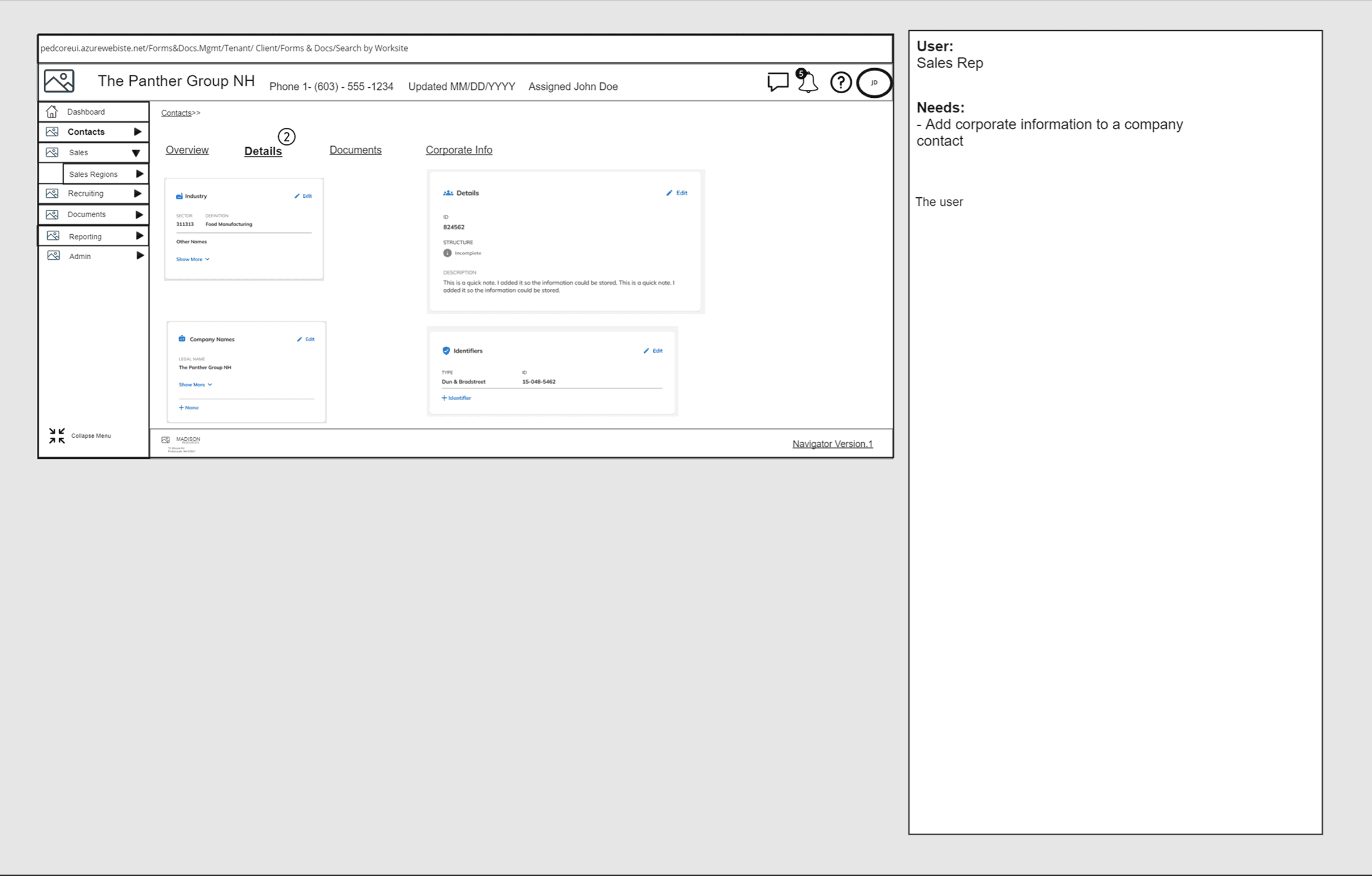
Wireframes Notes- Sales Rep
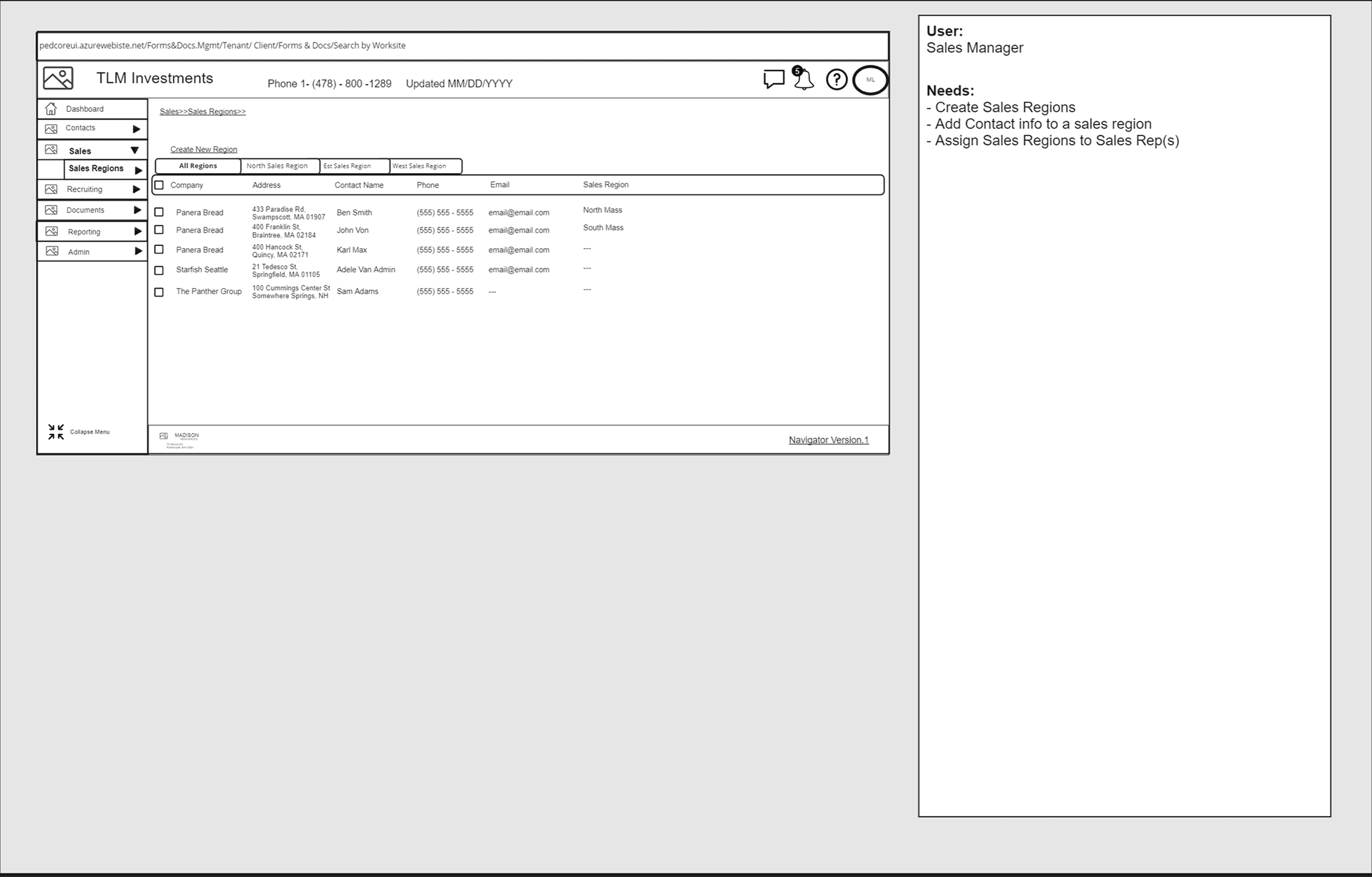
Wireframes Notes- Sales Manager
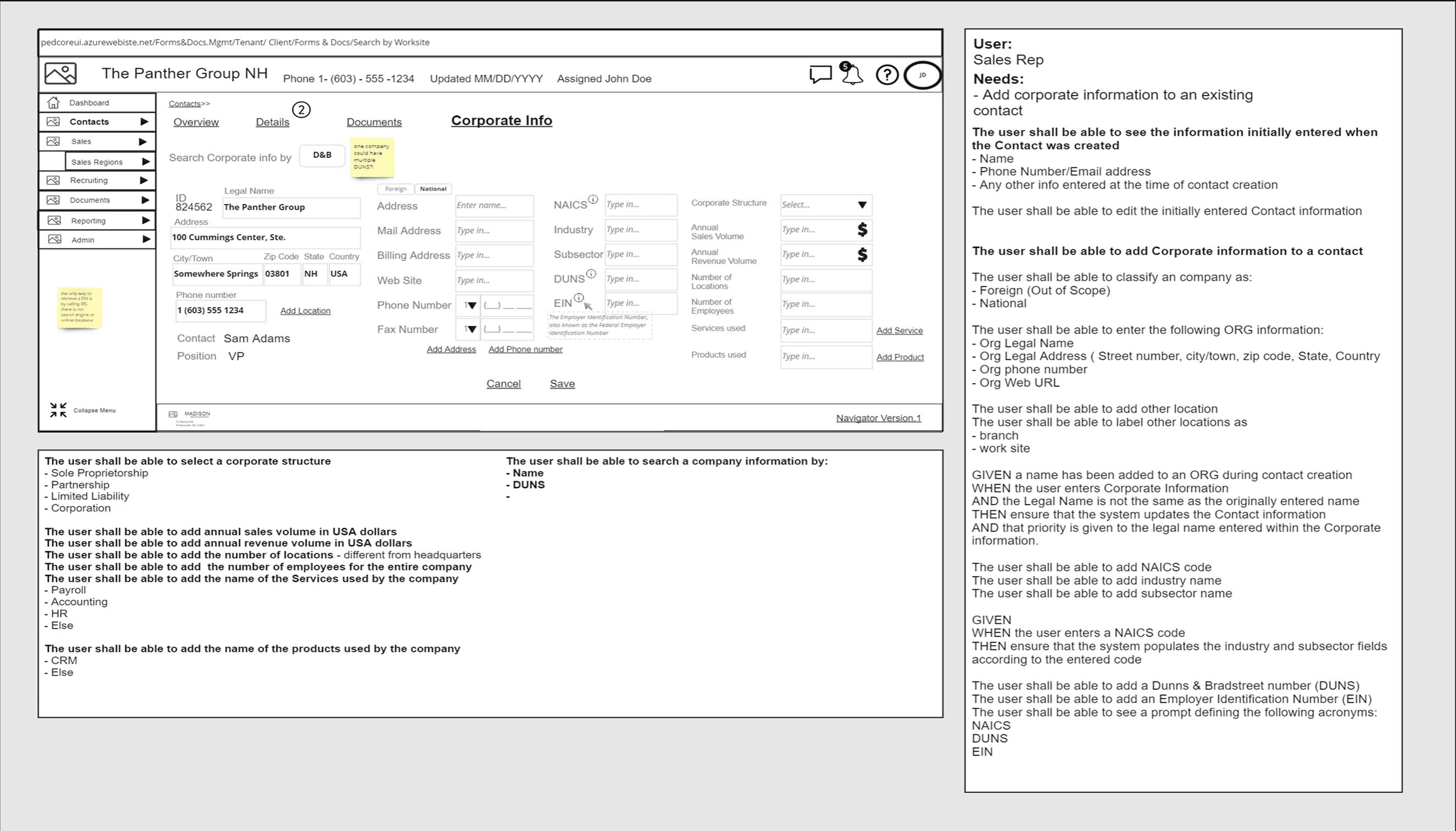
Wireframe Notes - Corp Info
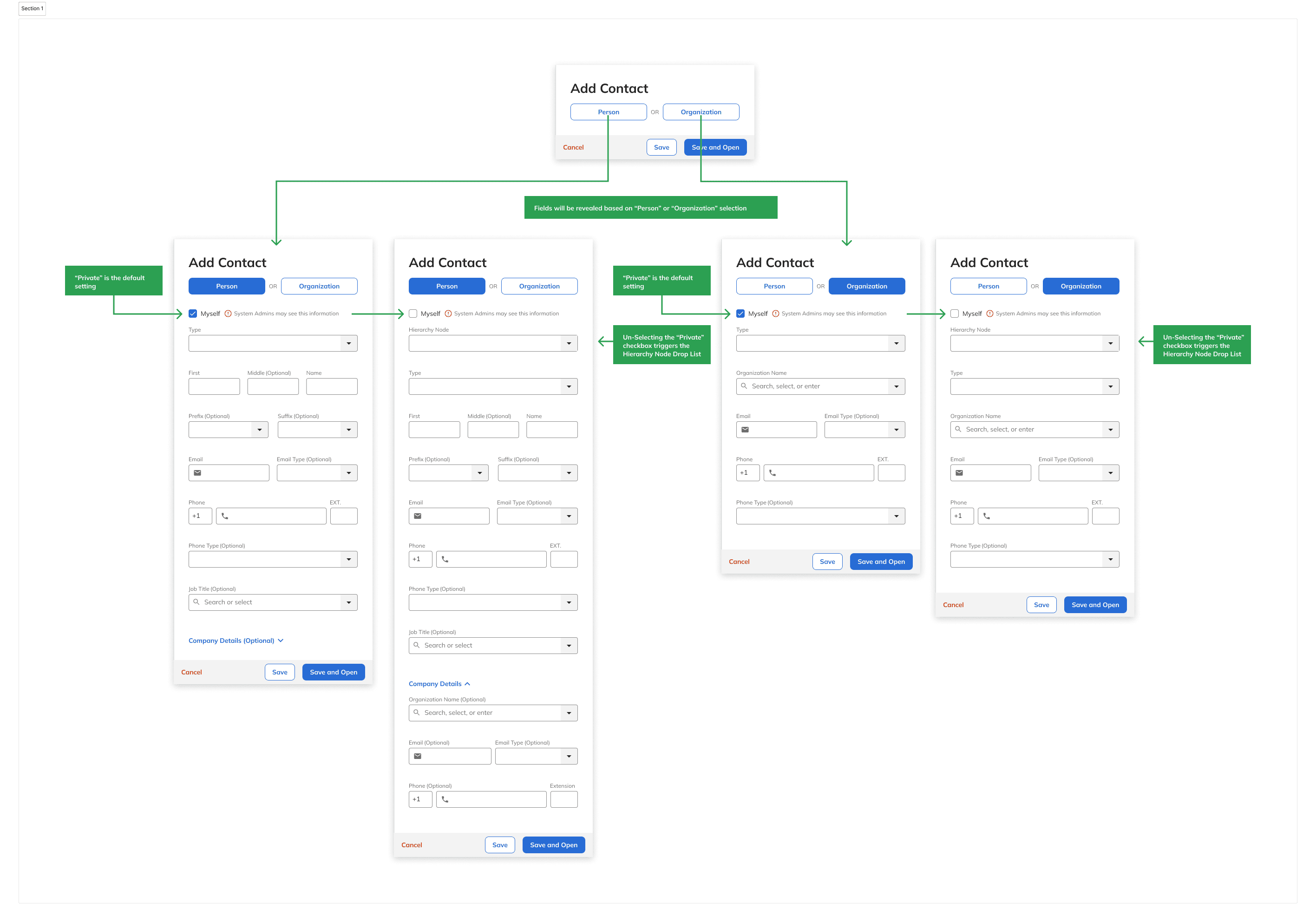
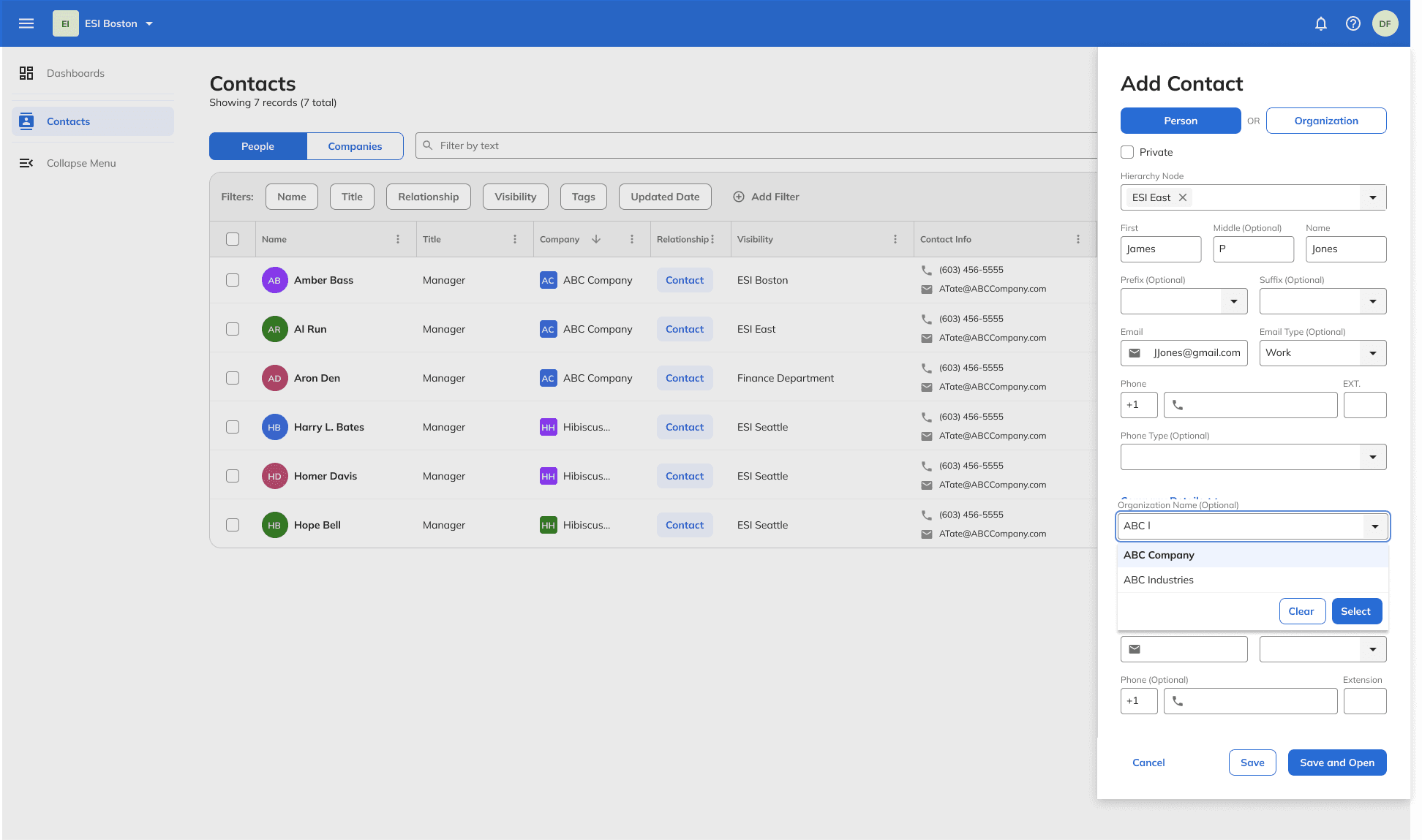
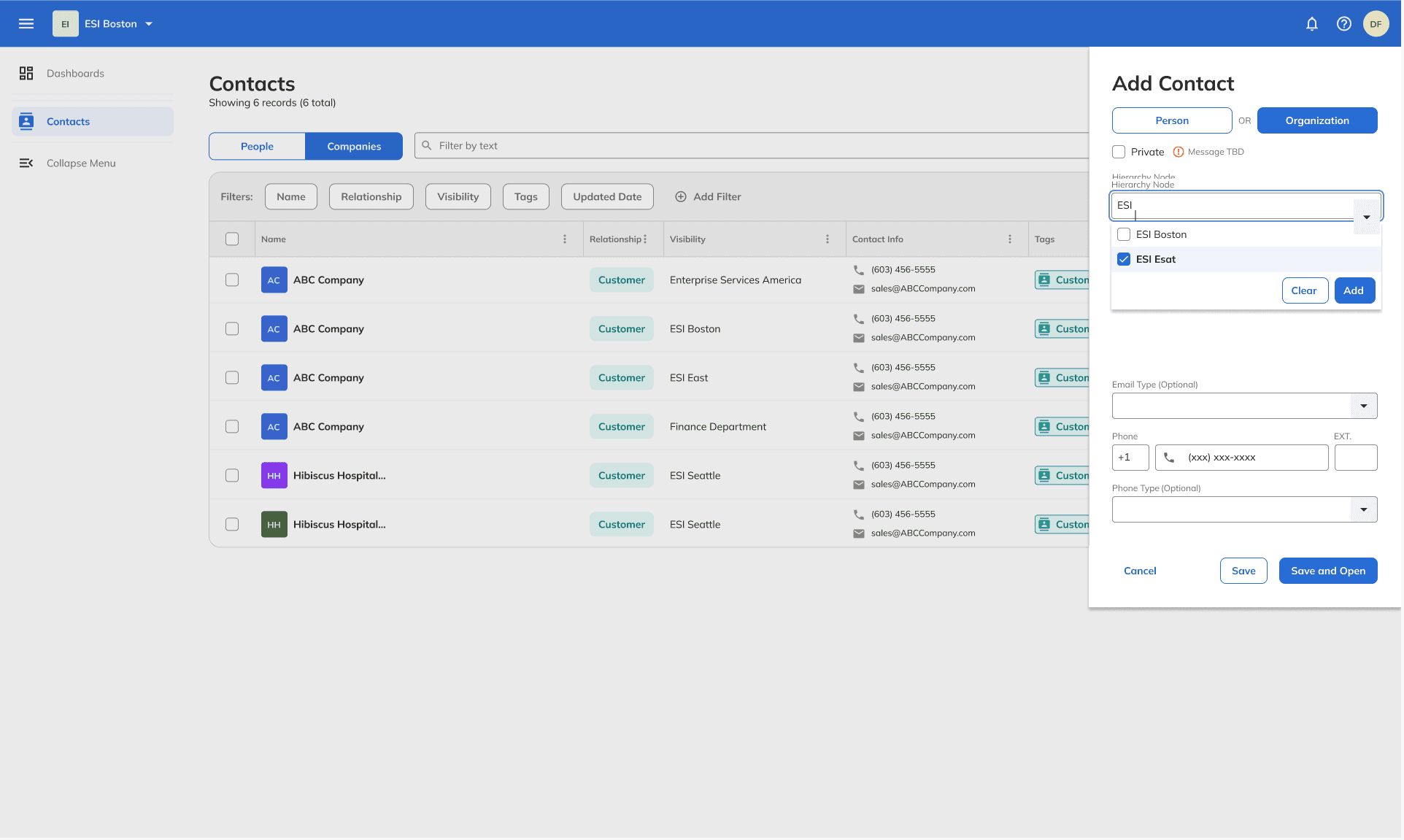
Quick Add Person & Org
Quick Add Person Dialog
Quick Add Org Dialog
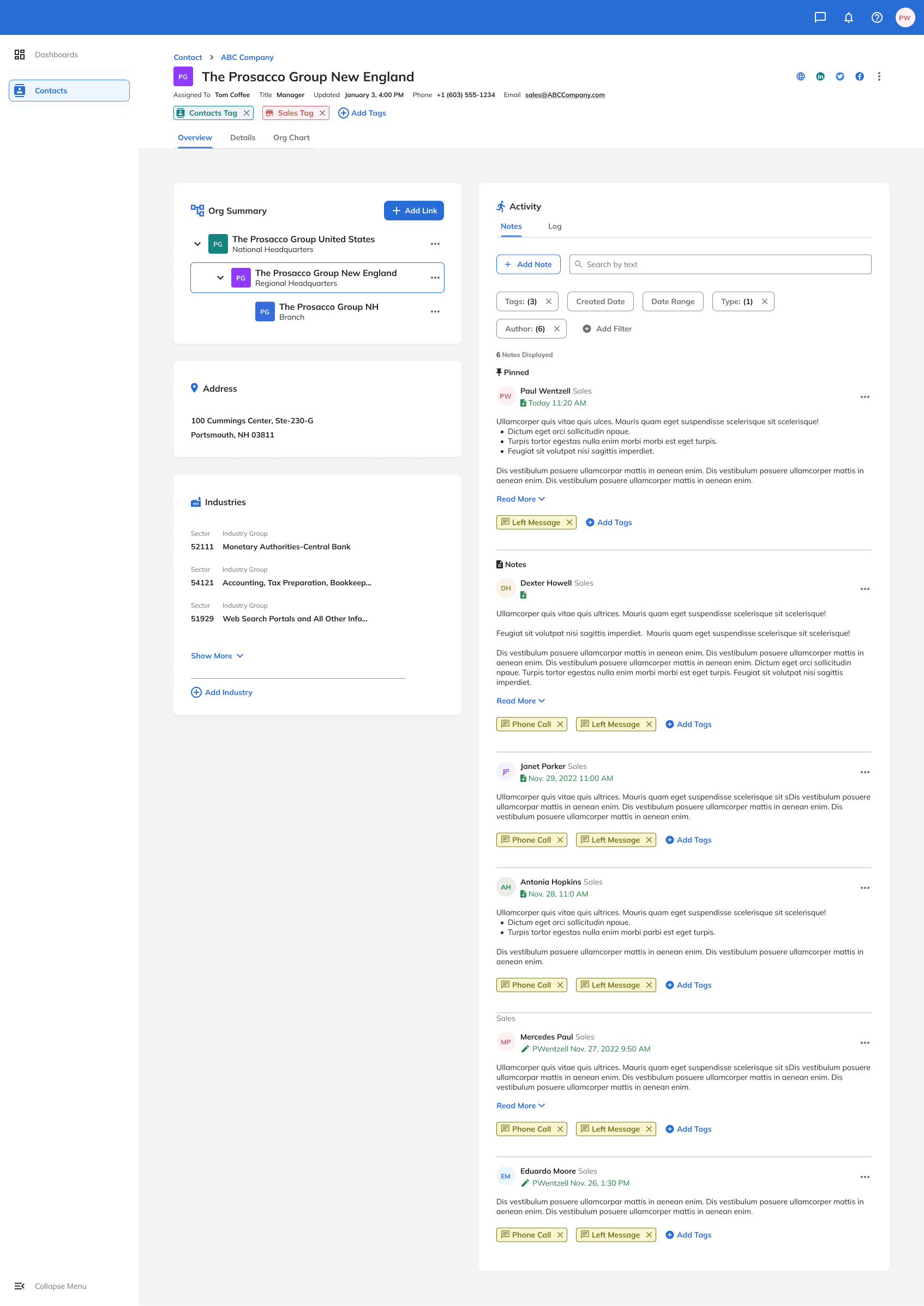
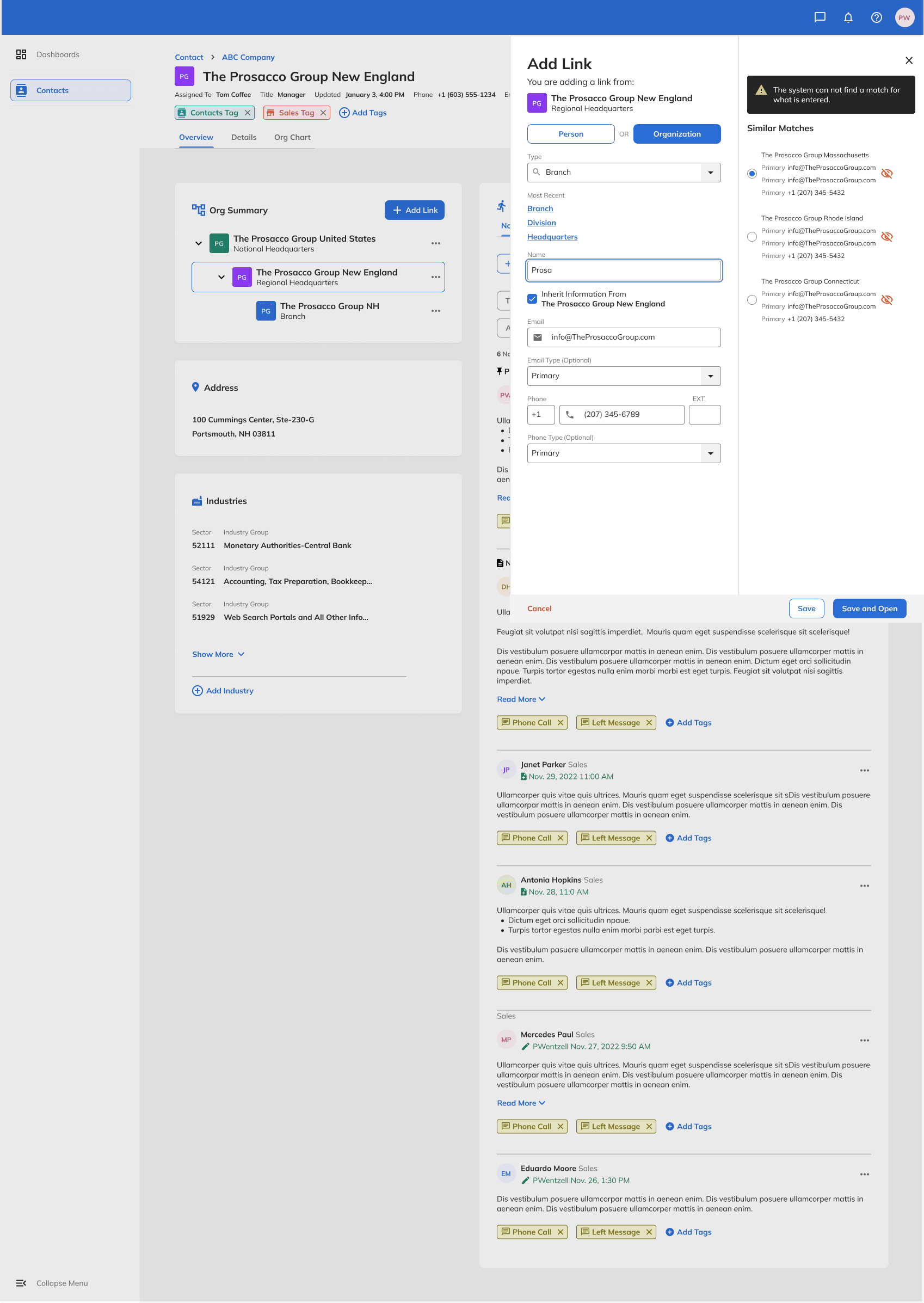
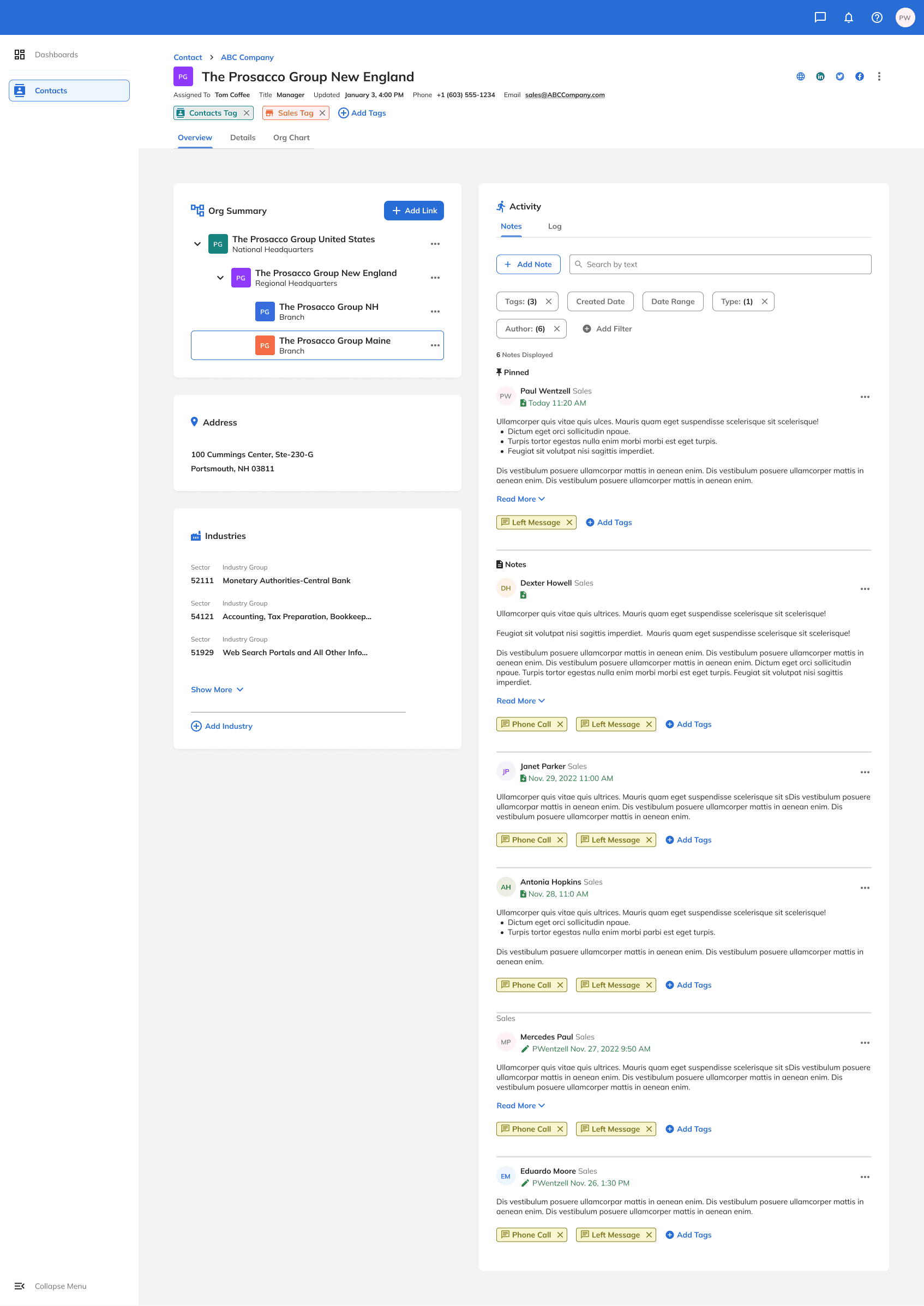
Org Detail View
Org Add Link
Org Link Added
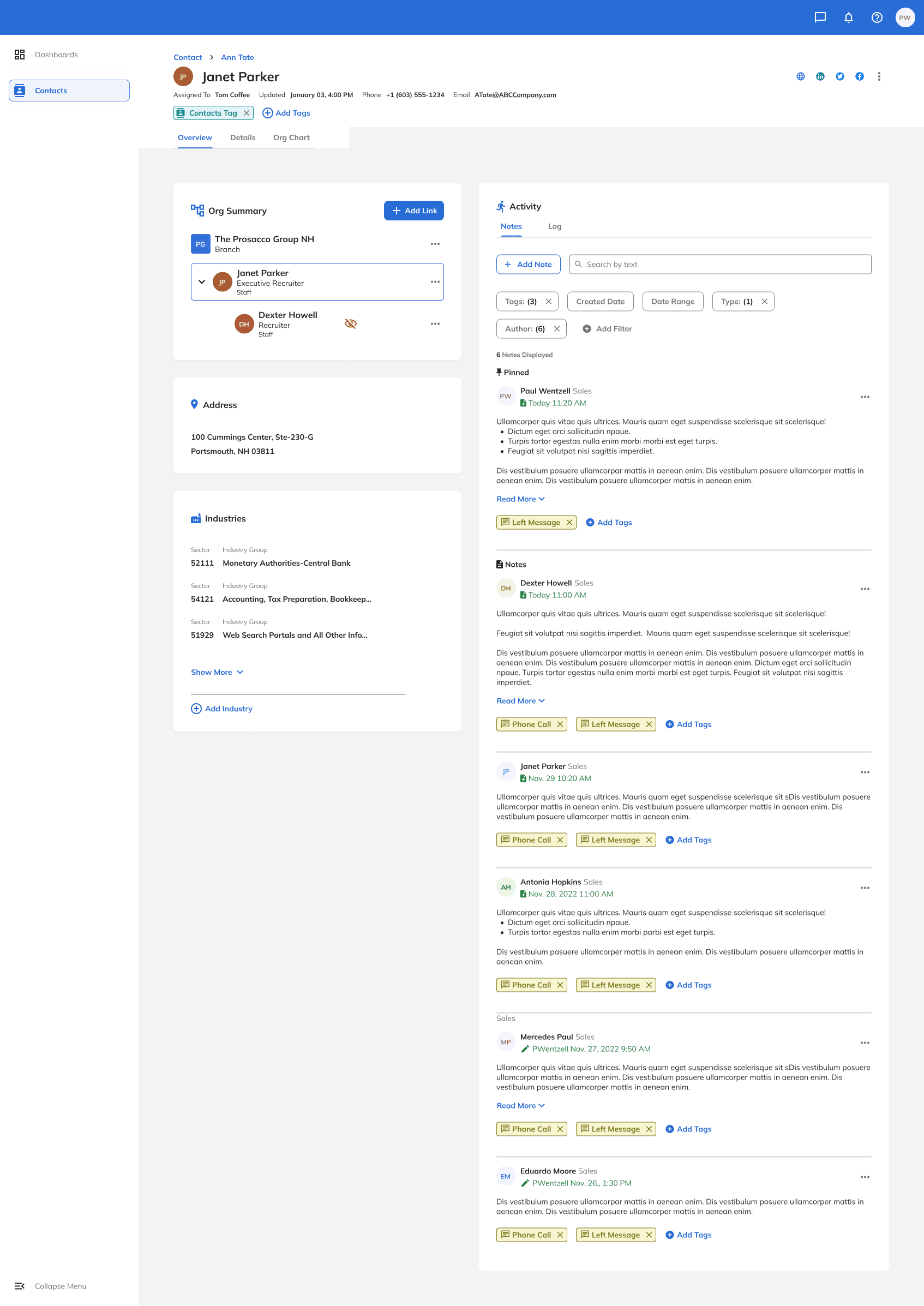
Person Detail View
Person Add Relationship
Person Relationship Added
What I'd do differently
Involve .NET Blazor engineers earlier in component review. Gator translated well into Blazor, but some interaction patterns around data binding and progressive disclosure required revision once server-side rendering constraints were flagged. Earlier joint reviews would have caught those gaps before handoff — and before stories had already entered the sprint.