


THE PROBLEM
Multi-Framework
THE PROBLEM
The tools they had looked like Excel — because they were.
Legacy applications built for data capture, not decision-making. The tools worked — they just weren't designed for the analytical work underwriters were doing in them every day.
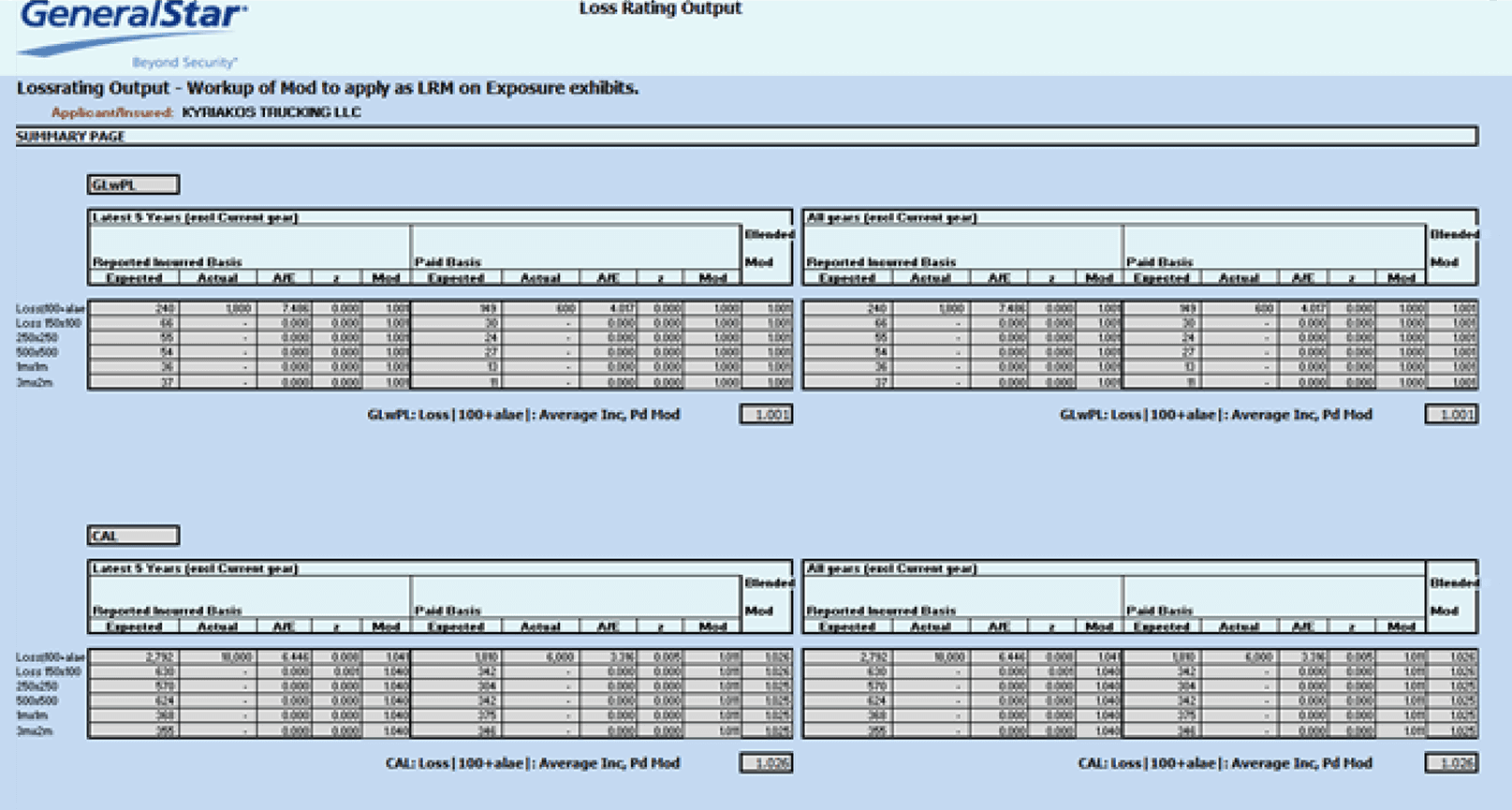
Legacy loss rating output — pre-GENESIS G2
MY ROLE
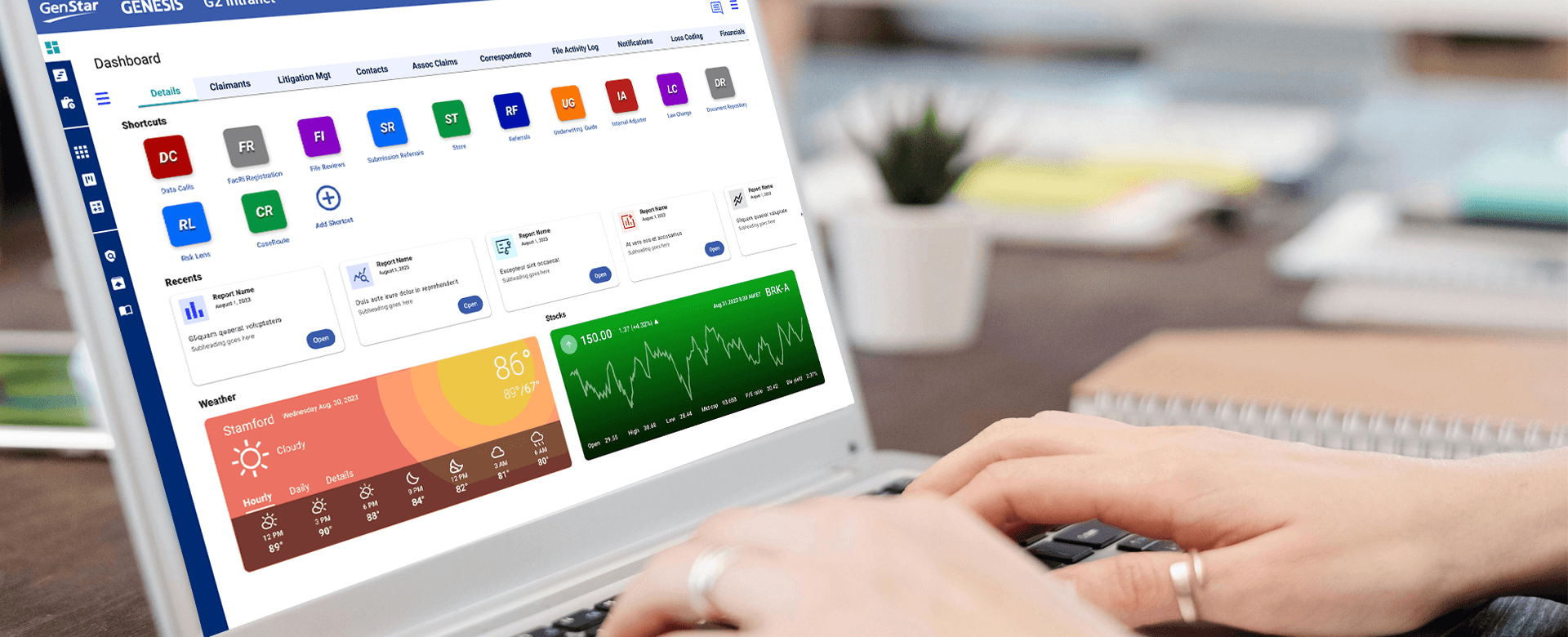
Led UX design for General Star's underwriting dashboard — mapping risk logic into a decision-grade workspace on GENESIS G2.
WHAT I OWNED
I ran all interviews with underwriting leads, SR underwriters, claims reviewers, and underwriting managers independently. I ran the comparative audit across eight enterprise products before any visual direction was proposed — it wasn't scoped, I ran it because the team needed an evidence base, not an opinion. Full UX scope from discovery through implementation-ready specs: risk triage logic definition, dashboard architecture, Material token system, AG Grid patterns, weather and stock widget systems across 17 and 9 variants respectively.
HOW I WORKED
Designed for GENESIS G2 on .NET and Azure — Google Material token system applied across React and Angular for framework parity. AG Grid handling data-heavy views with standardized density and column hierarchy specs. Every component implementation-ready on day one — spec reviews with engineering resolved framework conflicts before build began, so handoff required no interpretation. Defined risk logic and decision paths in partnership with underwriters, product, and engineering before any visual design began.
THE GAP UNDERWRITERS FILLED THEMSELVES
When the apps couldn't do the analysis, underwriters built their own tools in Excel.
The legacy apps handled submissions and record-keeping. They didn't handle risk analysis. So underwriters filled the gap themselves — custom Excel workbooks, rating tools, exposure calculators running alongside the official system. That gap was the brief. GENESIS G2 was the answer.
Underwriting Lead
"I have no real-time data when I need to make a confident decision."
Underwriters were making risk decisions using end-of-day summaries and static exports. Critical signal data — market conditions, submission status, prior claims — lived in separate tools with no live connection to the workspace.
Senior Underwriter
"I'm navigating between five tools to build one picture."
No single workspace anchored the underwriting workflow. Every decision required assembling information from disconnected screens — external lookups, shared spreadsheets, and legacy tools with no consistent hierarchy or status model.
Underwriting Manager · Excess Casualty
"I spend more time finding information than evaluating it."
The cognitive load wasn't the data itself — it was the navigation. Every lookup required context-switching, re-orientation, and manual assembly. The system was optimized for storing information, not for the act of making decisions with it.
KEY FINDING
The tools were built for data entry. Underwriters were using them for decisions.
The most important finding wasn't about features or layout — it was a fundamental category mismatch between what the tools were designed to do and what underwriters actually needed from them. I brought this directly to the product owner and engineering lead before any design work began. The workspace had to be built from the underwriting decision outward, not adapted from a data entry model inward.
"The gap wasn't missing data. It was that none of the data was organized around the moment of decision."
CORE TENSION
Data entry consistency vs. decision-support clarity — two legitimate needs pulling in opposite directions.
I identified this tension early — engineering and underwriters were optimizing for completely different jobs. I ran a working session with both teams to make the tradeoff explicit before any components were designed. Getting that agreement upfront prevented rework later.
BUSINESS & ENGINEERING WANTED
Consistent UI across React and Angular
Material-aligned component library
Framework parity — no custom patches per team
UNDERWRITERS NEEDED
Real-time risk signals at a glance
Live market and weather data embedded
Dense AG Grid with triage logic
DESIGN RESOLVED
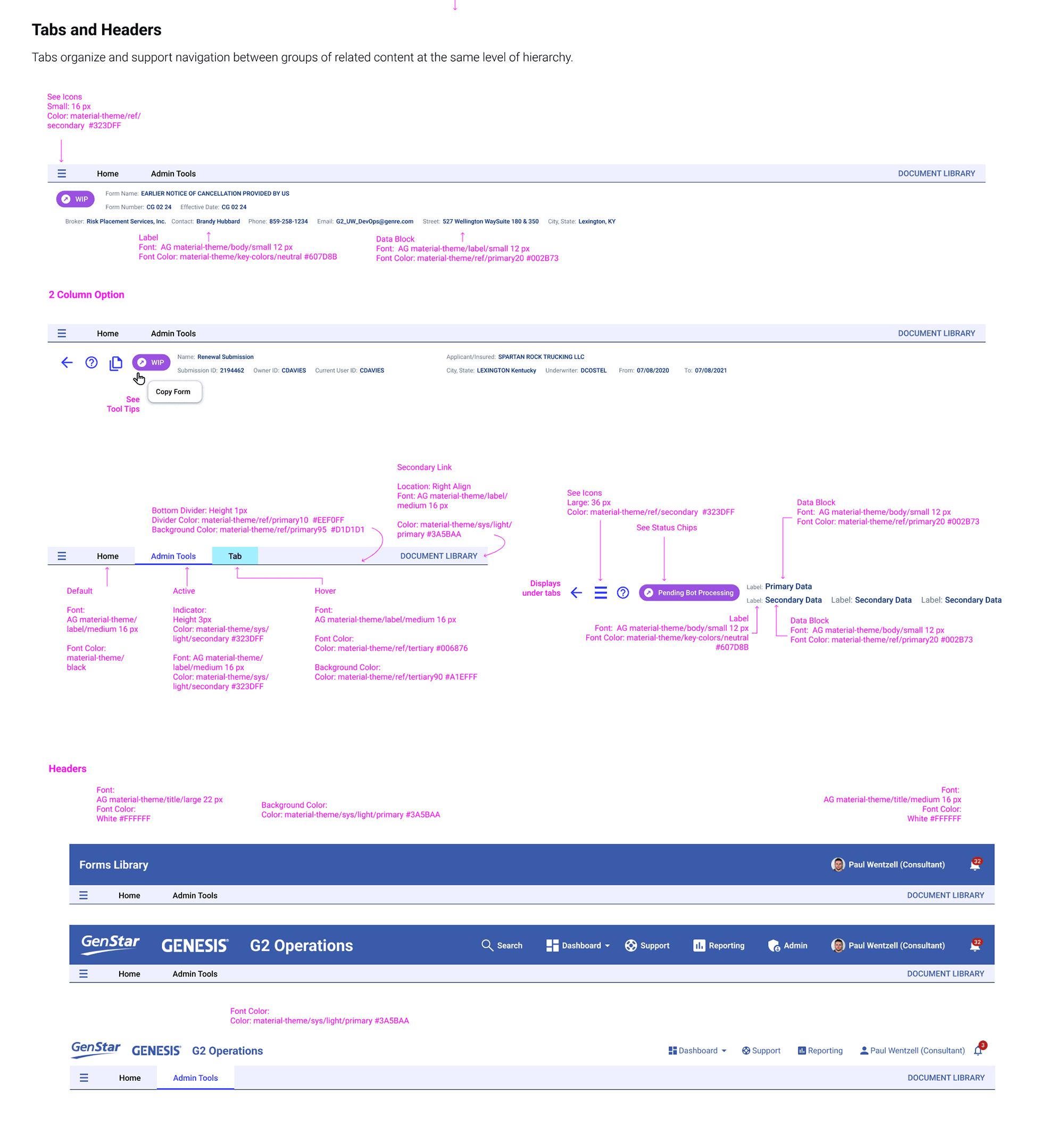
Tokenized Material theme for React and Angular
AG Grid with standardized density patterns
Unified workspace — all signals in one surface
PROCESS
Four phases — discovery and audit to architecture and engineering handoff.
1
Discovery & Stakeholder Alignment
Interviewed underwriting leads, SR underwriters, claims reviewers, and underwriting managers. Audited legacy tools and mapped how decisions were actually being made — not how the system assumed they were.
2
Comparative Audit & Benchmarking
Evaluated Adobe Creative Suite, Payfactors, Zoho, Keap, and Freshsales for dashboard layout patterns. Adobe Creative Suite was the closest structural match to GENESIS G2's navigation model — self-initiated to establish shared visual direction before any design work began.
3
UX Architecture & Prototyping
Designed role-based dashboard flows with progressive disclosure — prototyped end-to-end before any component work began. Risk triage logic defined in partnership with underwriting leads and engineering.
4
Design System & Engineering Support
Tokenized Material components built for React, Angular, AG Grid, and .NET — implementation-ready specs that engineering could pick up without interpretation or rework. Spec reviews with engineering resolved framework conflicts before build began.
DESIGN DECISIONS
How research drove each design decision.
Four design decisions — each one a direct response to something we heard or observed from underwriting teams. The GENESIS G2 dashboard wasn't designed from convention. It was built from the underwriting workflow outward.
DECISION 1
Unified underwriting workspace — replacing five disconnected tools with one role-based dashboard.
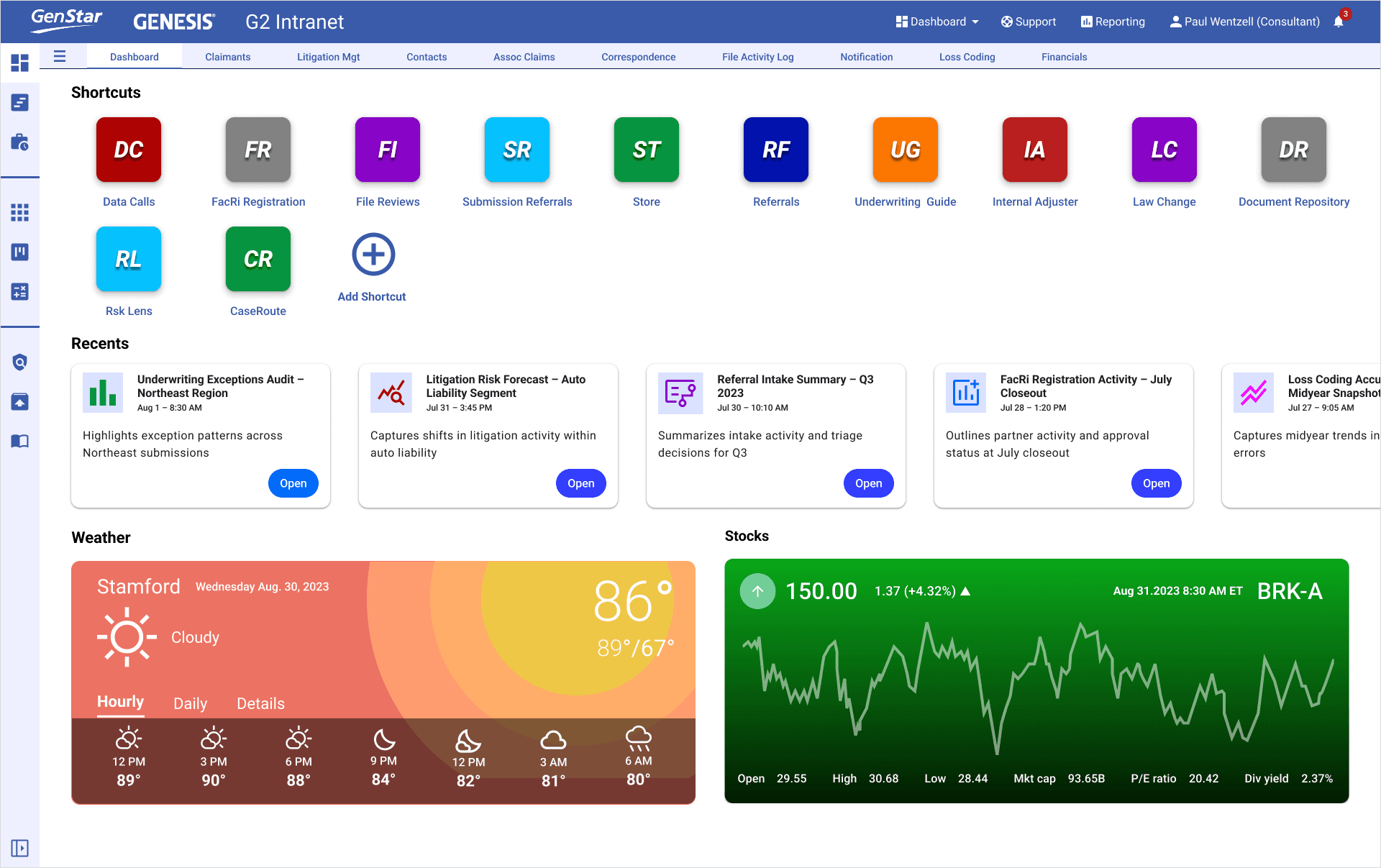
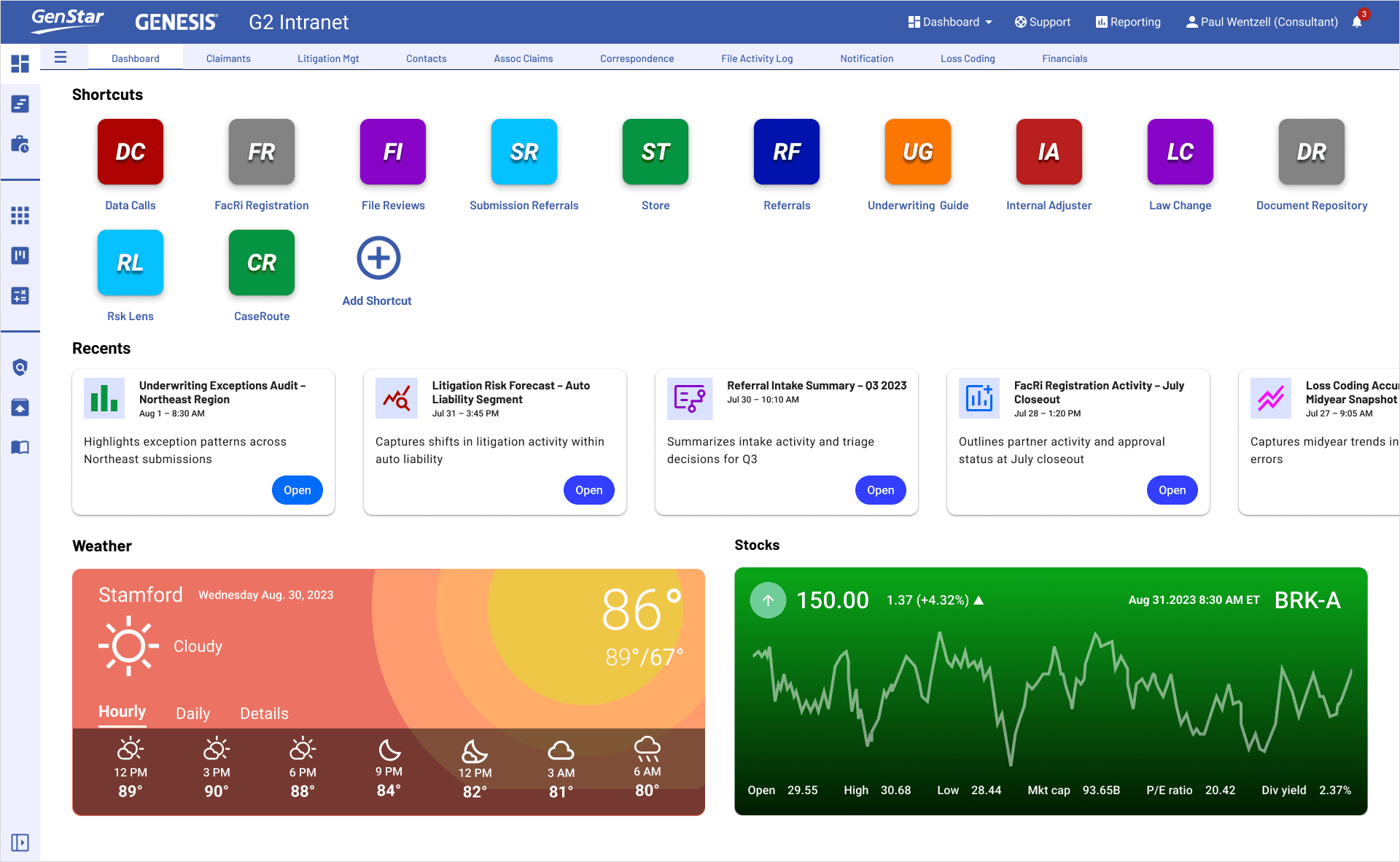
Final GENESIS G2 Dashboard — unified workspace with shortcuts, recents, live weather and stock widgets
FINDING
Underwriters were navigating five separate tools to assemble a single picture of a submission. I mapped the full workflow with two senior underwriters — every context switch, every manual step. That audit became the evidence for consolidation.
INSIGHT
The cost of fragmentation isn't just friction — it's decision latency. I brought this framing to the product owner before wireframes began. Faster, more confident decisions directly affect policy throughput and loss ratios — that reframed consolidation as a business risk issue, not a UX preference.
DESIGN
Role-based dashboard with all critical signals in one surface — shortcut bar, recents, live data widgets embedded inline. I spec'd component behavior with engineering early so the widget system could be built modularly, reducing integration risk.
DECISION 2
AG Grid as the decision surface — not a data table, a triage tool.
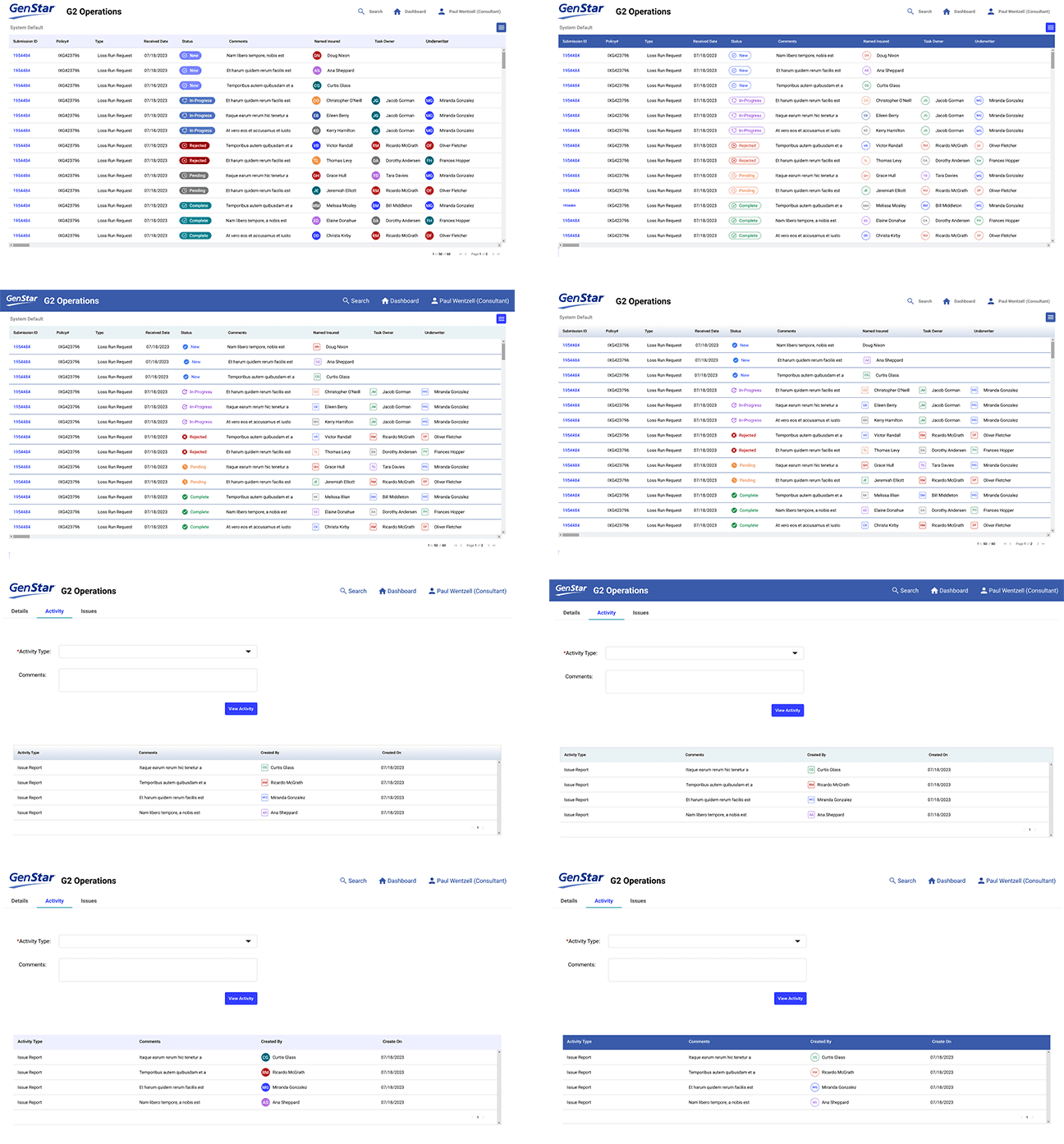
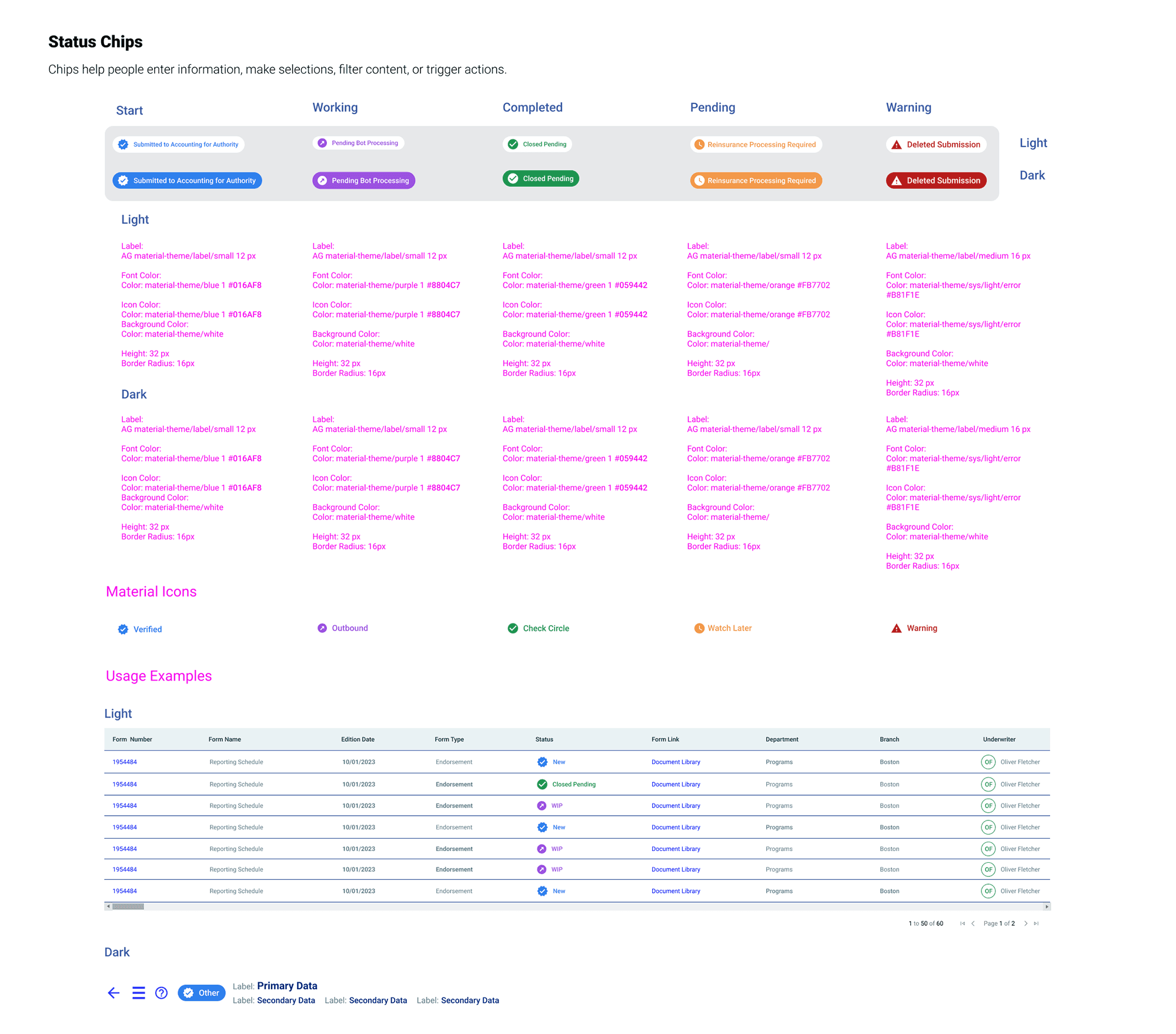
AG Grid mock iterations — status badges, density controls, and column hierarchy
FINDING
Underwriters were sorting, filtering, and cross-referencing hundreds of rows in real time. I ran task observations with three underwriters to map exactly where inconsistent grid behavior broke their workflow mid-task. That research defined the AG Grid requirements before a single pattern was proposed.
INSIGHT
For underwriting triage, the grid is the decision surface. Inconsistent sort behavior and misaligned column hierarchy don't just create friction — they erode confidence in the data itself. I presented this finding to the product owner and engineering lead as a data integrity issue, not a UI polish request.
DESIGN
Standardized AG Grid patterns with predictable sort, filter, and row interactions — status badges color-coded to underwriting state, named insured and ownership visible at every row. I worked directly with engineering to define column hierarchy and density specs before build began, eliminating the ambiguity that had caused rework on previous grid implementations.
DECISION 3
Visual direction from audit — Adobe Creative Suite as the benchmark, not a blank canvas.
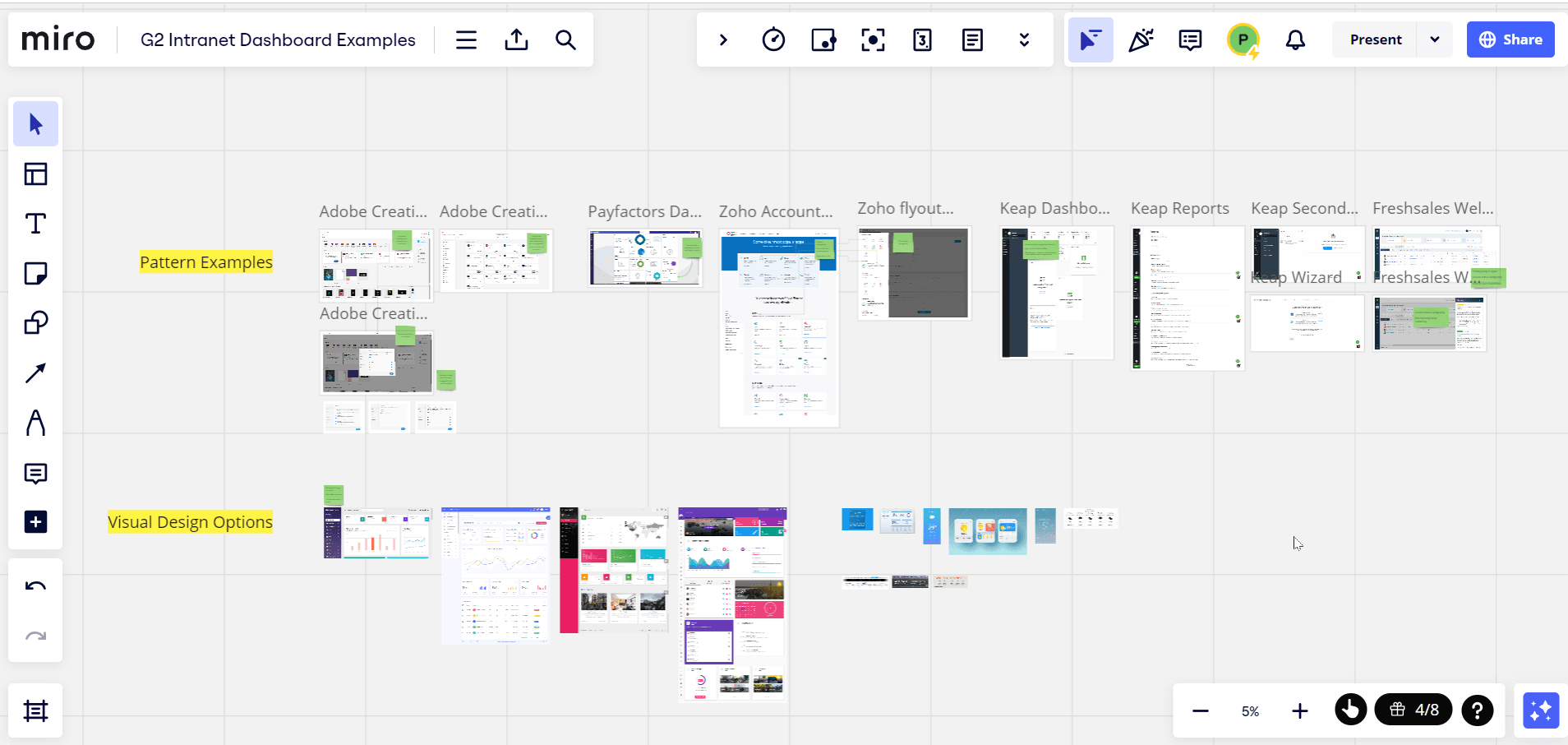
Miro comparative audit — Adobe Creative Suite dashboard benchmark across 8 enterprise products
FINDING
The team had no shared visual reference for modern enterprise dashboard patterns. I ran a comparative audit across eight products — Adobe Creative Suite, Payfactors, Zoho, Keap, Freshsales — before proposing any visual direction. Nobody asked for the audit. I ran it because proposing a visual direction without evidence would have been an opinion, not a recommendation. The audit gave the product owner and engineering lead something to react to — not just accept or reject.
INSIGHT
Comparative audit across eight enterprise products — Adobe Creative Suite, Payfactors, Zoho, Keap, Freshsales — revealed that Adobe Creative Suite's dashboard pattern was the closest match to GENESIS G2's navigation model, shortcut architecture, and multi-module structure. The team selected it as the visual benchmark.
DESIGN
Adobe Creative Suite selected as visual direction benchmark. Icon-forward shortcut bar, card-based recents, and left-rail navigation architecture all derived from audit findings. Google Material token system applied on top — ensuring framework parity across React and Angular while maintaining the Adobe-informed visual language.
DECISION 4
Real-time widgets — surface the external signals underwriters were looking up manually.
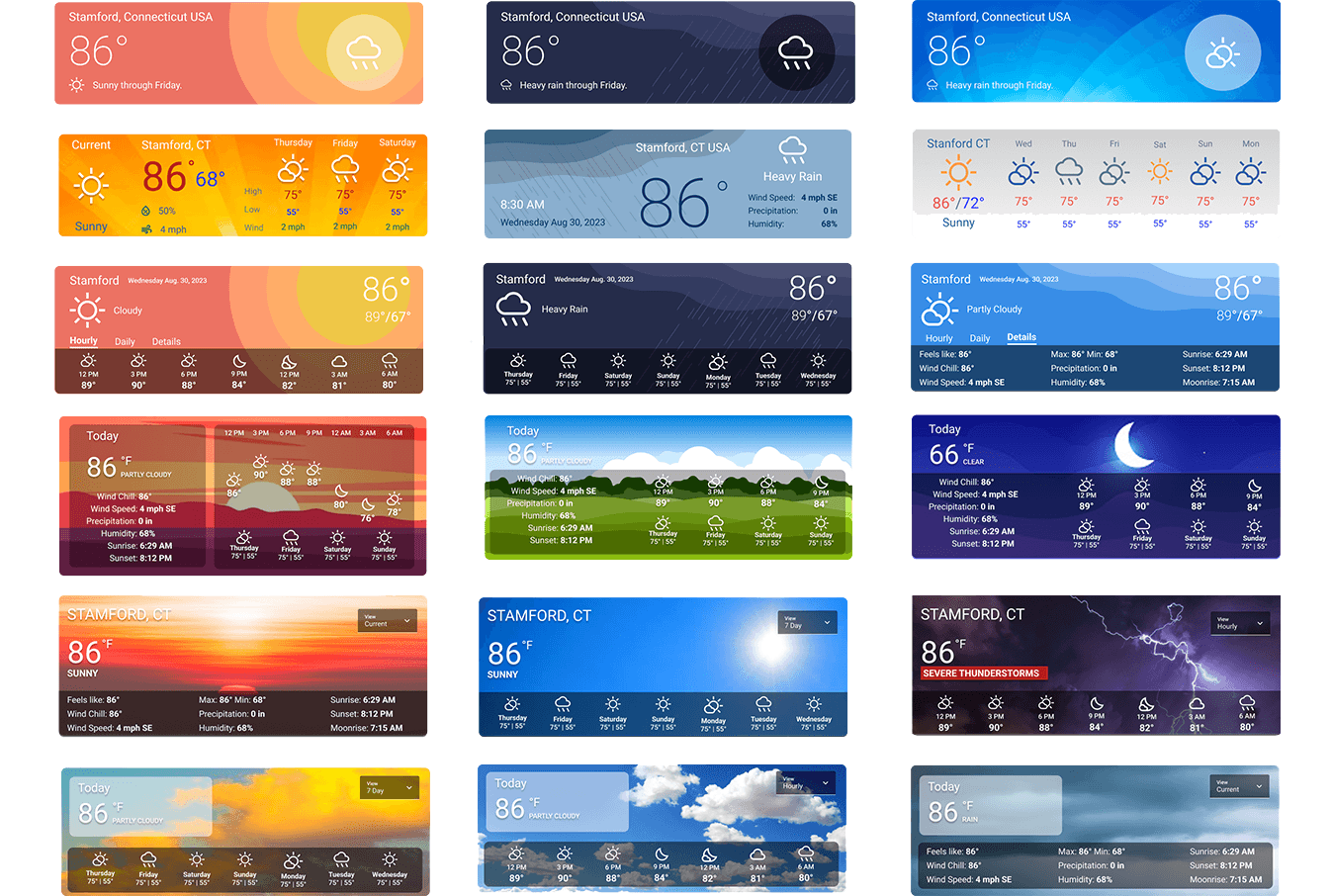
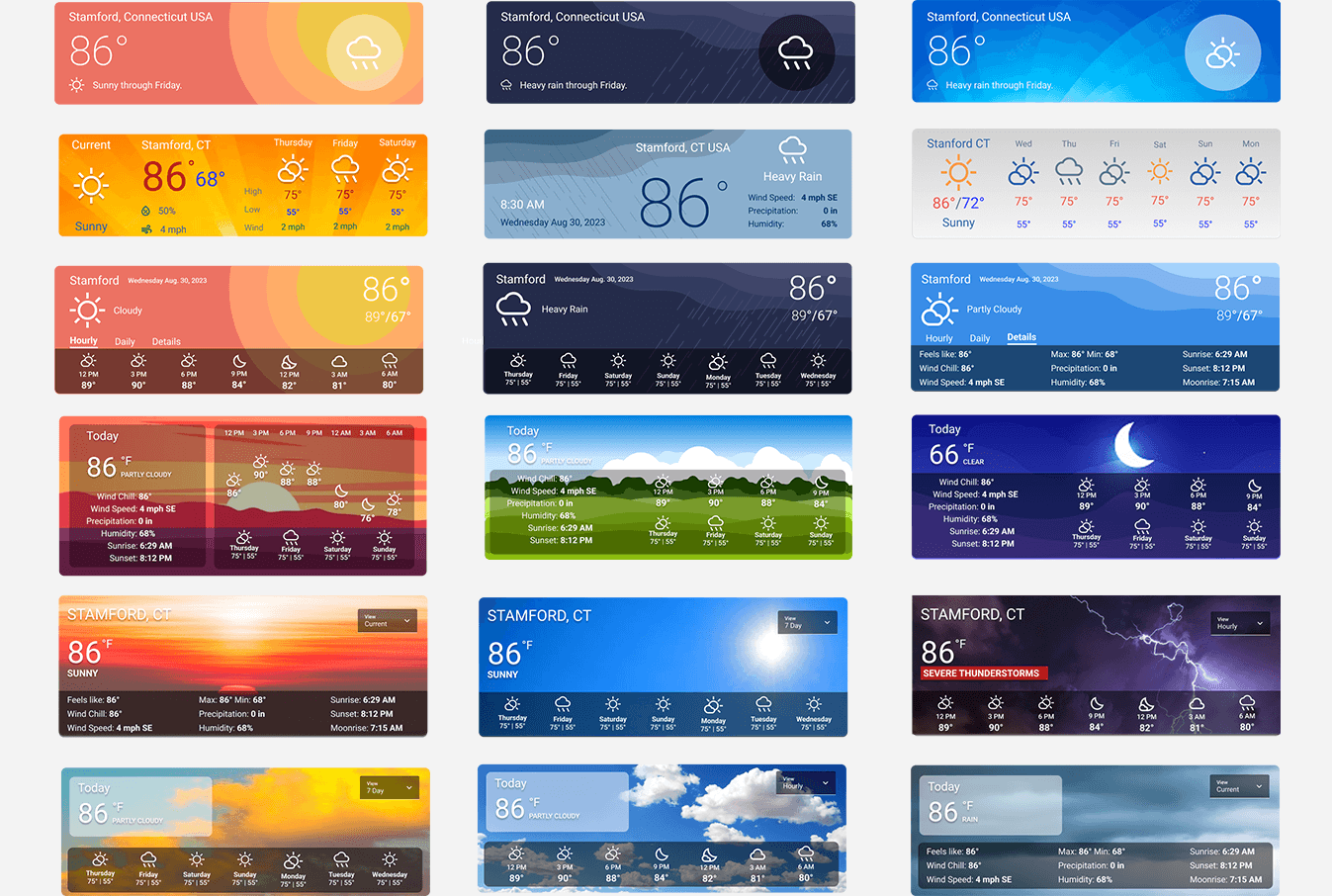
Weather widget variations — 17 state variations covering all seasonal and time-of-day conditions
FINDING
Underwriters were leaving GENESIS G2 mid-workflow to check weather and market data for active submissions. Every external lookup — weather for property risk, market data for exposure — broke decision flow at the exact moment it mattered most.
INSIGHT
External context isn't supplemental for underwriters — it's core decision data. A CAT event in the submission territory or a market shift in the insured's sector changes the risk calculus. If that data isn't in the workspace, underwriters will find it elsewhere — and that lookup breaks the flow every time.
DESIGN
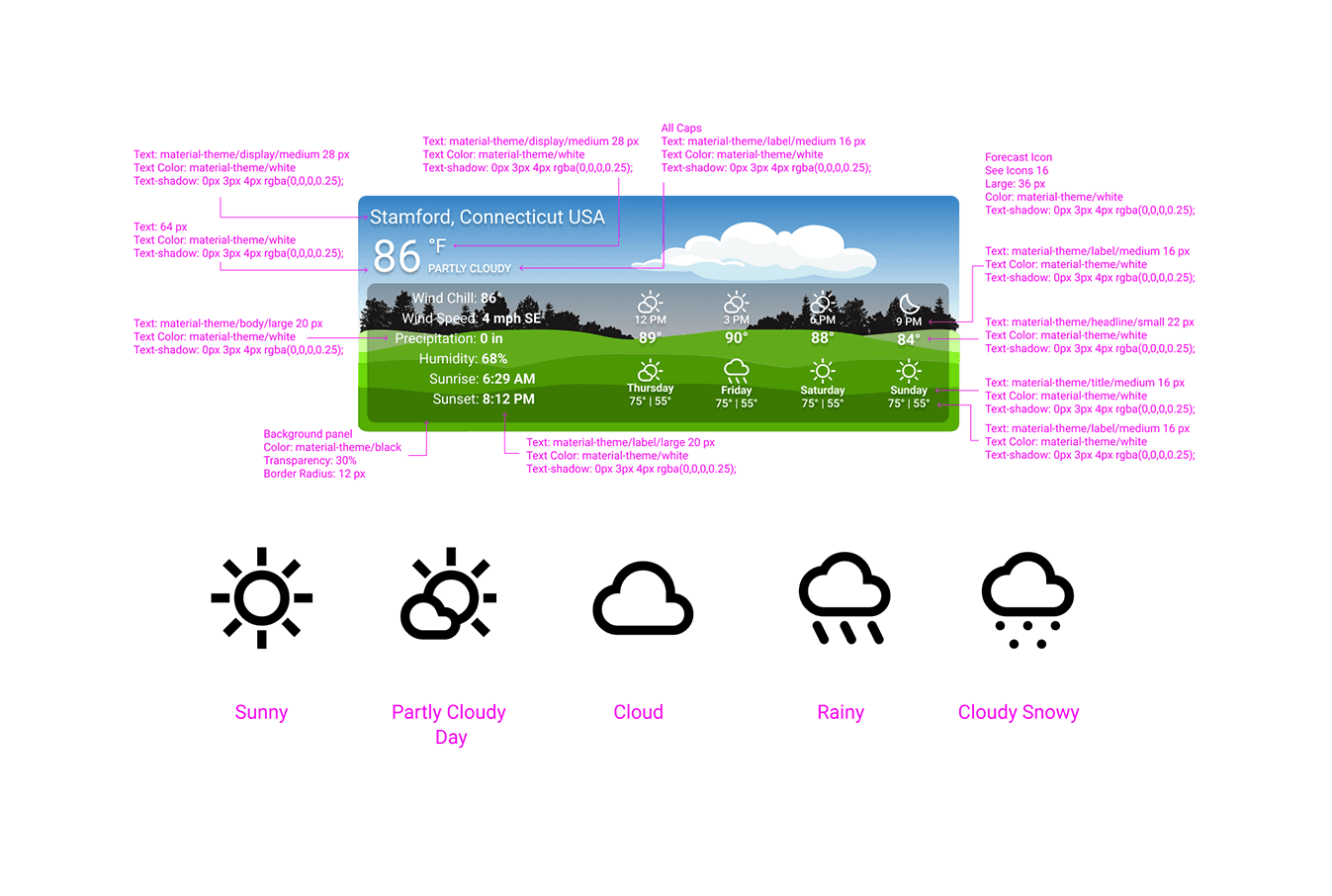
Modular weather and stock widgets built as embedded dashboard components — not iframes, not links out. Both designed as scalable vector components aligned to Google Material fonts: 17 weather state variations covering all seasonal and time-of-day conditions, 9 stock widget variants for different display contexts. Data streamed live via NOAA and market feeds.
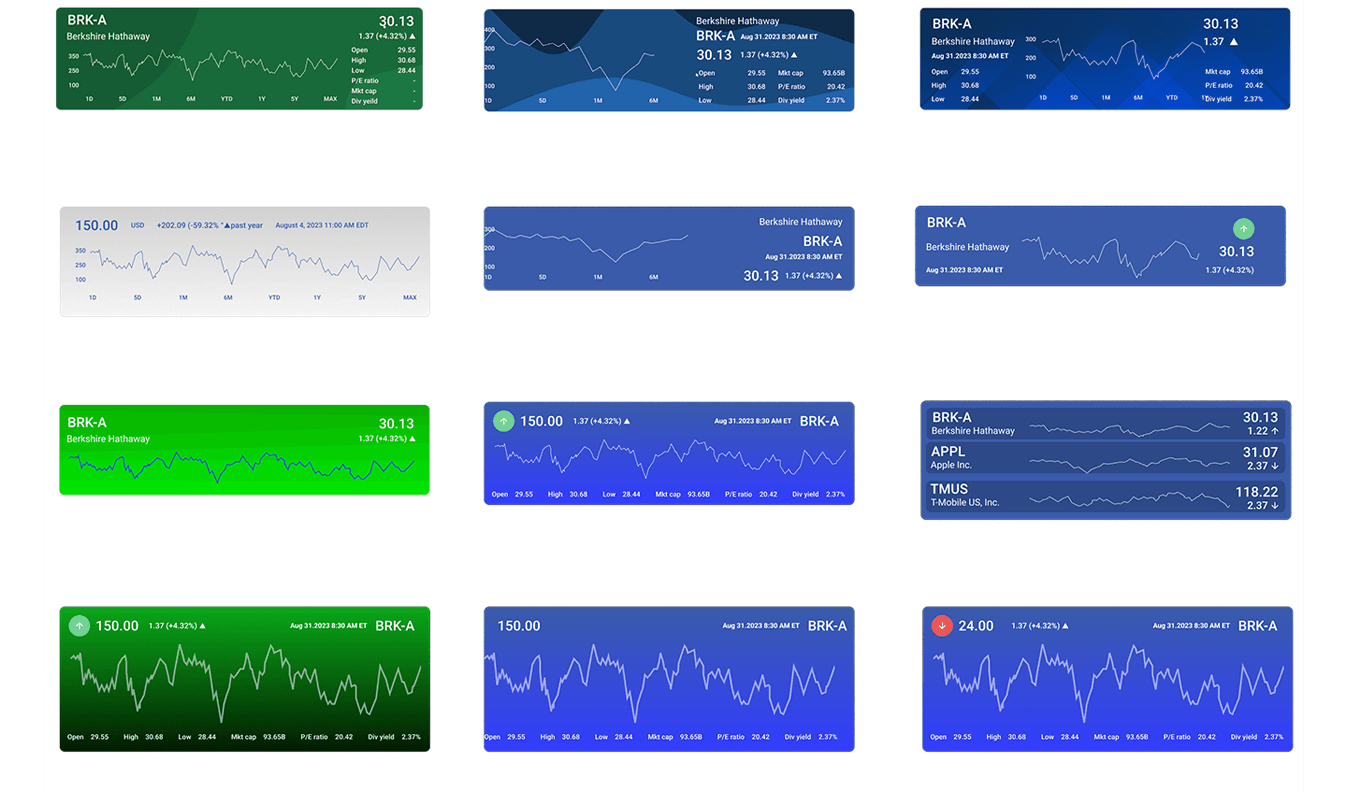
Stock widget variations — 9 variants for different display contexts
OUTCOMES
Faster decisions, less cognitive load, and a scalable design system adopted across the GENESIS G2 platform.
25%
Faster underwriting decisions Clearer triage logic and reduced manual lookups compressed the time from signal to decision.
0
Custom workarounds
Material plus AG Grid delivered consistent patterns across React and Angular without framework-specific patches. Engineering no longer rebuilt the same patterns from scratch.
5→1
Tools consolidated
Workflow consistency established across teams. Standardized UI patterns and governed Material components replaced ad-hoc screen variations built by different developers.
G2+
Scalable system adopted across GENESIS G2
The component library and token structure became the foundation for every legacy app that followed. The dashboard proved the design system at scale before the broader platform migration began.
DELIVERABLES
Wireframes, Component System, and Final Deliverables
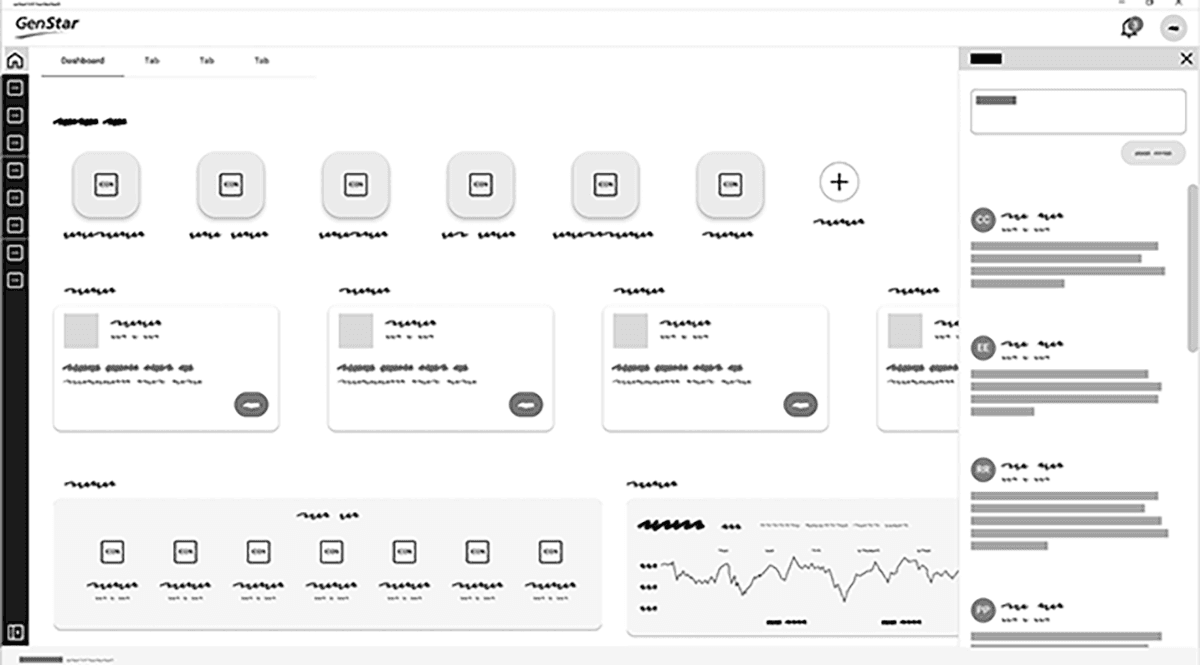
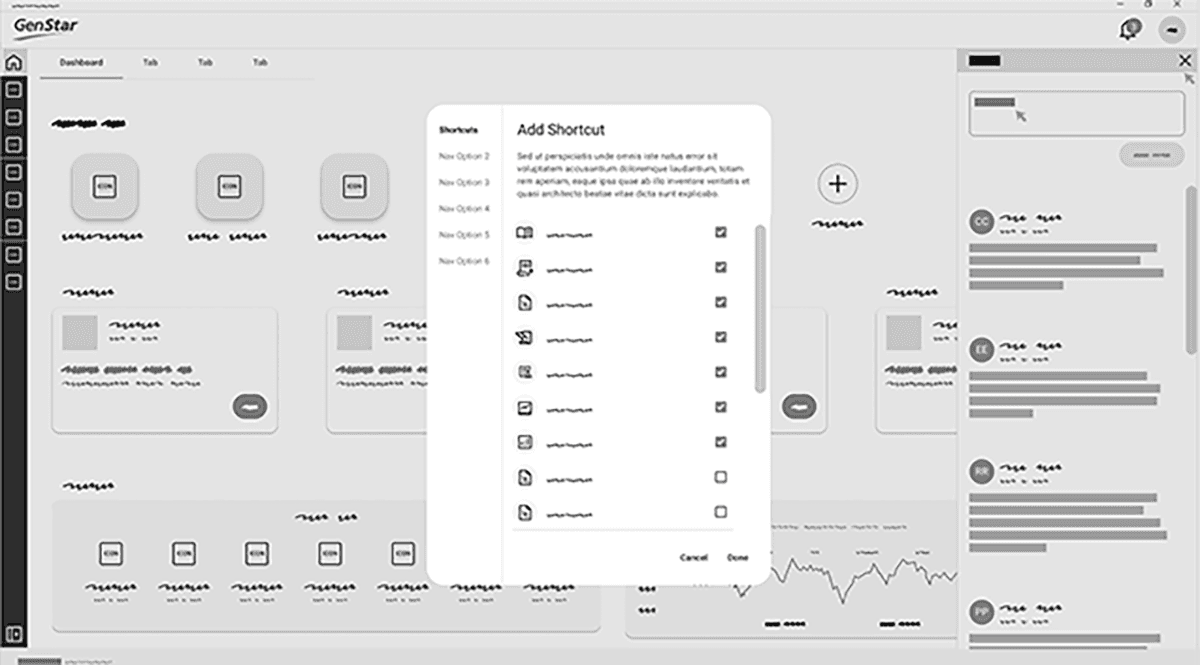
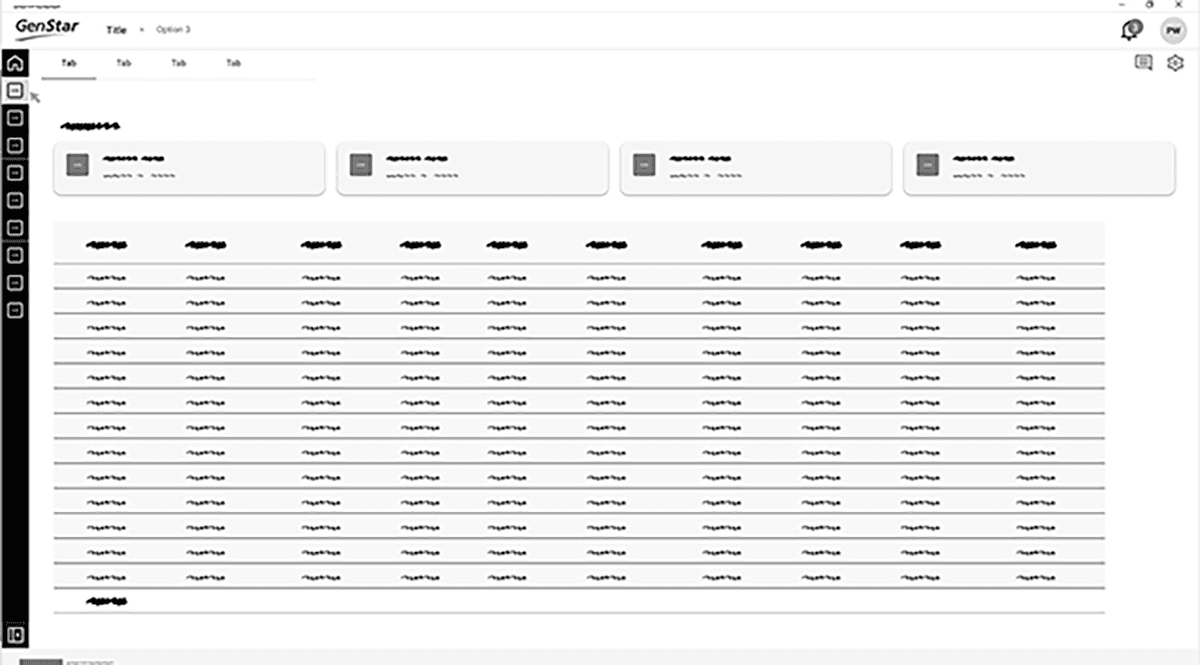
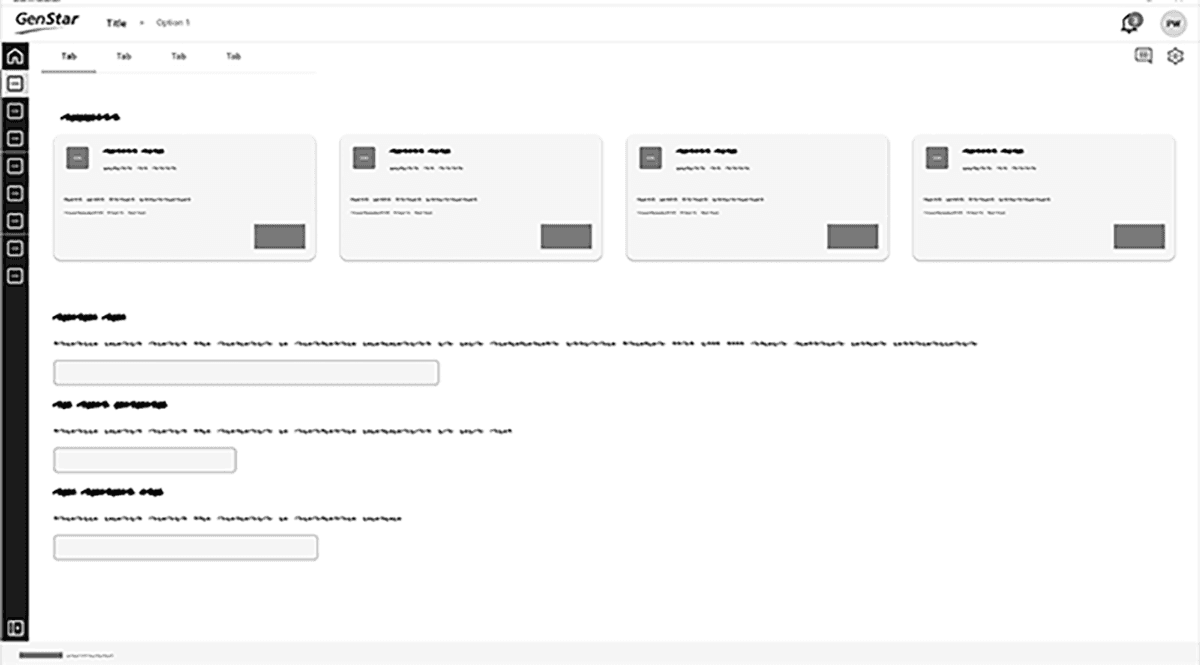
Wireframes 1
Wireframes 2
Wireframes 3
Wireframes 4
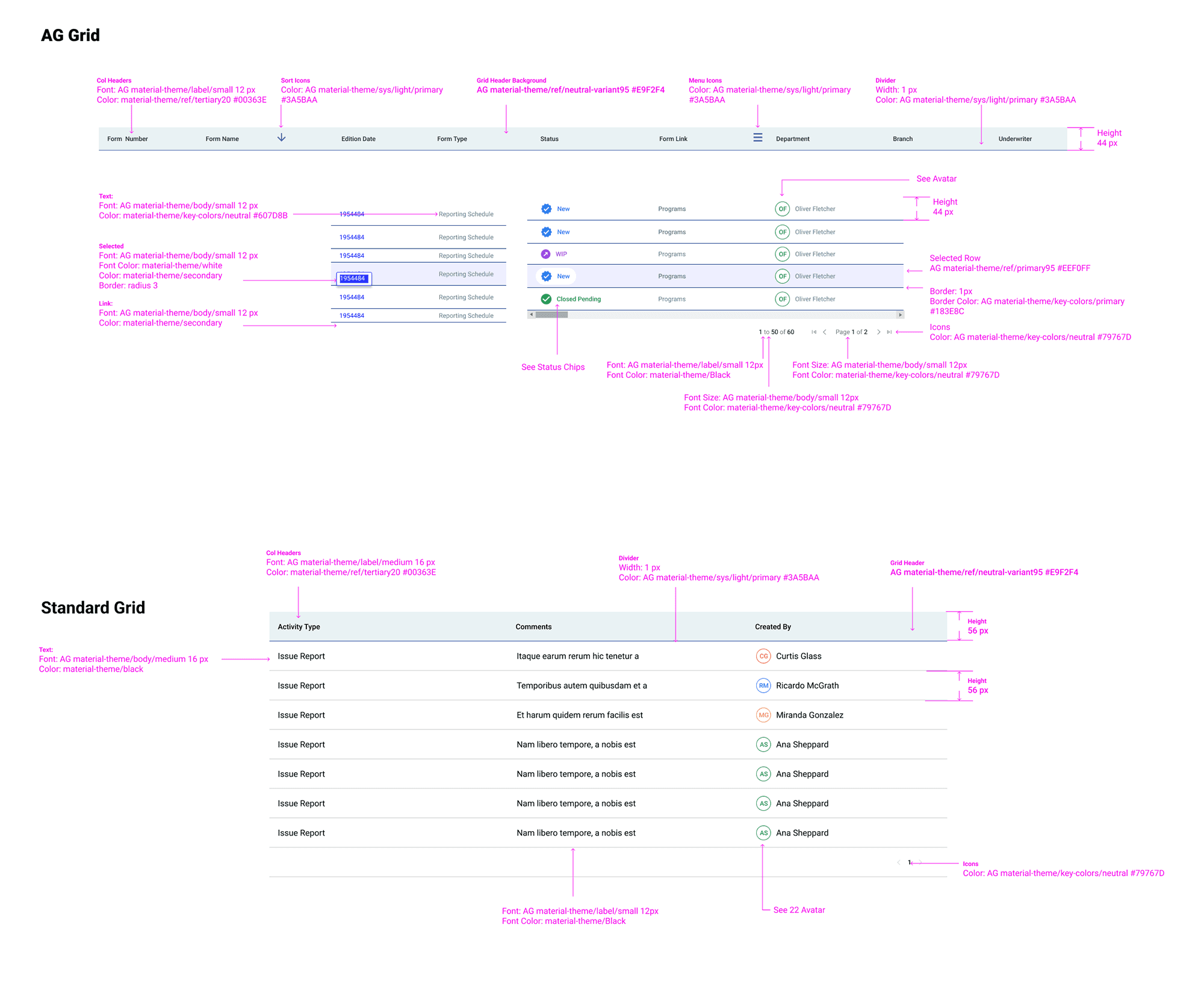
Component System 1
Component System 2
Component System 3
Component System 4
Weather Widgets
Dashboard
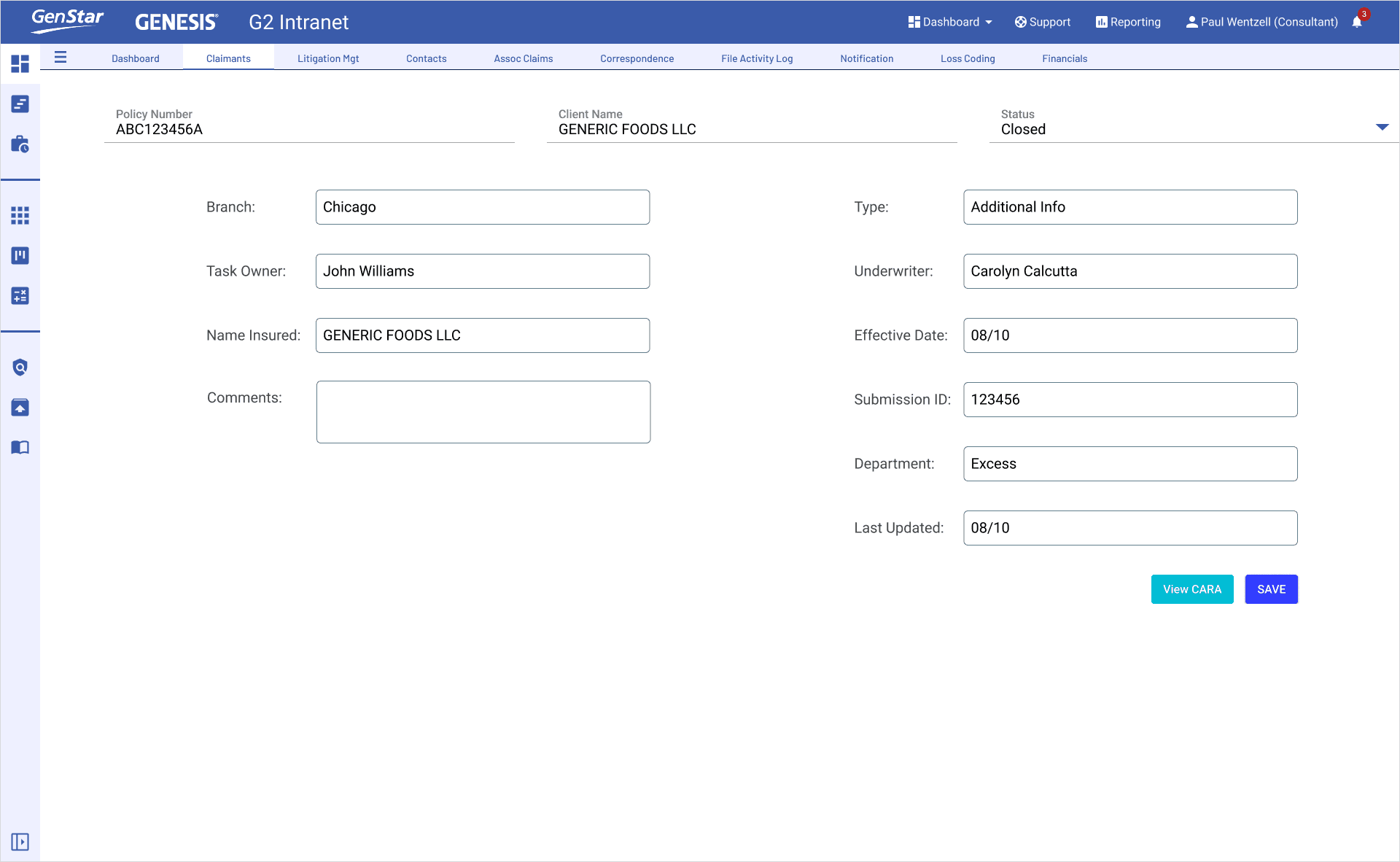
Claimant Form
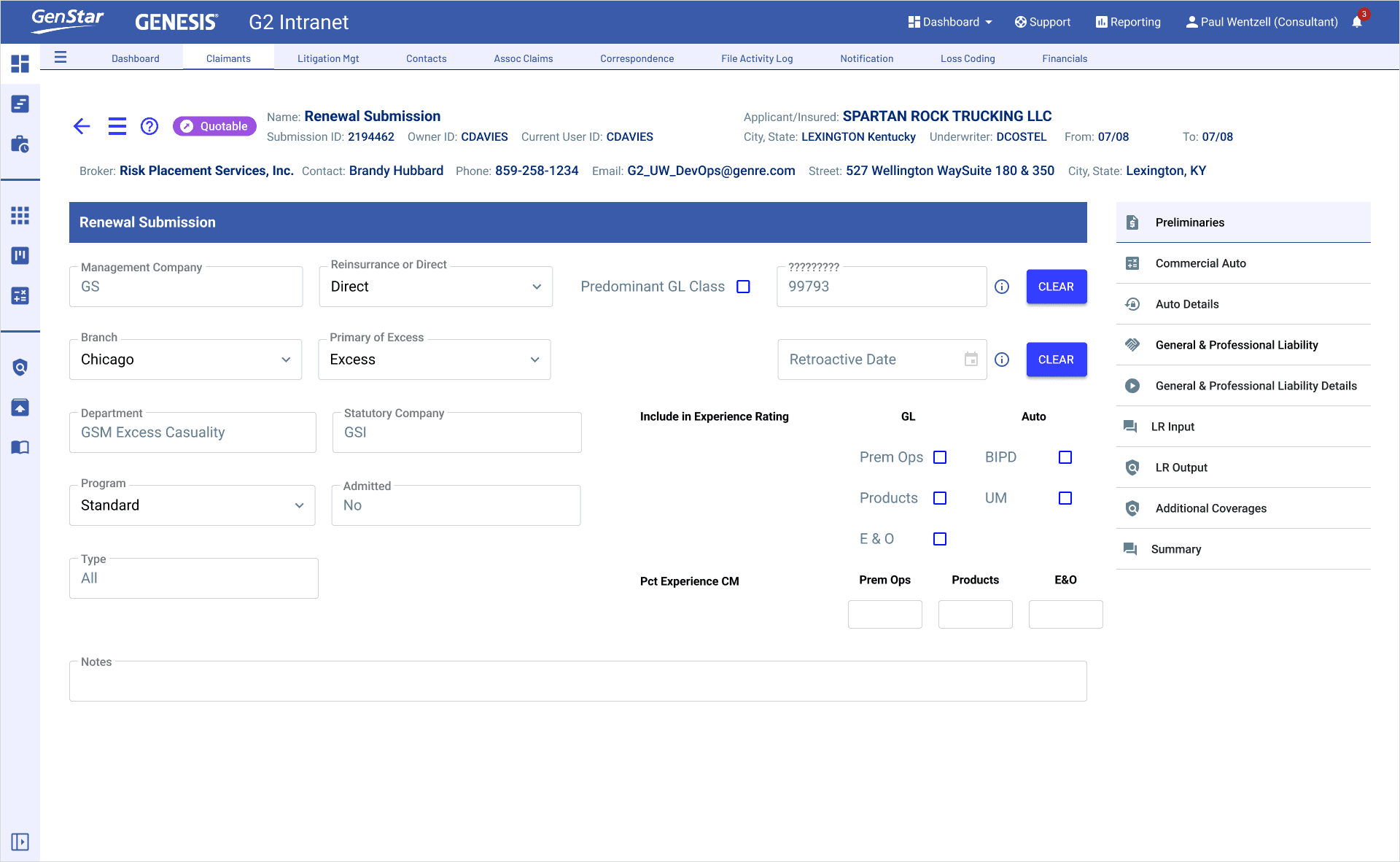
Renewal Form
What I'd do differently
Involve underwriting leads earlier in component review — not just discovery. Some AG Grid density and progressive disclosure decisions required multiple revision rounds once real data was loaded. Earlier data-realistic testing would have caught those edge cases before handoff.