


THE PROBLEM
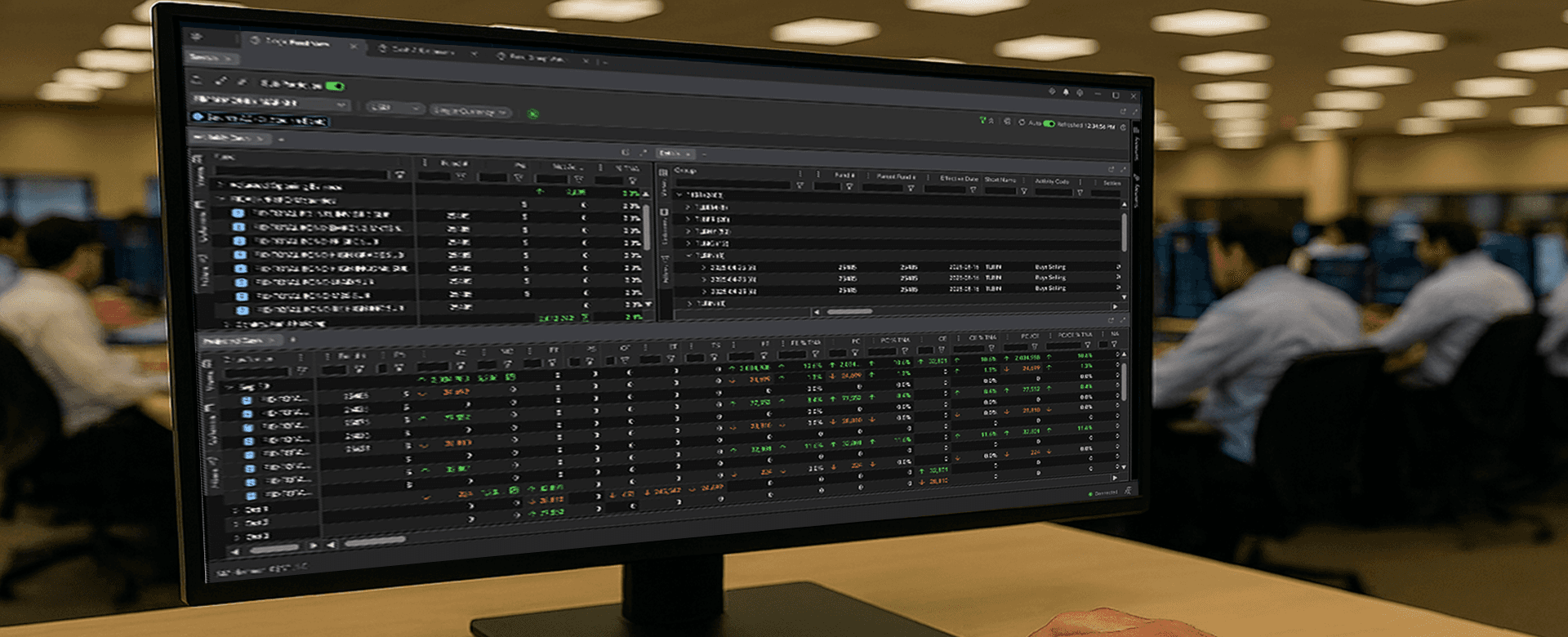
DESIGN SYSTEMS
UNIFIED
PRODUCTS
ADOPTED SPECS
PROBLEM AREAS
RESOLVED
DELIVERY
PHASES
THE FIRST DECISION
The design system we were handed was wrong.
ATN had the right look and feel but was built for .NET Telerik products. Global Cash runs on Angular. We couldn't use it directly.
KEY PROBLEM
Global Cash was built for stability. Traders needed velocity.
MY ROLE
Lead UX Designer, embedded within Fidelity's Center of Excellence.
WHAT I OWNED
Architecture, layout strategy, interaction patterns, data trust signals, help system, responsive toolbar, and implementation specs covering the full Global Cash workspace.
HOW I WORKED
Cross-functional collaboration with traders, cash managers, product, and engineering. Design system work done with ATN developers directly. Specs adopted across Cash Monitor and Films.
THE CONSTRAINT
Every pattern had to work within the Fixed Income ecosystem. No isolated solutions — anything built for Global Cash had to be reusable across the products that followed.
THE JUDGMENT CALL
The assigned design system was wrong for the job. I caught it early, proposed the PrimeNG and ATN alternative, and got alignment before any screen work began. That decision set the direction for the Fixed Income design system going forward.
STAKEHOLDER INQUIRY
What traders actually told us.
"I'm switching between four systems to get one complete picture."
"The grid can't handle the density we actually need."
"We lose trust in the data when status is unclear."
KEY FINDING
DESIGN DECISIONS
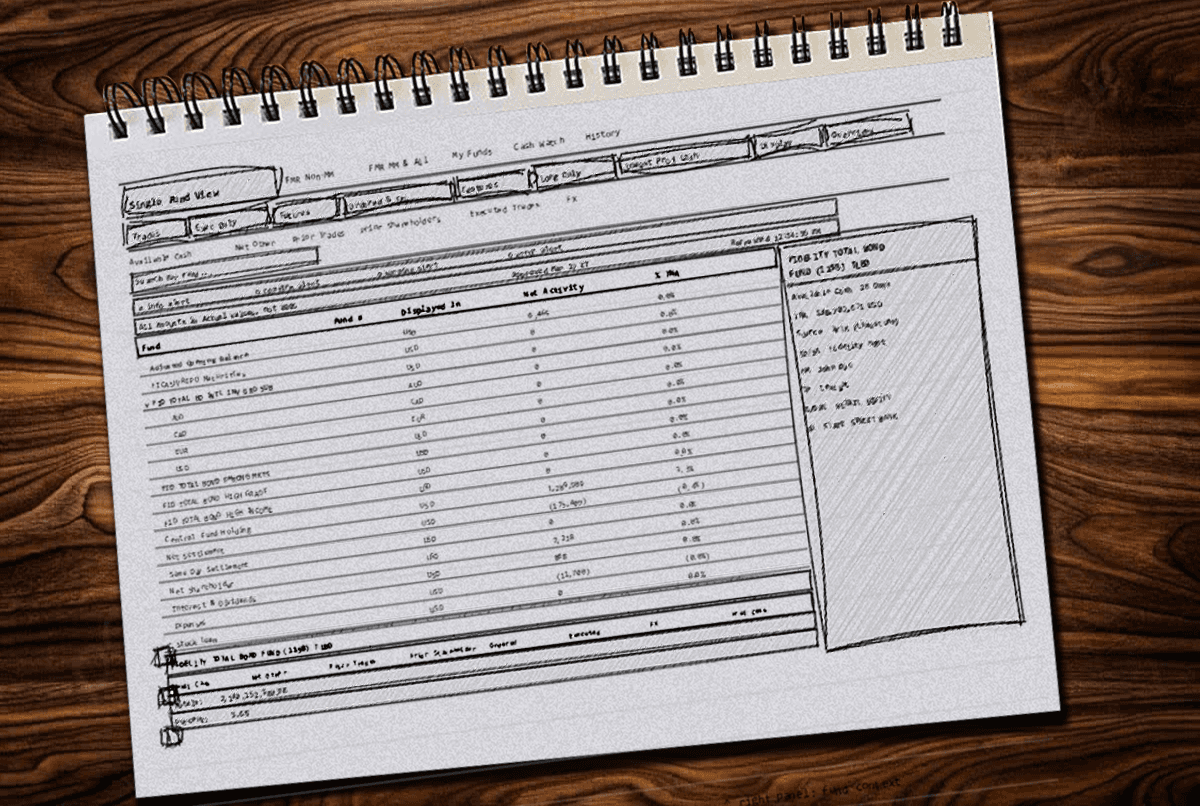
Five decisions. Each one traced back to something broken in the system.
Not the surface — the foundation. Every decision below came from a research finding or a constraint that couldn't be designed around.
DECISION 1 - DATA LAYER
AG Grid — not a component choice, a workflow requirement.
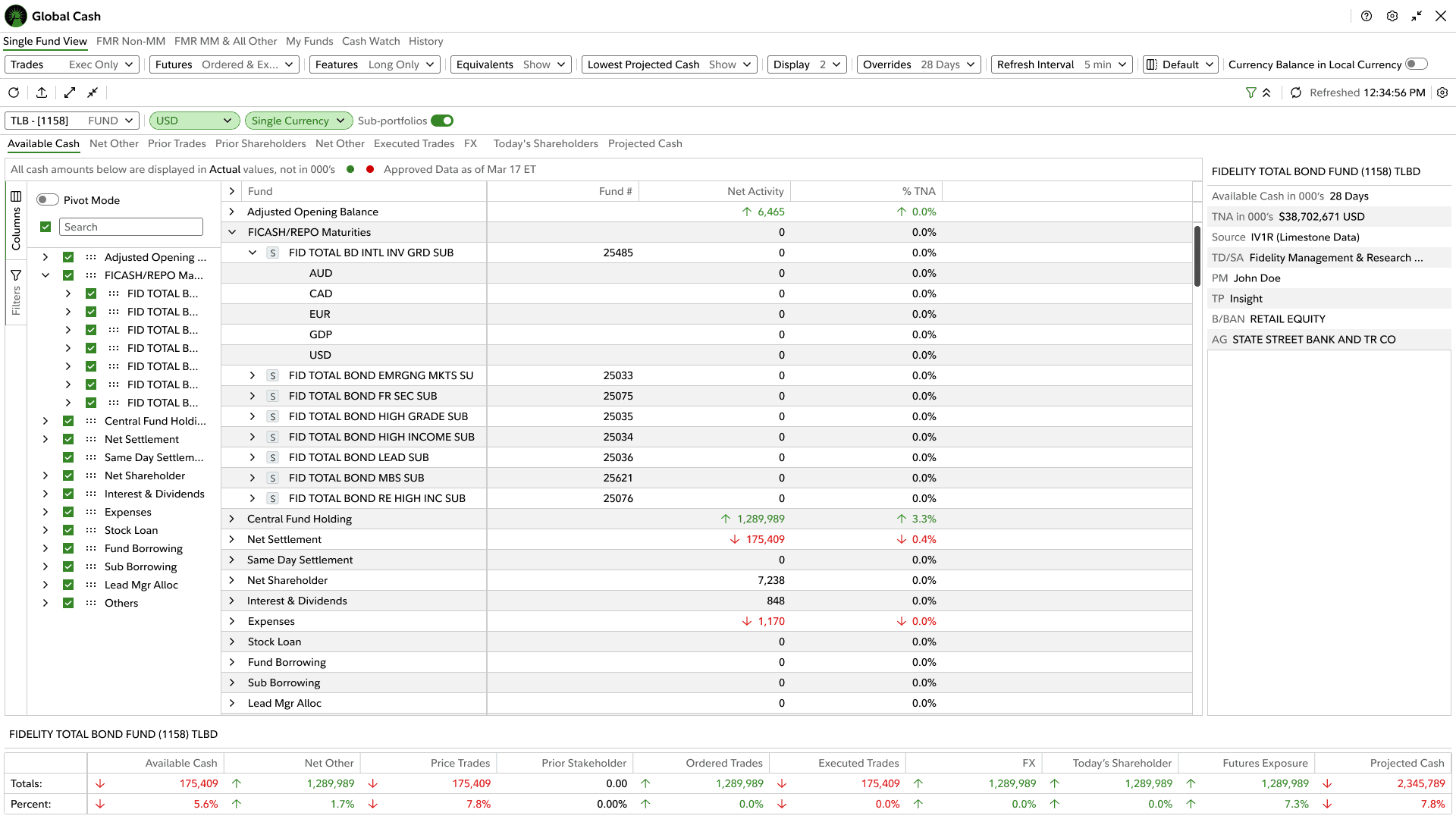
Global Cash trading workspace — AG Grid with column configuration panel and multi-fund data density
FINDING
The existing table component couldn't handle what traders needed. Filtering and sorting large datasets across multiple currencies in real time, drilling down from summary totals into hourly detail and the aggregates underneath — it couldn't do any of that. The grid wasn't just a component inside the workspace. It was the workspace.
INSIGHT
No layout improvement fixes a table that can't sort at scale without lag. The data layer had to be solved before anything visual could hold.
DESIGN
AG Grid integrated as the primary data layer. Density controls, column pinning, filter persistence, private saved views, shared team views. Different teams could save templates. Individual users could save their own configuration and come back to it. The grid remembered what the old tool forgot every session.
DECISION 2 - DATA TRUST
Data freshness signals on every surface.
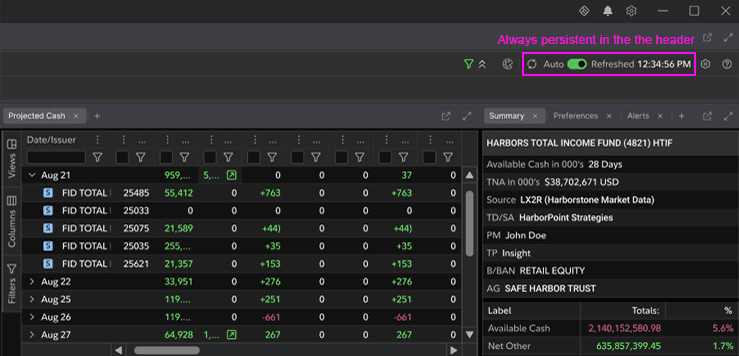
The timestamp that was missing. Now it's always there.
FINDING
Users had no way to know if the data they were looking at was current. Systems updated every 12 hours but there was nothing in the interface telling you that. Cash Avail funds updated every 30 minutes. Non-cash available funds updated once a day. Two different cadences, neither visible anywhere in Global Cash.
INSIGHT
Data trust is a design problem. When you can't tell if a number is live or stale, you stop trusting the tool. When you stop trusting the tool, you stop using it for decisions — which defeats its purpose entirely.
DESIGN
Explicit data freshness indicators on every panel. Timestamps in the header. Refresh status persistent across views. Update cadence visible — not buried — so traders could see at a glance whether what they were looking at was current.
DECISION 3 - SUPPORT ACCESS
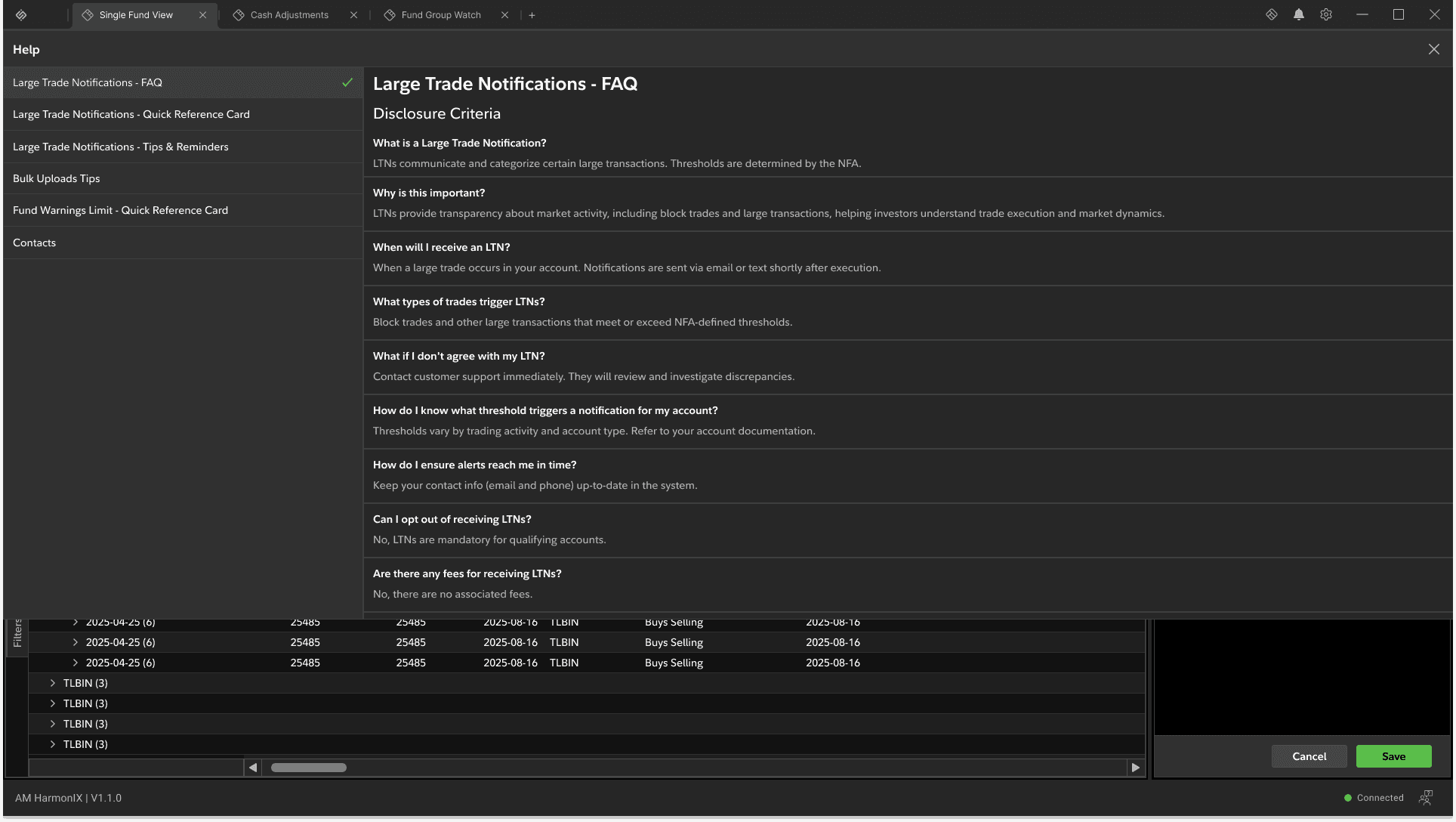
Help system redesigned for the workflow, not around it.
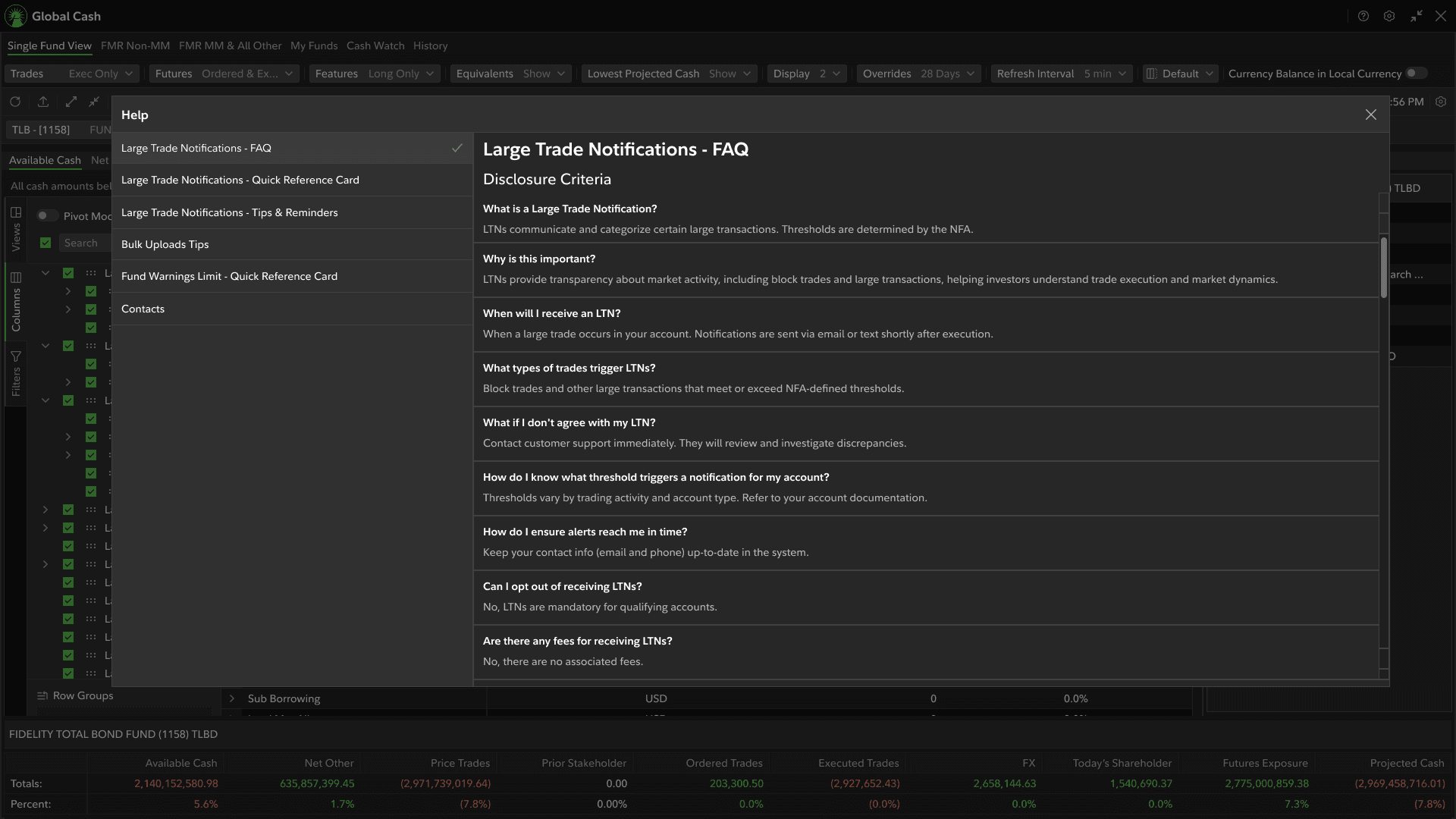
Contextual help scoped at module level with persistent contact access
FINDING
Help content was disconnected from the workflows that needed it. Nested in dialogs behind vaguely labeled touch points — most users never found it unless they already knew where to look. New traders coming onboard had no accessible in-context guidance.
INSIGHT
A trader who can't find guidance in the middle of a high-stakes workflow doesn't stop and go looking — they make a decision without it. Help systems fail when they're designed as afterthoughts.
DESIGN
Contextual help popup redesigned and scoped at the module level. Persistent contact information surfaced across dashboard zones. New traders could find support within the workflow, not outside of it.
DECISION 4 - DESIGN SYSTEM CONTRIBUTION
Responsive toolbar — built for trading-grade density, reused across Fixed Income.
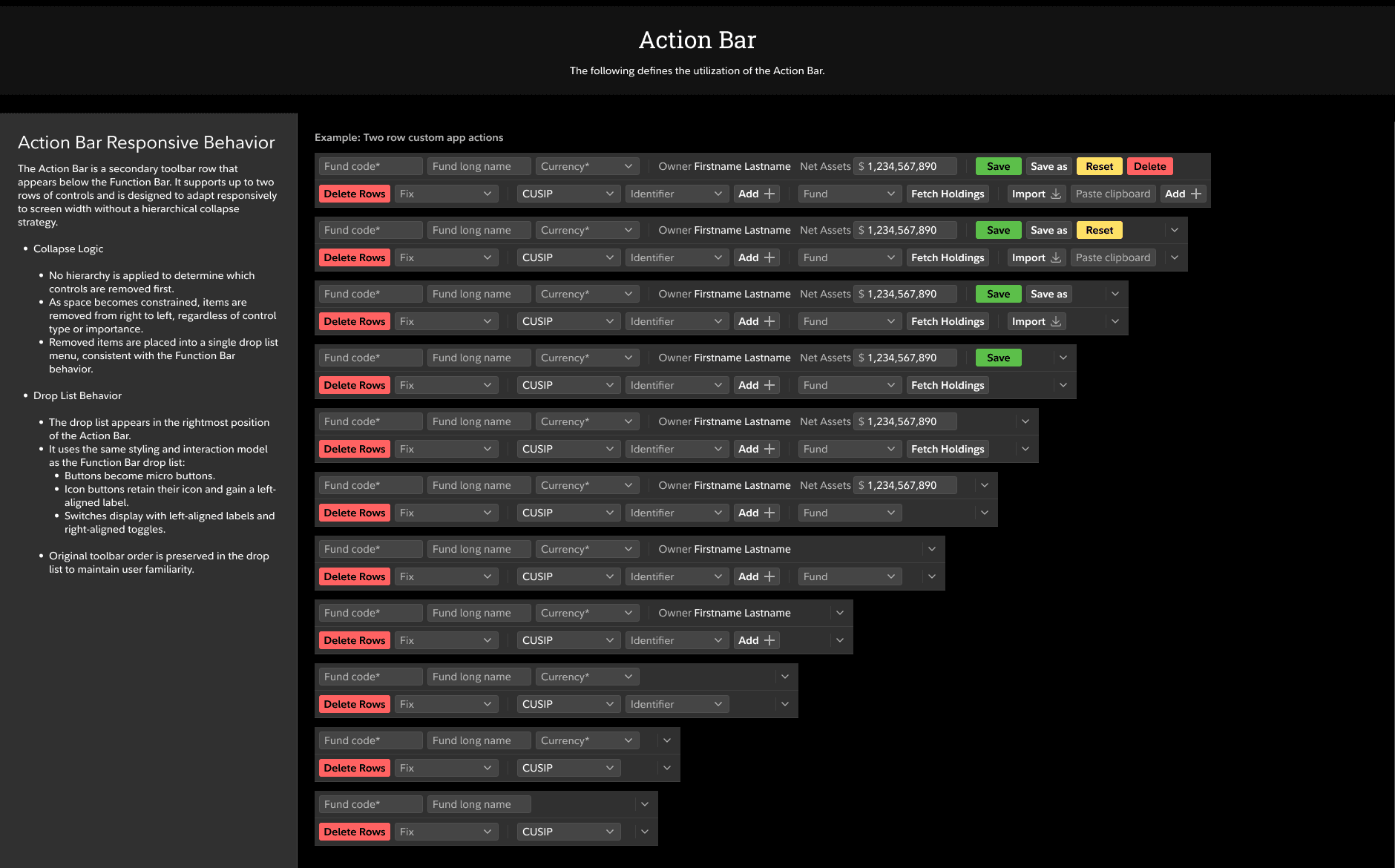
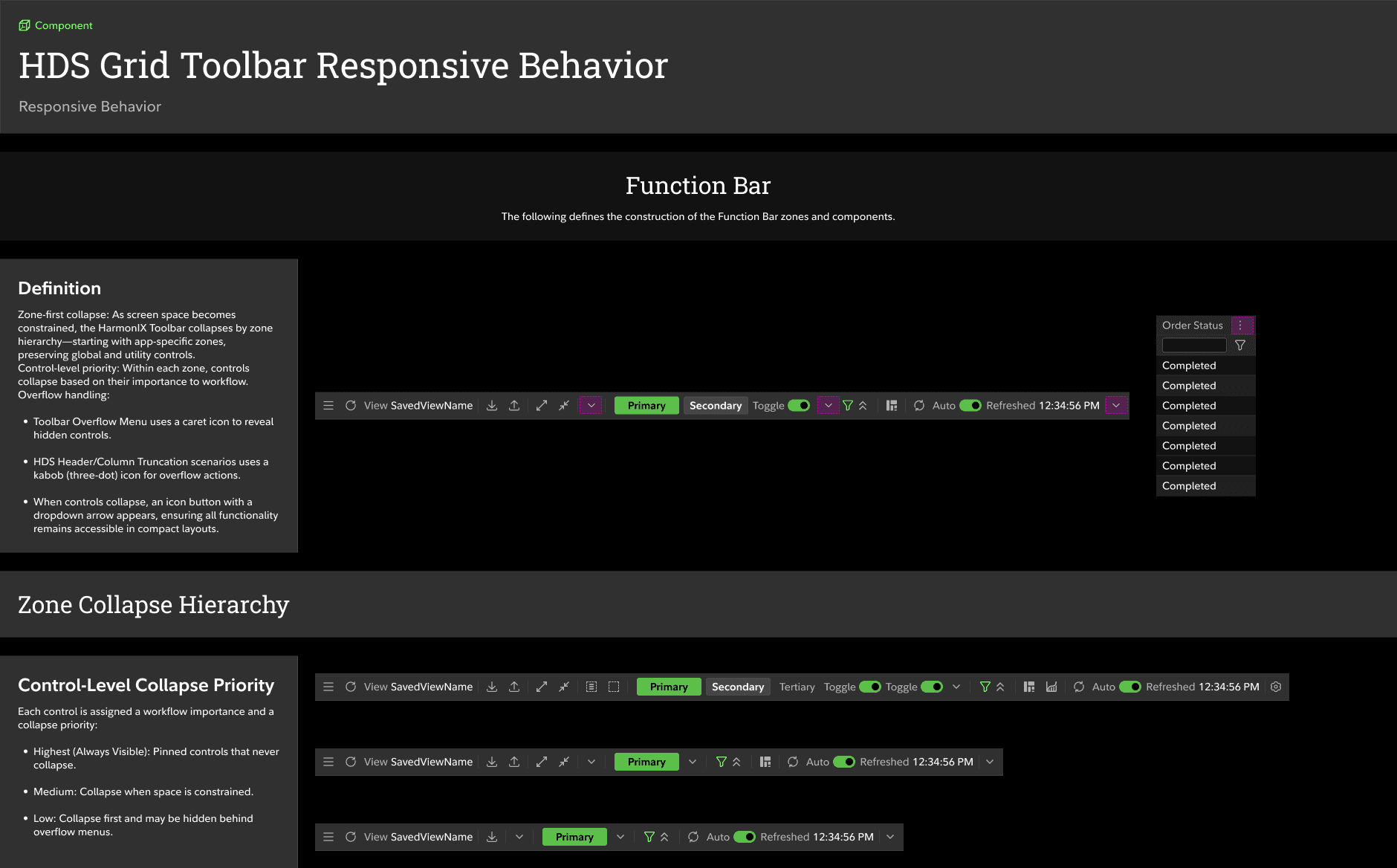
Action bar collapse sequence — controls removed right to left across breakpoints
FINDING
Traders worked in dense multi-panel environments with multiple apps open at once. The toolbar needed to adapt across screen configurations without cutting off access to controls they needed mid-workflow. No existing component in either design system handled this for trading-grade density.
INSIGHT
Responsive design for a trading workspace isn't about mobile-friendly. It's about defining exactly what collapses, in what order, at what breakpoint — without cutting off controls traders need in the middle of a workflow.
DESIGN
Built a responsive toolbar component from scratch — priority hierarchy for which controls stay visible as space decreases, drop-list pattern for secondary controls. Documented usage guidelines. Built the components. It shipped. The CoE adopted it as the standard pattern for Cash Monitor, Films, and all future Fixed Income modernization. Global Cash was first.
DECISION 5 - LAYOUT ARCHITECTURE
Zone collapse hierarchy — one workspace, two audiences.
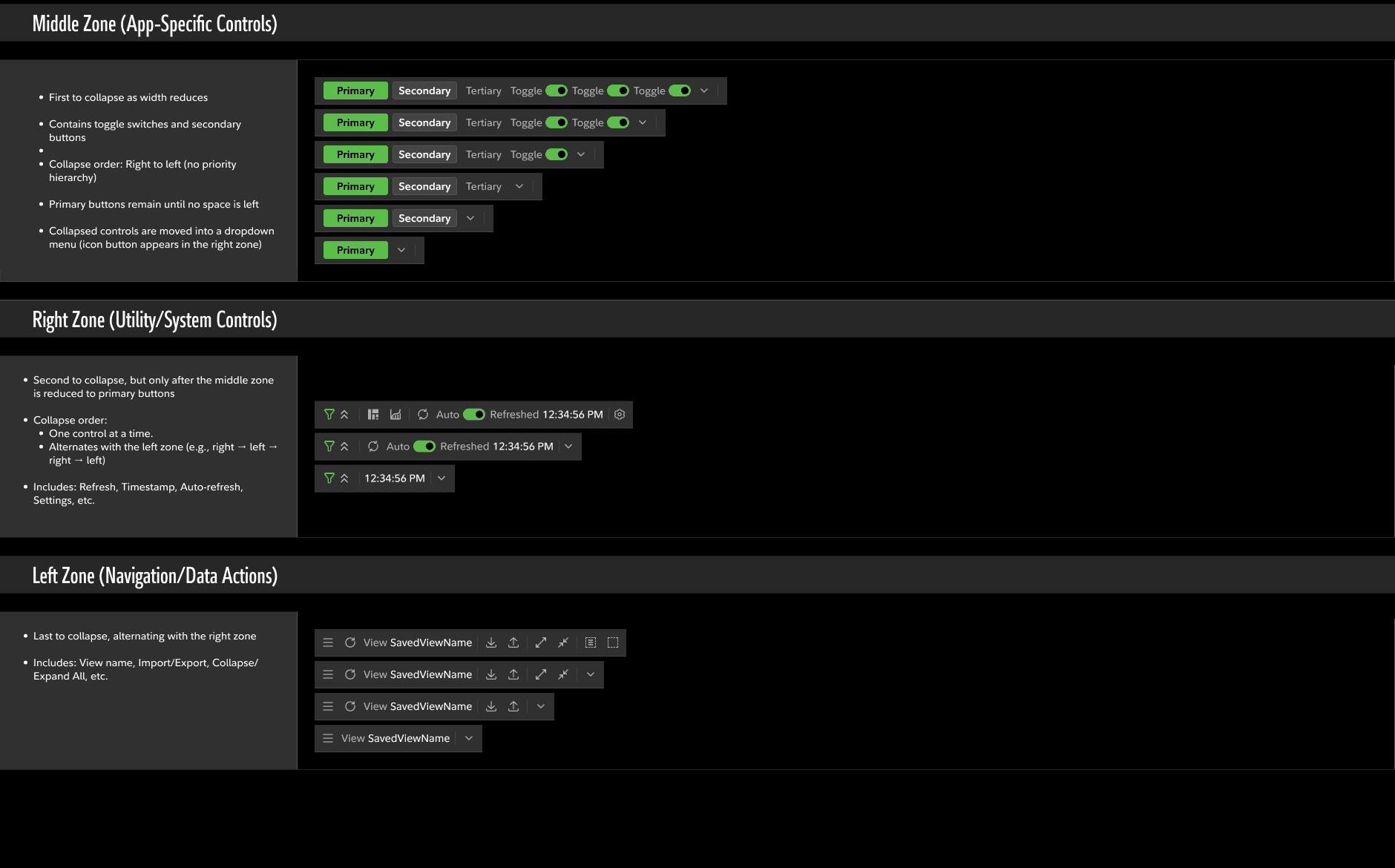
Responsive toolbar spec — three zones with documented collapse behavior and priority rules
FINDING
Stakeholders needed summary clarity. Traders needed full density. Individual traders needed private configurations. Teams needed shared views. The same dashboard was being asked to serve all of them and satisfying none.
INSIGHT
The solution wasn't two separate views — it was a collapsible hierarchy that let each user configure the density they needed without breaking the shared data model underneath.
DESIGN
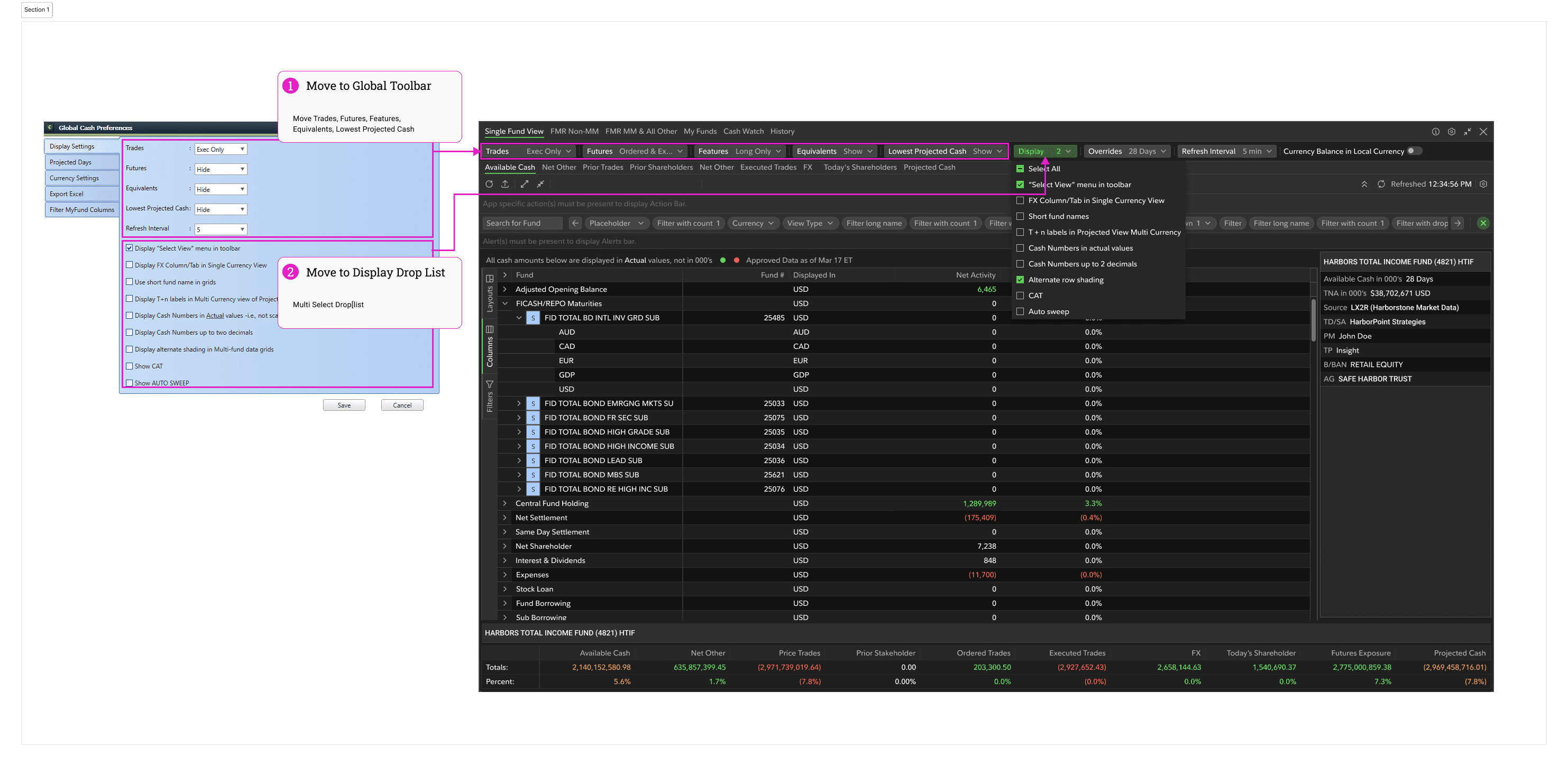
Zone collapse hierarchy built into the layout. Panels expand and contract based on user role and preference. Private views save your configuration. Shared views let teams work from the same setup without rebuilding from scratch. Global display preferences persist across sessions.
DESIGN SYSTEM CONTRIBUTION
One component. Three products. Standard for an entire ecosystem.
The responsive toolbar was the major design system contribution from this engagement. Built as a reusable component for trading-grade density, documented for the CoE team, and adopted as the pattern for Fixed Income workspace modernization.
It shipped. It's in production. Cash Monitor and Films are using it. Global Cash established the PrimeNG foundation. The design system direction it set is now the model for the entire Fixed Income modernization effort.
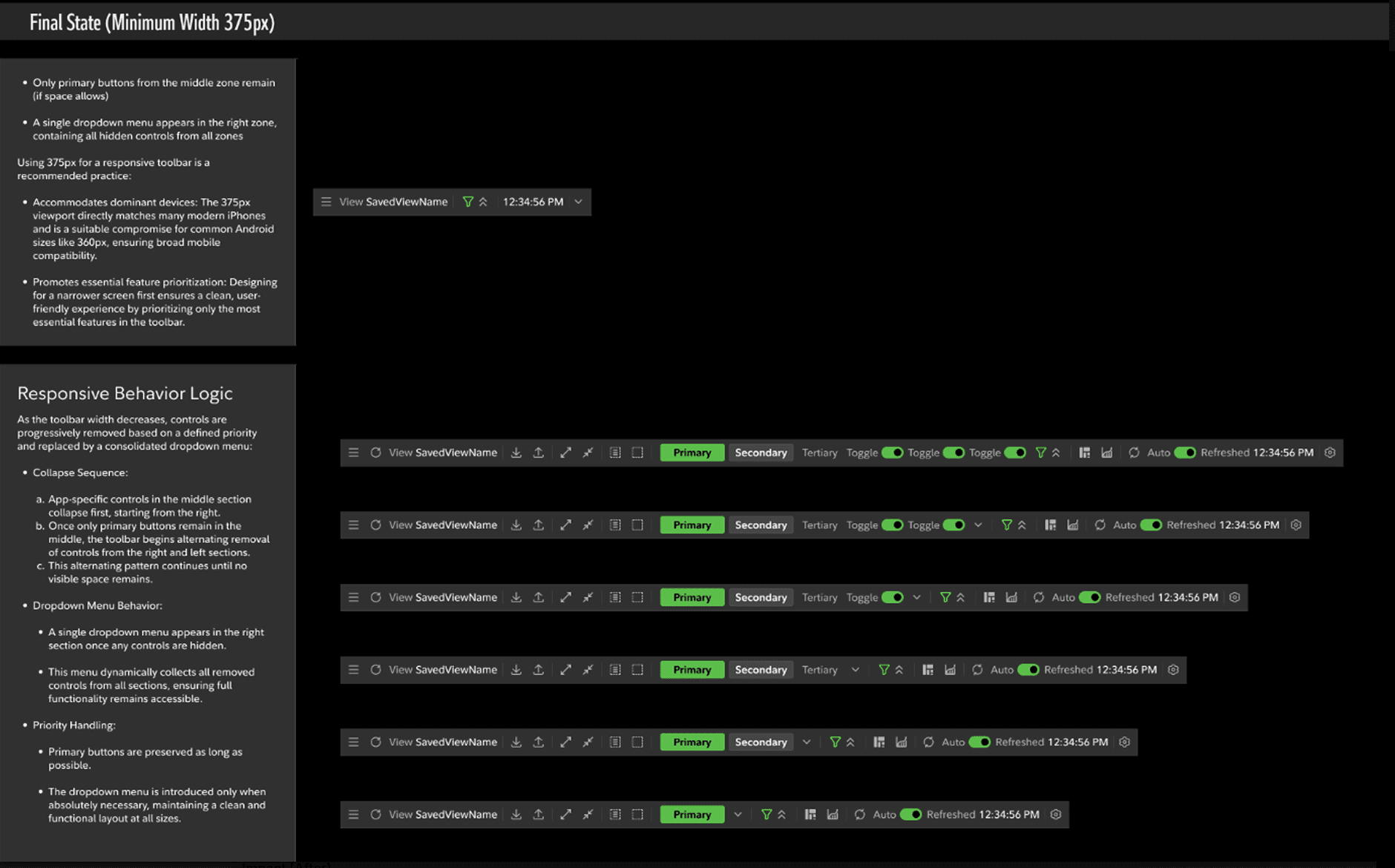
Responsive behavior spec — collapse sequence and breakpoint behavior
OUTCOMES
A platform traders could trust — and a model the organization could build on.

Cash managers could drill into hourly detail and the aggregates underneath without leaving Global Cash or opening a separate app.

Data freshness visible on every surface — traders knew what was current without hunting for it.

Saved views meant teams could share templates instead of rebuilding configuration every session.

Personal views meant individual traders kept their setup. The workspace remembered.

Responsive toolbar shipped to production — adopted by CoE as the standard for Cash Monitor, Films, and all future Fixed Income modernization.

Global Cash established the PrimeNG design system foundation for the entire Fixed Income modernization effort.
The redesign elevated Global Cash from a passive summary tool to a trading-grade liquidity workspace — recognized by the Center of Excellence as the foundation for future Fixed Income modernization.
PROJECT GALLERY
The work — from research to shipped workspace
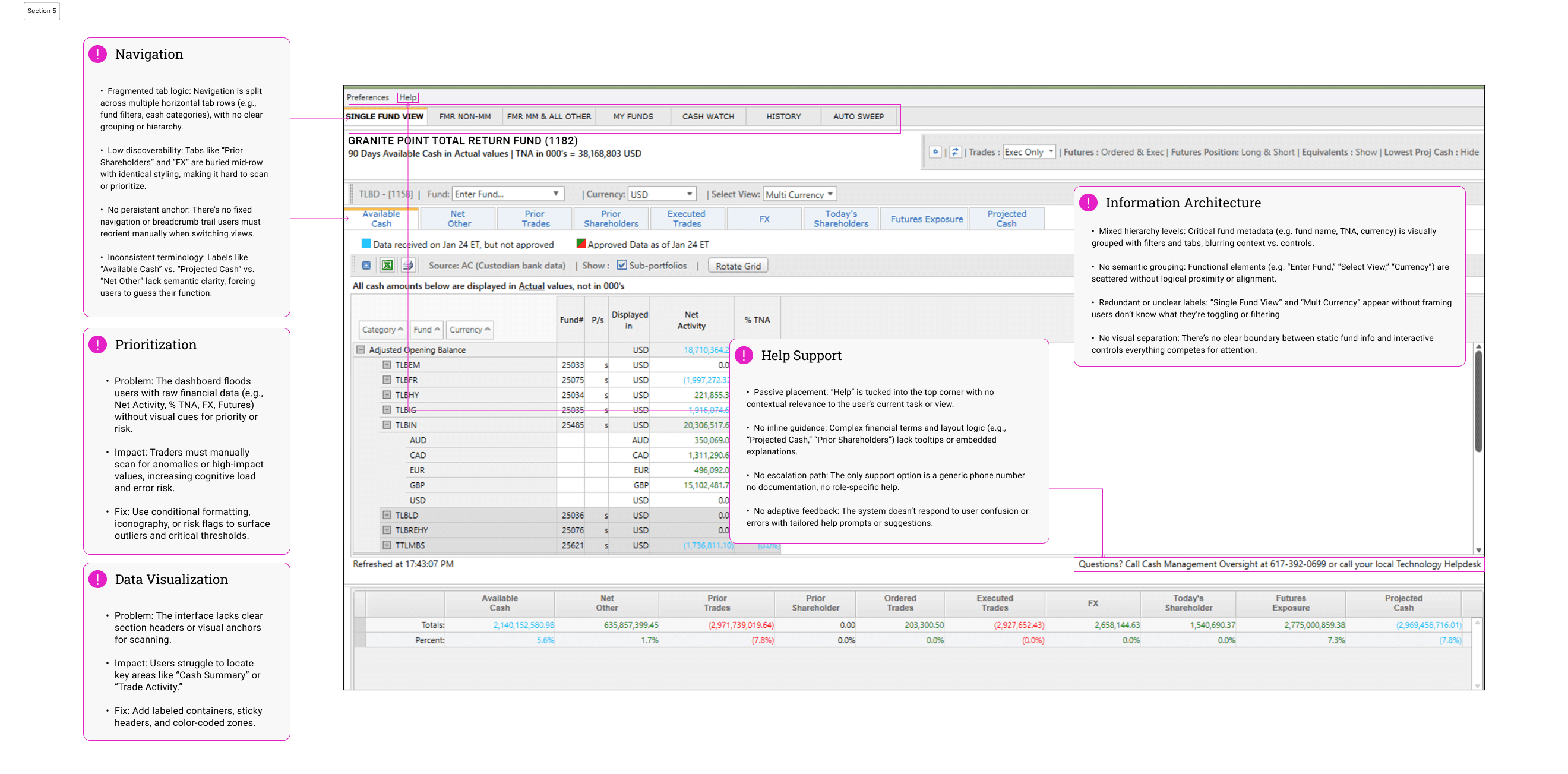
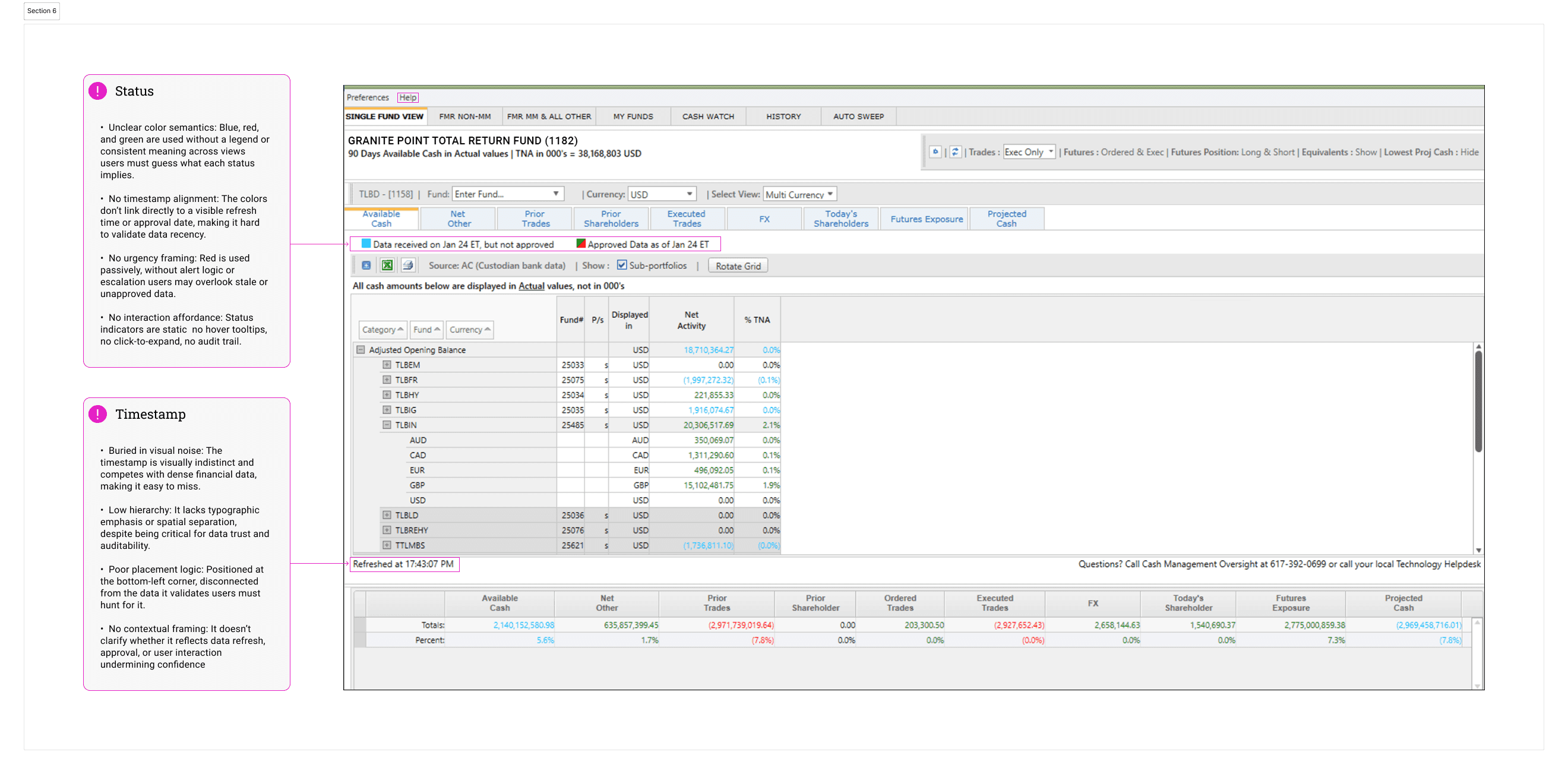
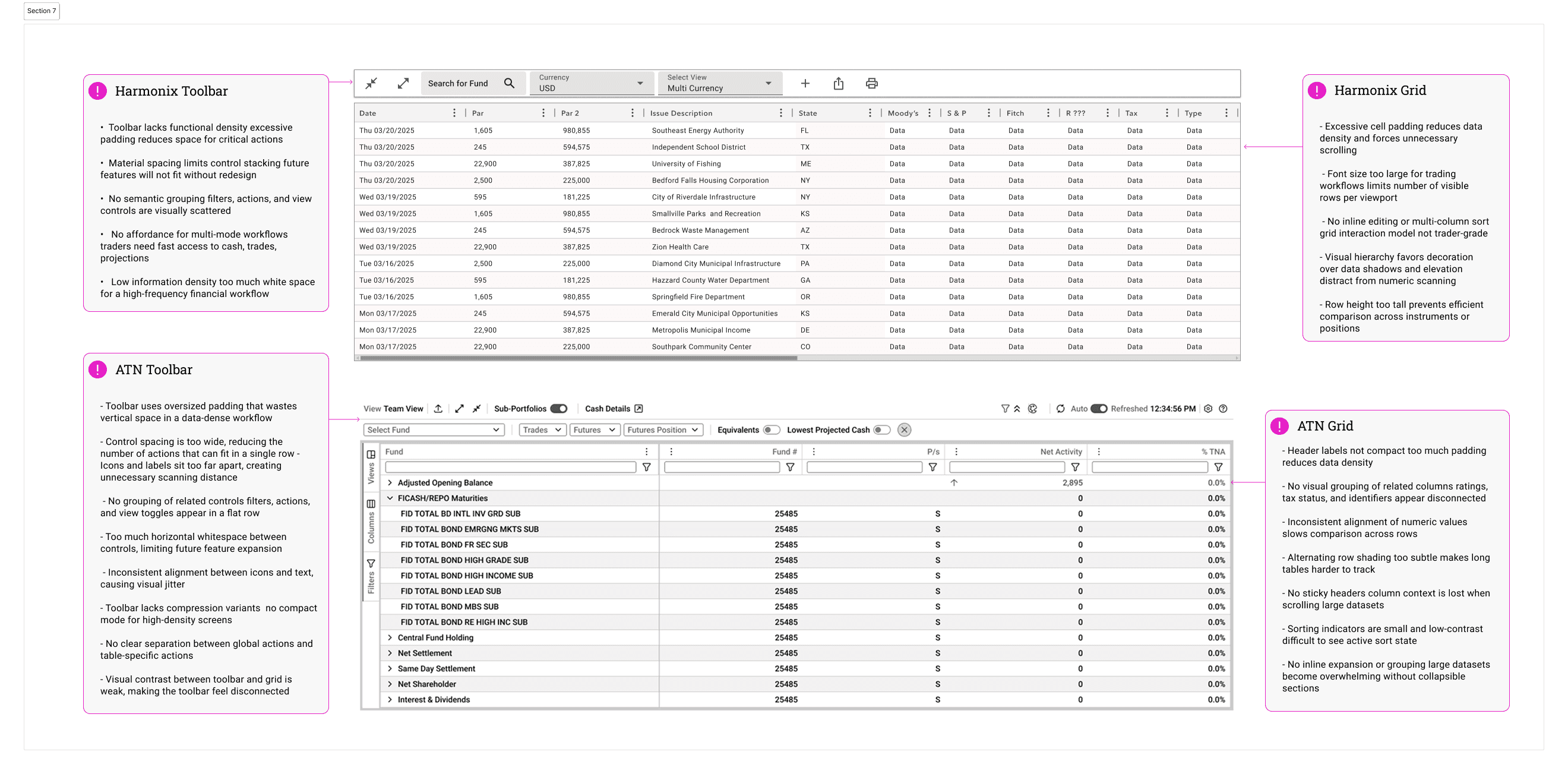
Layout Research
Dynamic Data Research
Design System Research
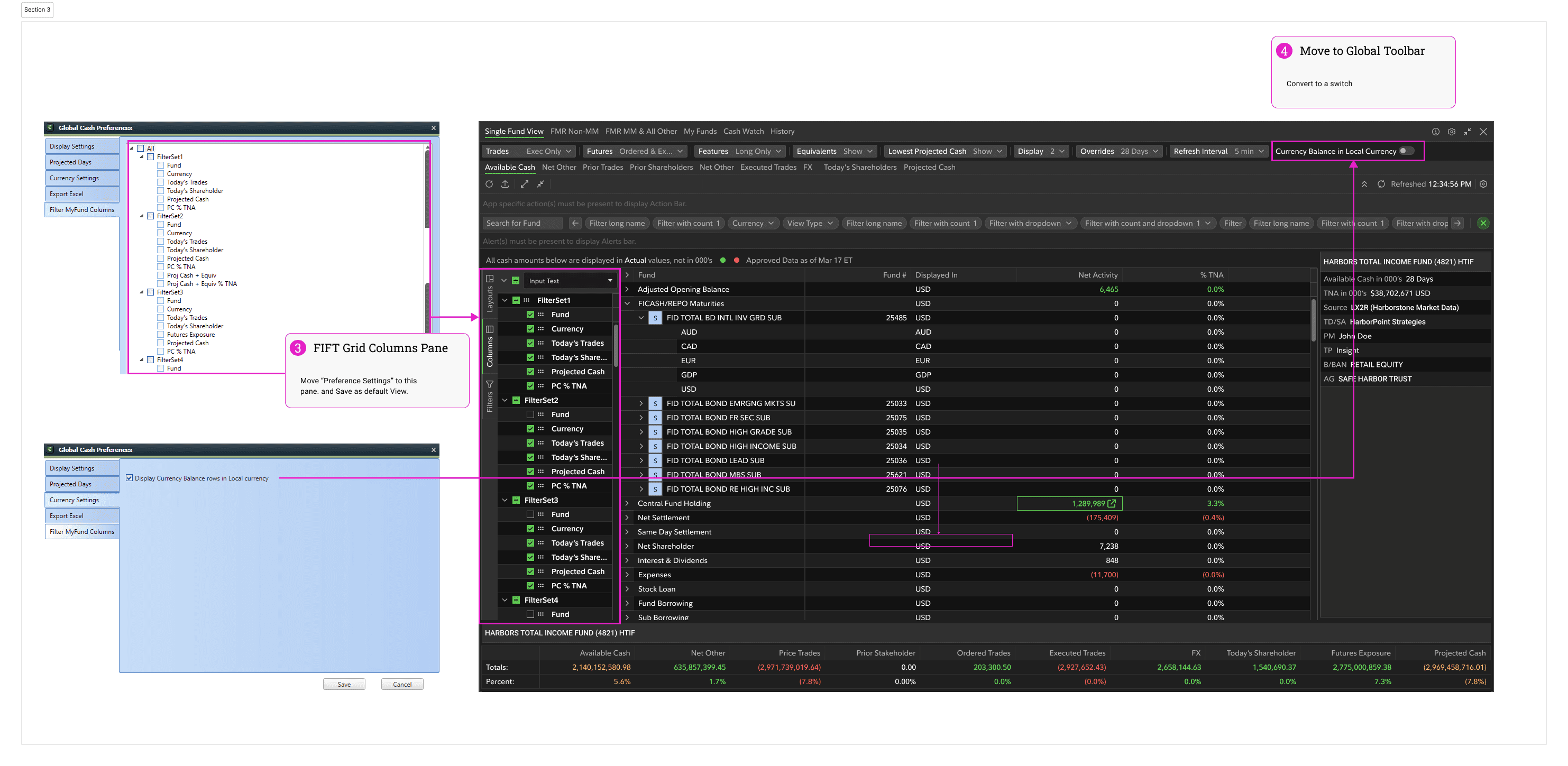
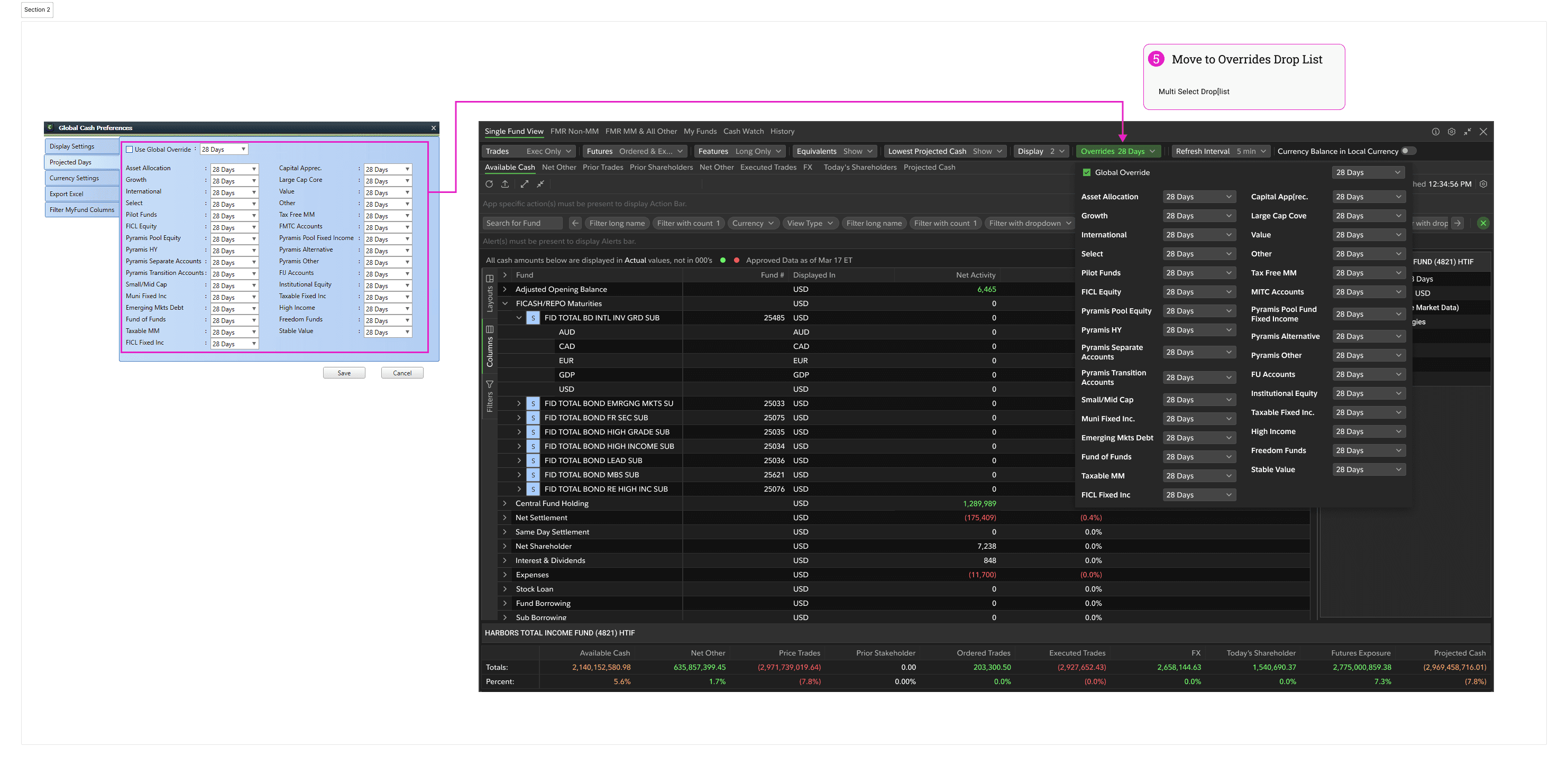
Navigation & IA Audit
Data Trust & Status Audit
Grid Density Analysis
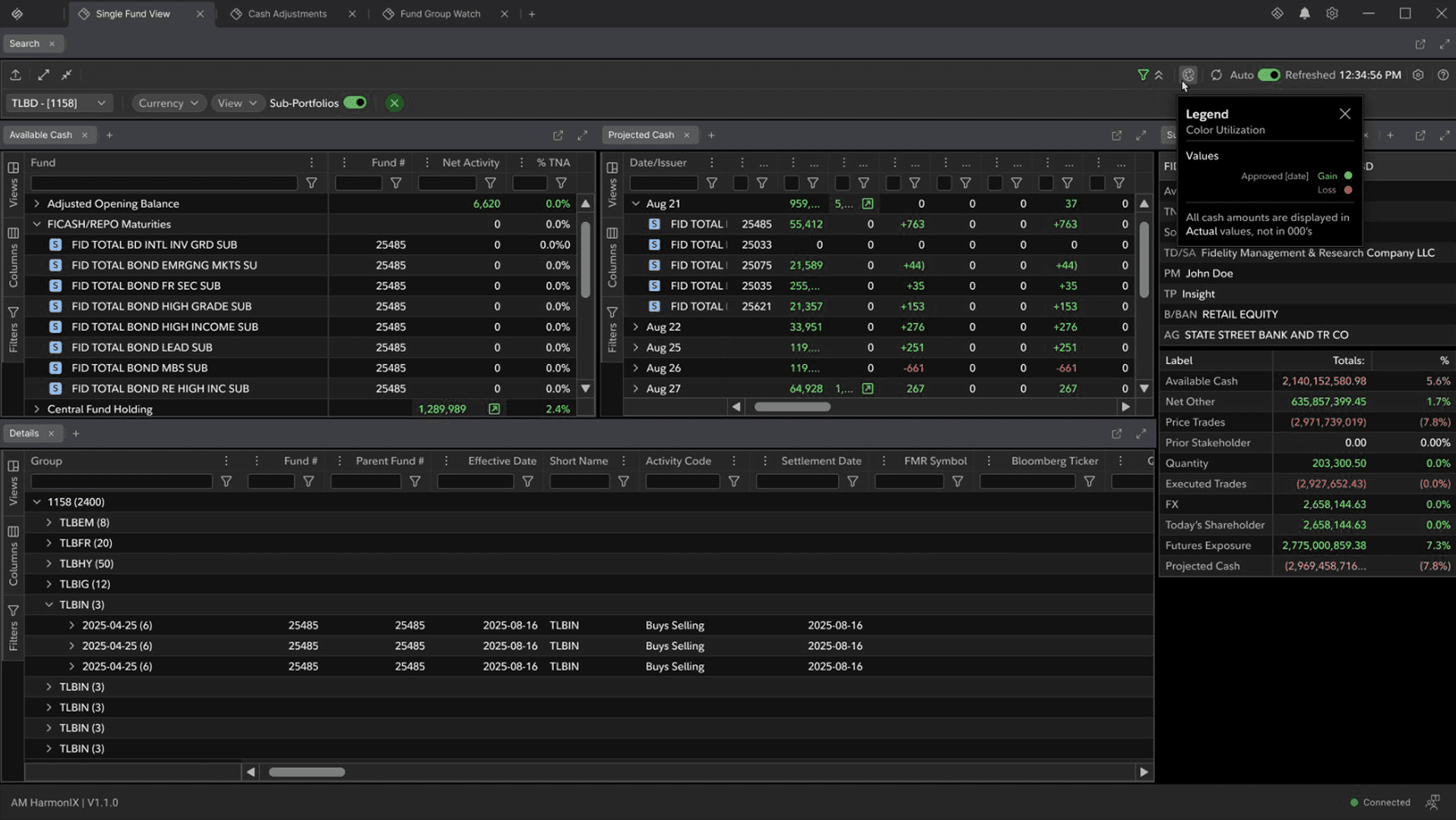
Data Approval Color Code System
Help — Large Trade Notifications
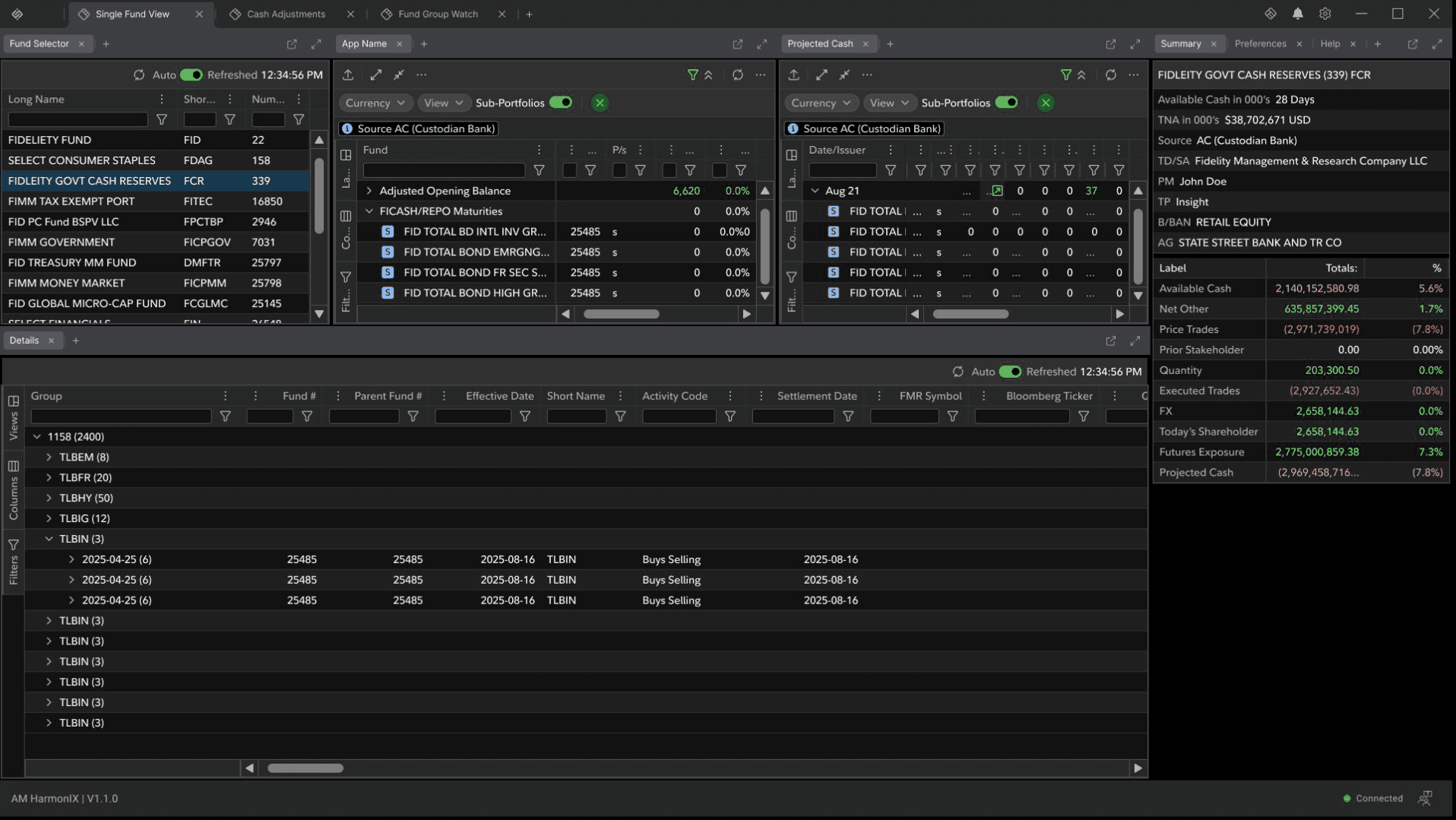
Multi-Panel Trading Workspace
HDS Toolbar — Responsive Behavior Spec
Zone Collapse Hierarchy
Action Bar — Responsive Behavior Spec
Multi-Panel Trading Workspace
Data Approval — Color Code System
Help — Large Trade Notifications
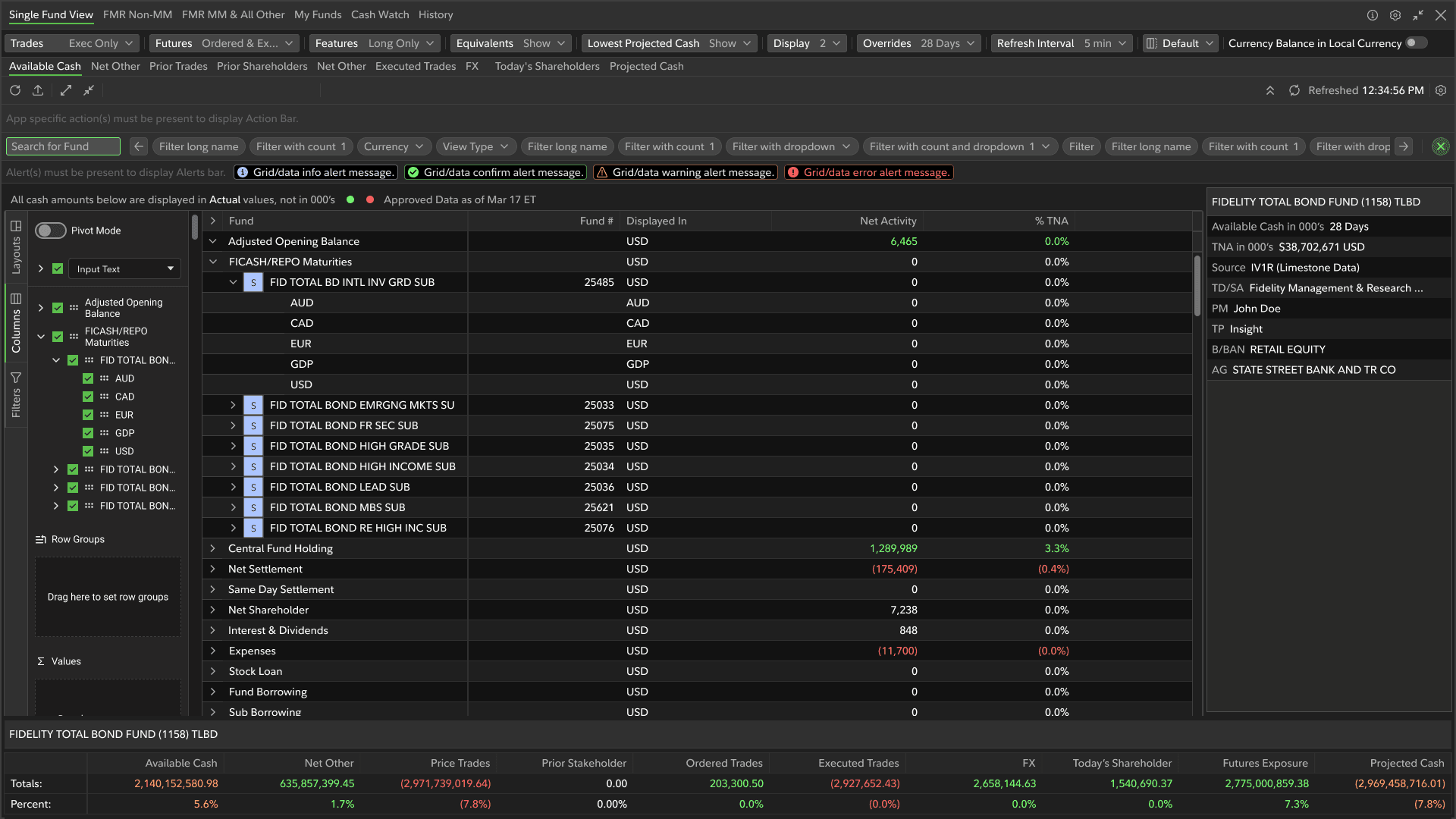
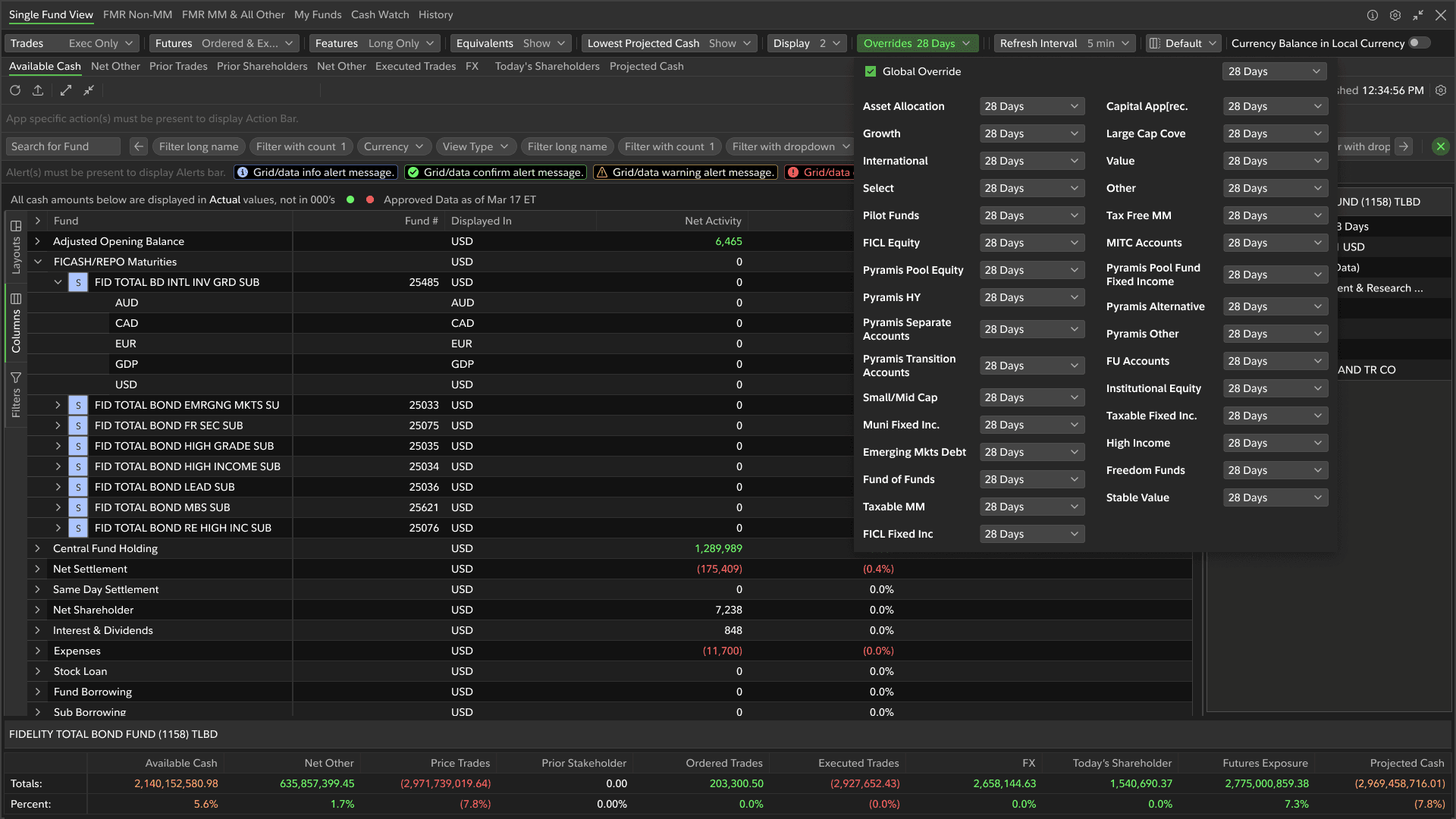
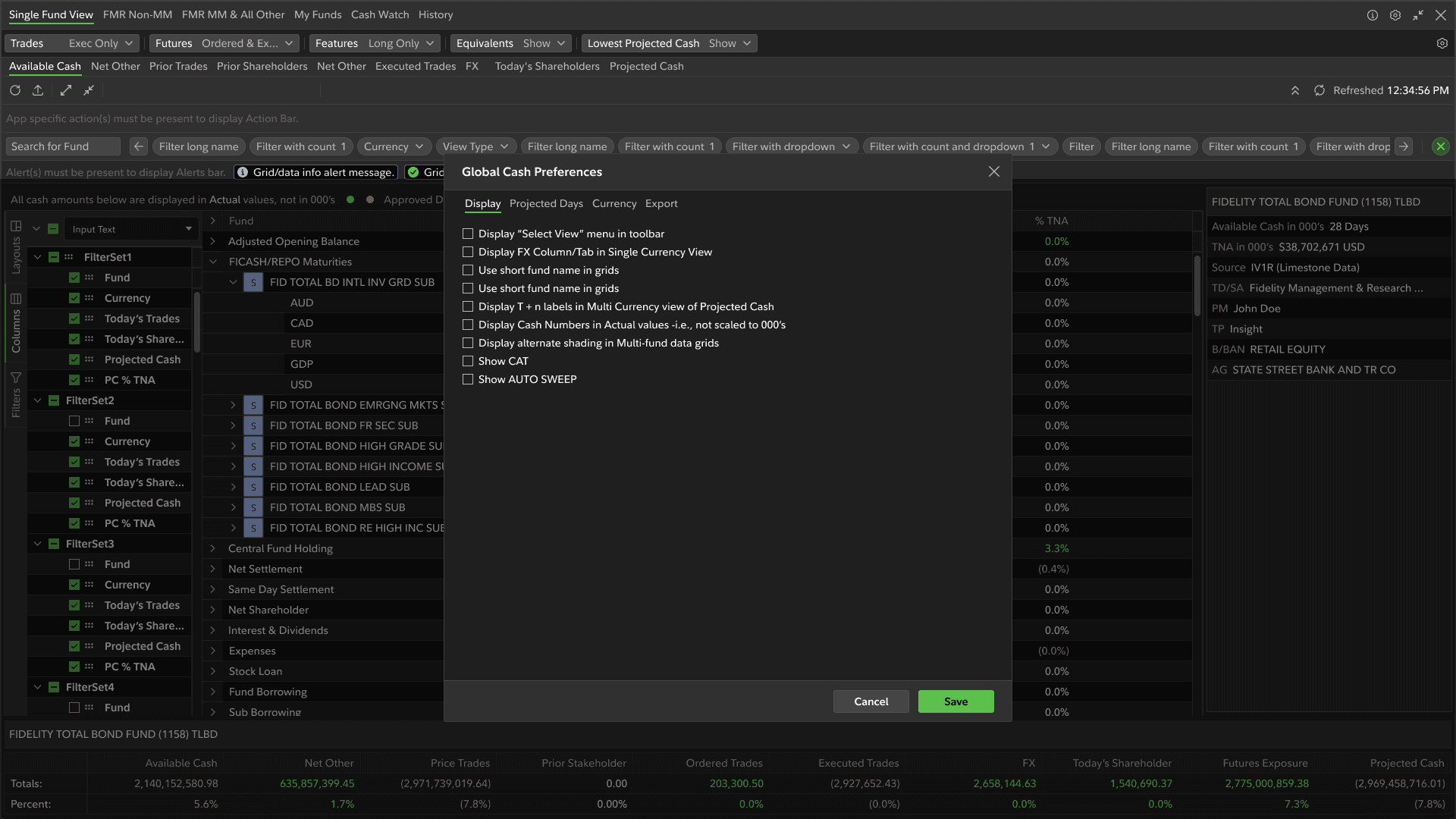
Final Trading Workspace — Dark Theme
AG Grid with Conditional Formatting
Projected Cash Panel — Compact View
Prototype
What I'd do differently
Start the design system evaluation before onboarding. The HarmonIX question was answerable from documentation alone — I didn't need to be inside the project to audit it. Getting that decision made earlier would have compressed the early modeling phase significantly.
And map trader mental models before touching layouts. The workflow sequencing issues only became visible once prototypes were in front of active traders. That feedback should have come earlier.