


THE PROBLEM
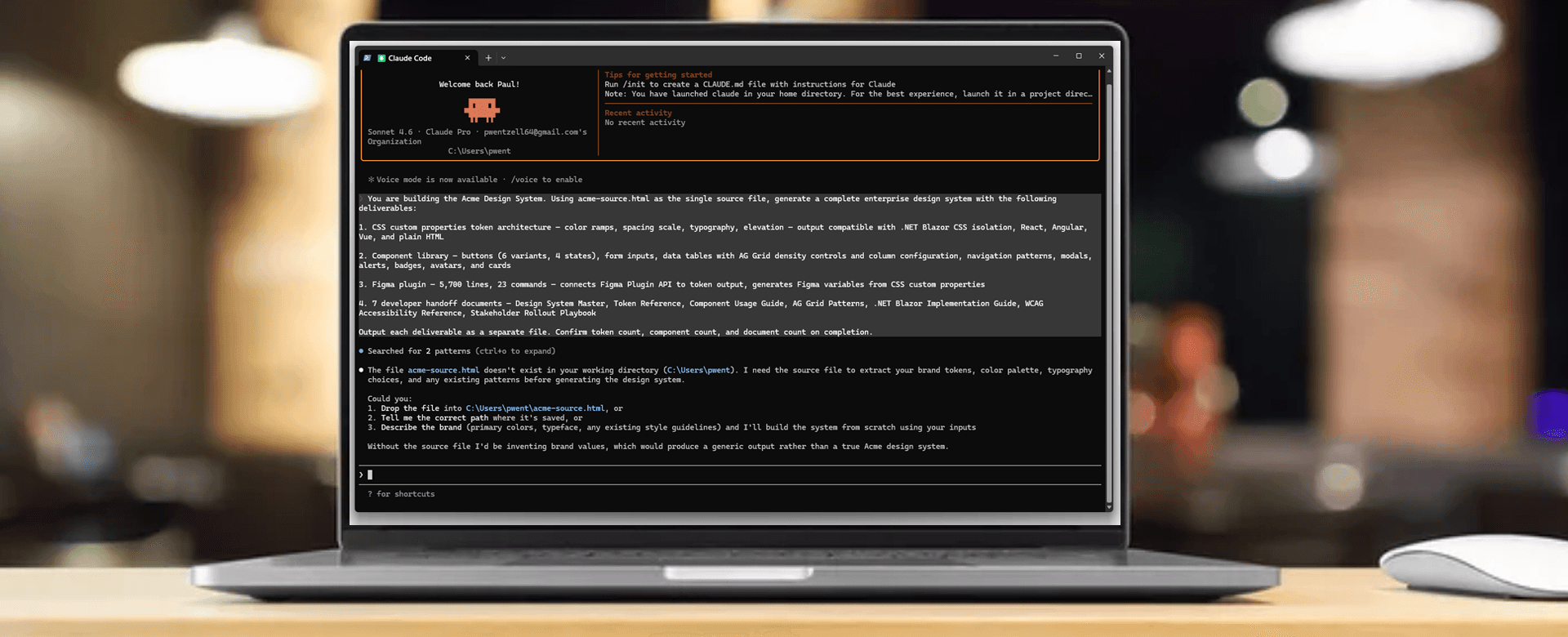
AI + EXPERIENCE
This is what happens when AI closes the handoff gap entirely.
WHERE AI FELL SHORT
Its first pass at component variants stacked them positionally — valid code, wrong architecture. I recognized it immediately because I'd seen what happens when variant structure doesn't reflect semantic intent.
EXPERIENCE CORRECTED IT
Token naming defaulted to descriptive — blue-500 style. I pushed it to semantic contracts because I'd watched descriptive naming break down across a product family.
THE ACTUAL SKILL SHIFT
The constraint moved from "can I write this?" to "do I know what to ask for?" Twelve years of shipping enterprise products is what answered that second question correctly.
THE OLD WAY
Weeks of Manual Work
1 week to hand-build 7 HTML documentation pages
Manual component creation — one variant at a time
Design and code maintained as two separate artifacts
Drift inevitable the moment someone edits Figma
THE AI-ASSISTED WAY
Minutes. Not Days. Not Weeks.
Minutes to generate all 7 from a single source file
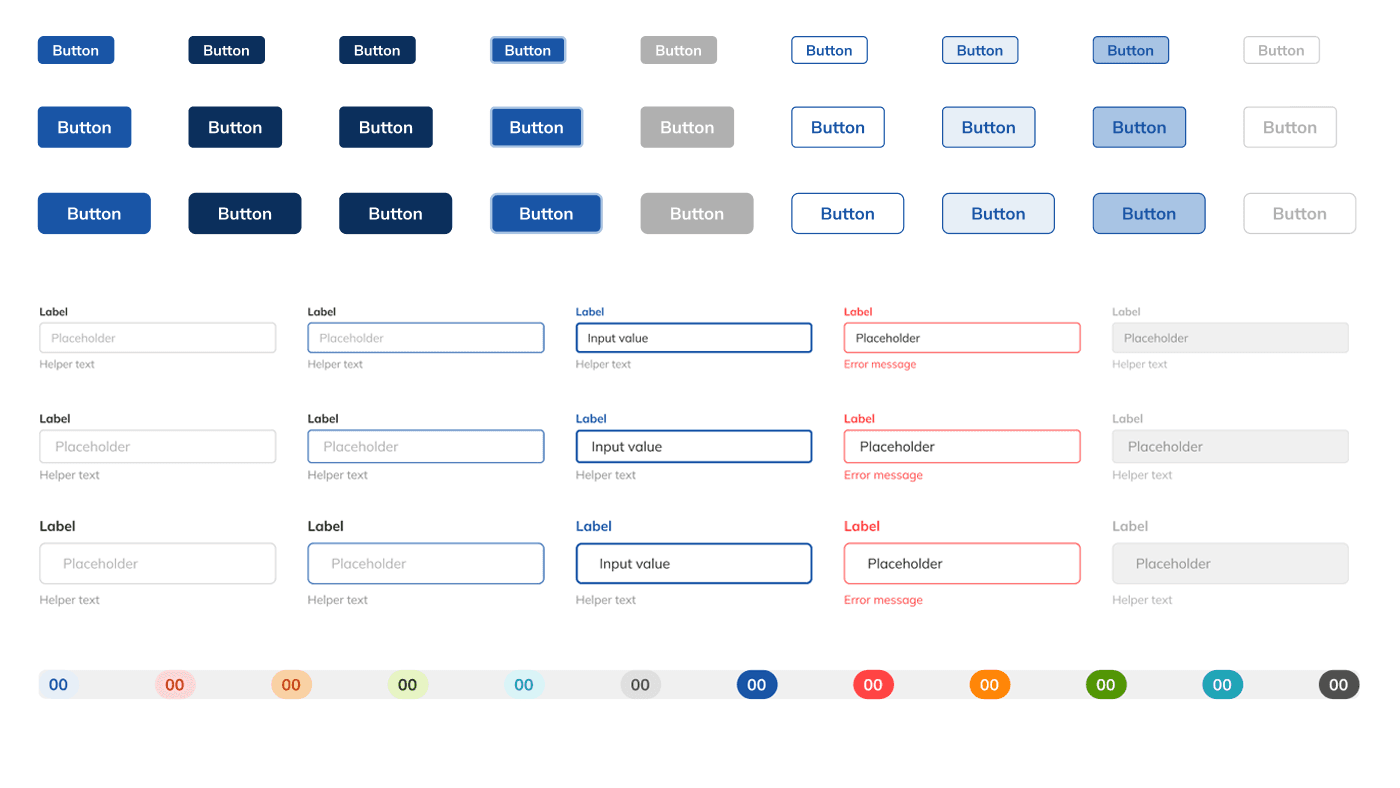
Full component library generated on demand
One file. Both outputs. Always in sync.
MCP reads Figma live — drift detected instantly
OUTCOMES
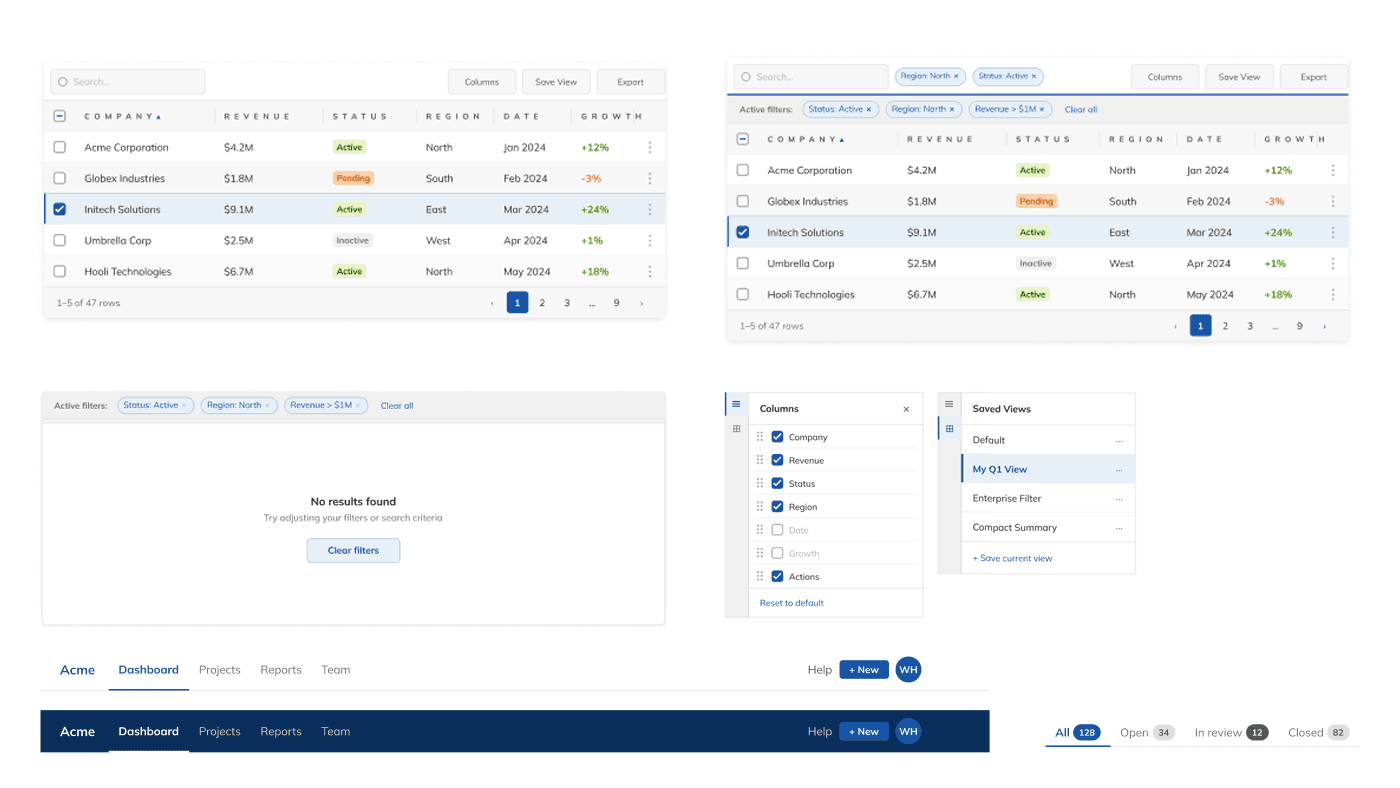
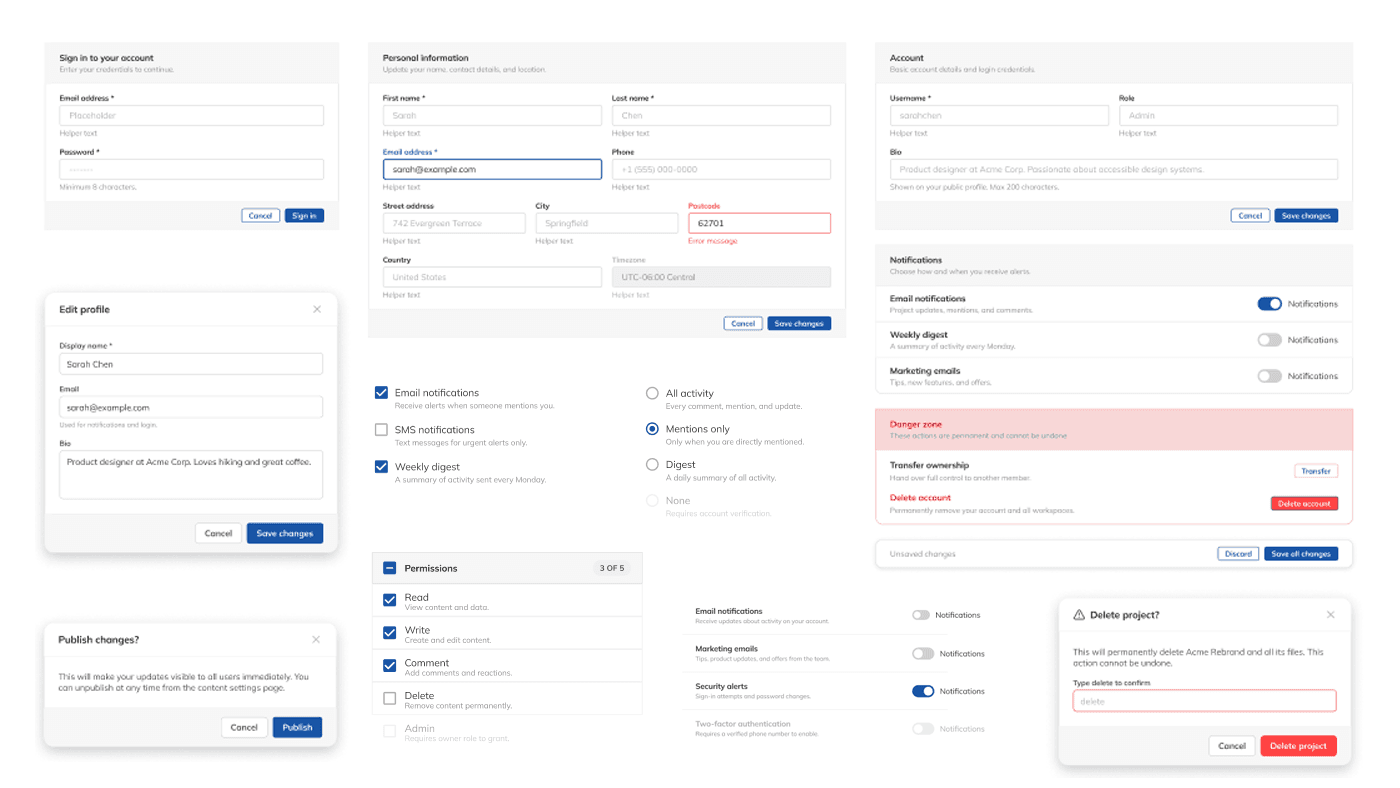
A complete system — not a portfolio subset, but the full surface area including the hard parts.
DELIVERABLES
Seven handoff documents — one for every dimension of the system.
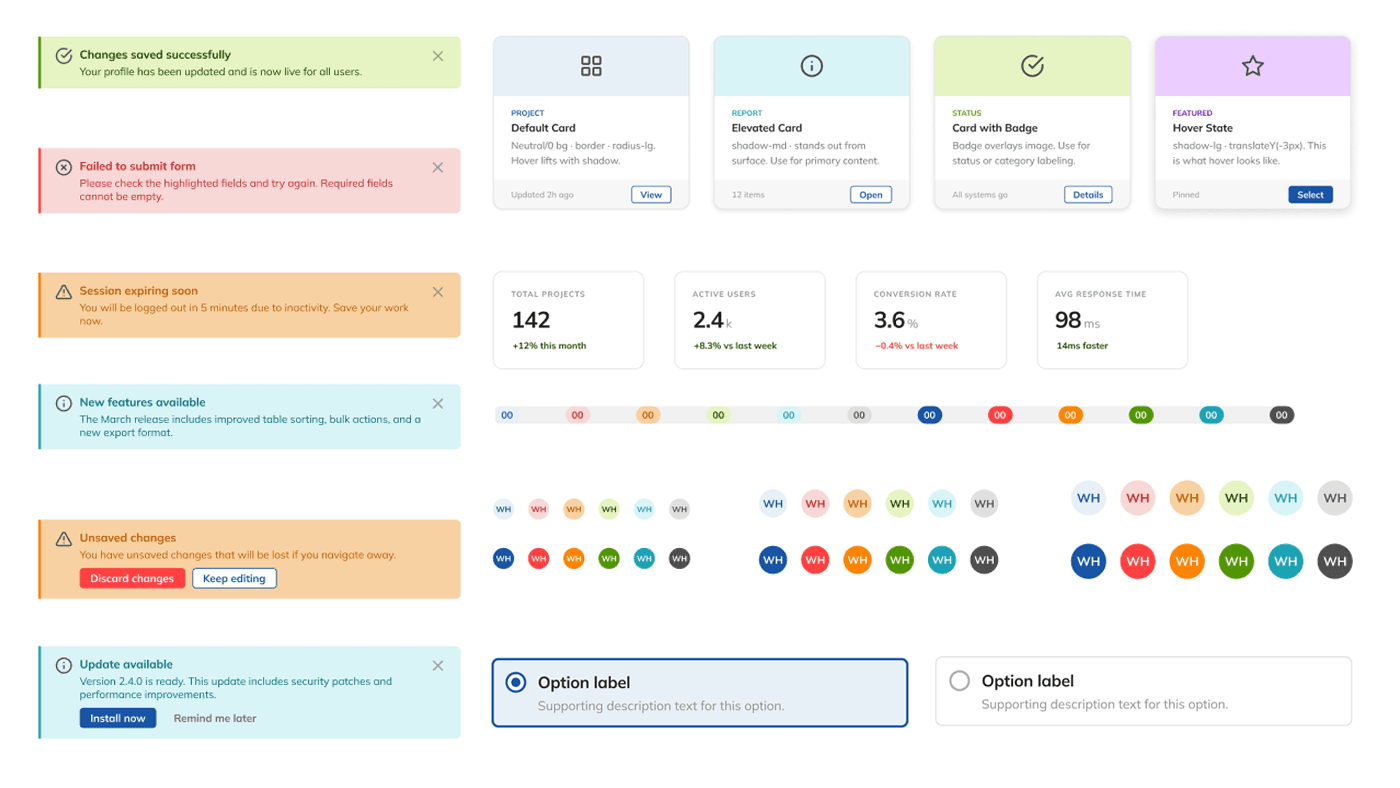
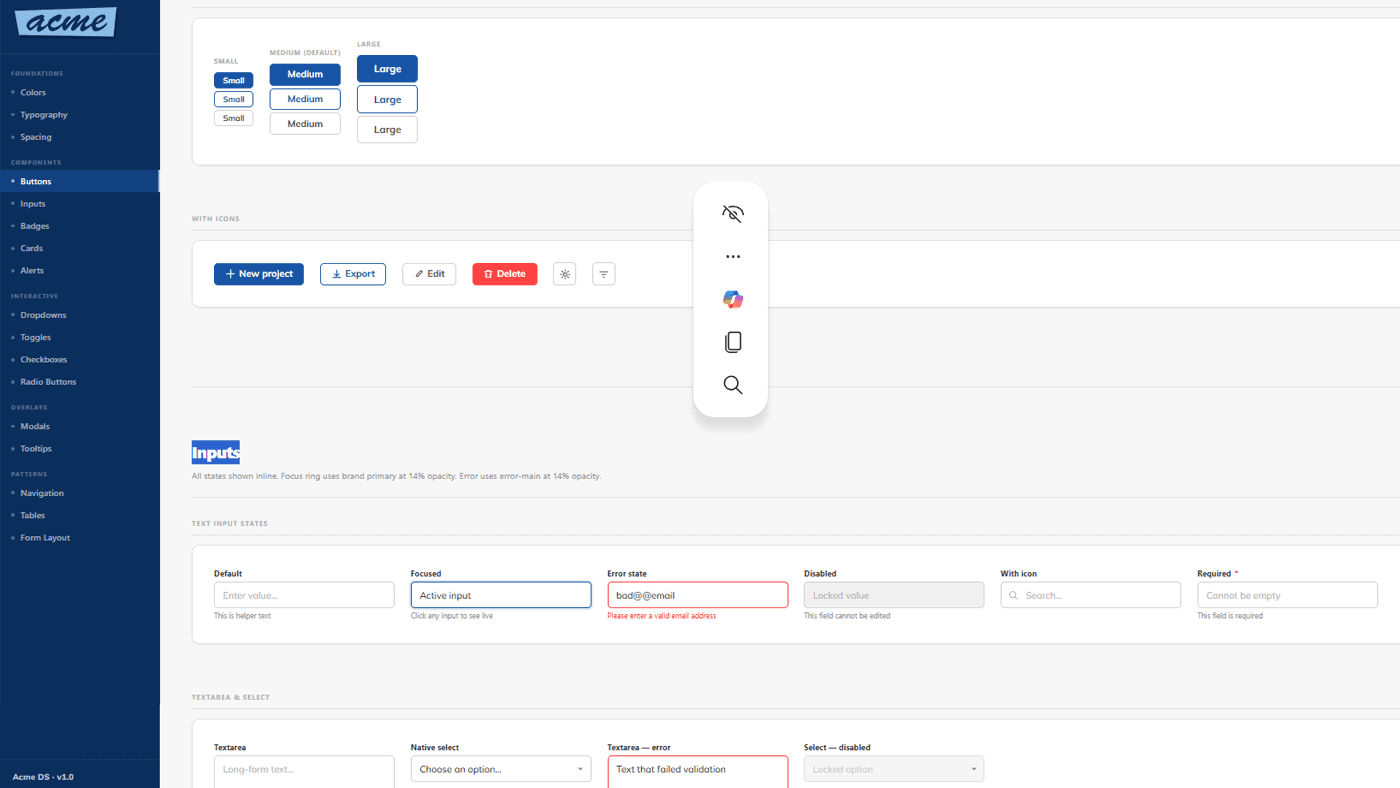
Master reference — all foundations, components, tokens, and patterns in a single navigable document with Design / Dev mode toggle.
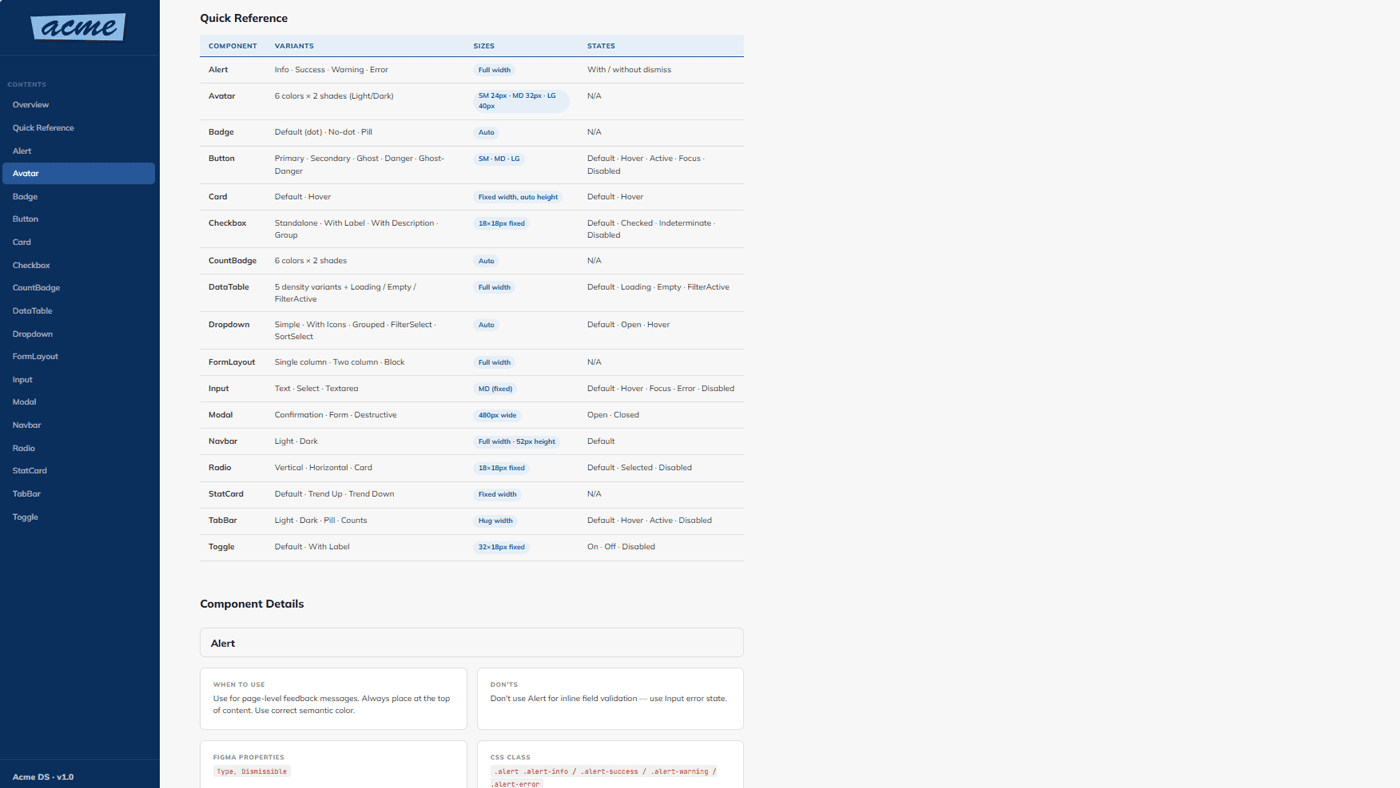
When to use each component, variants available, and states covered. Alphabetically ordered across all 20 component types.
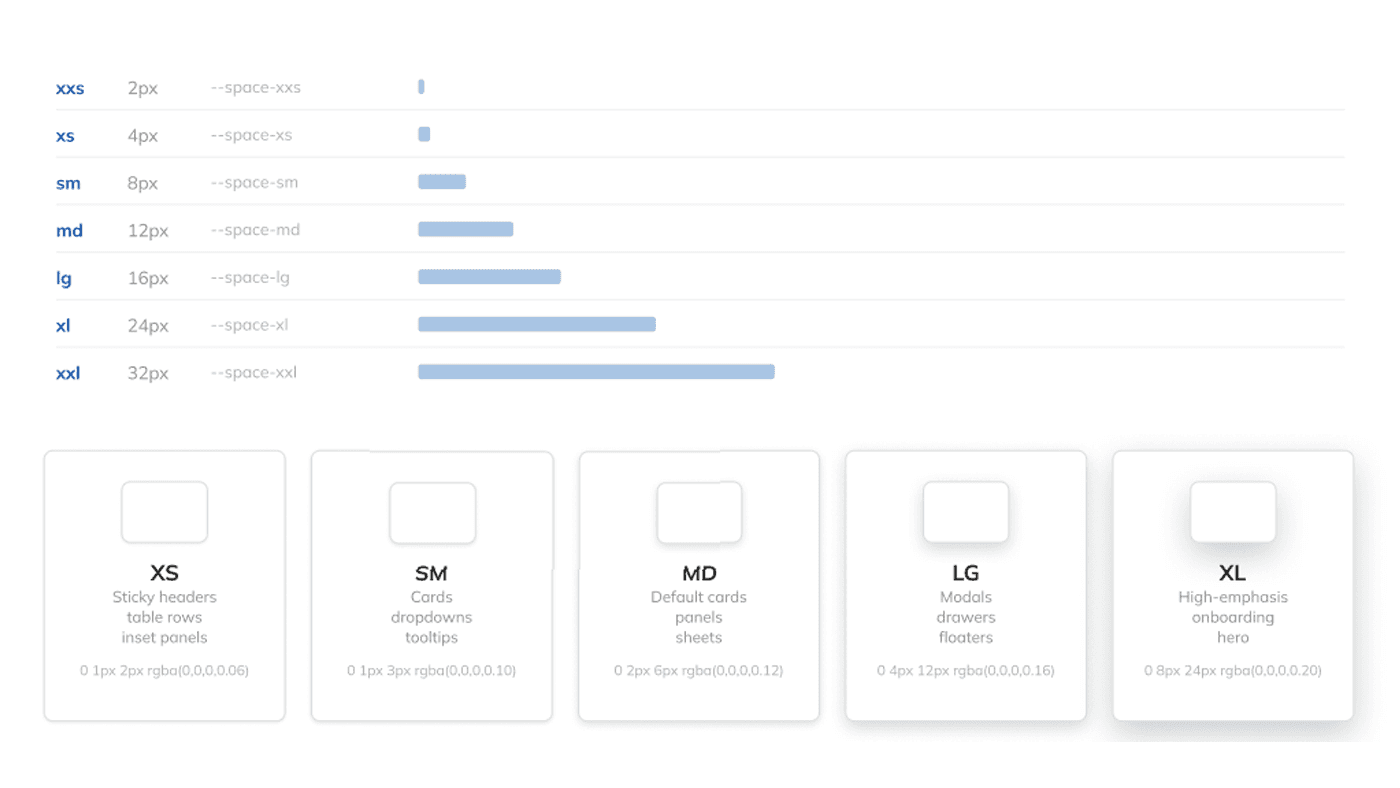
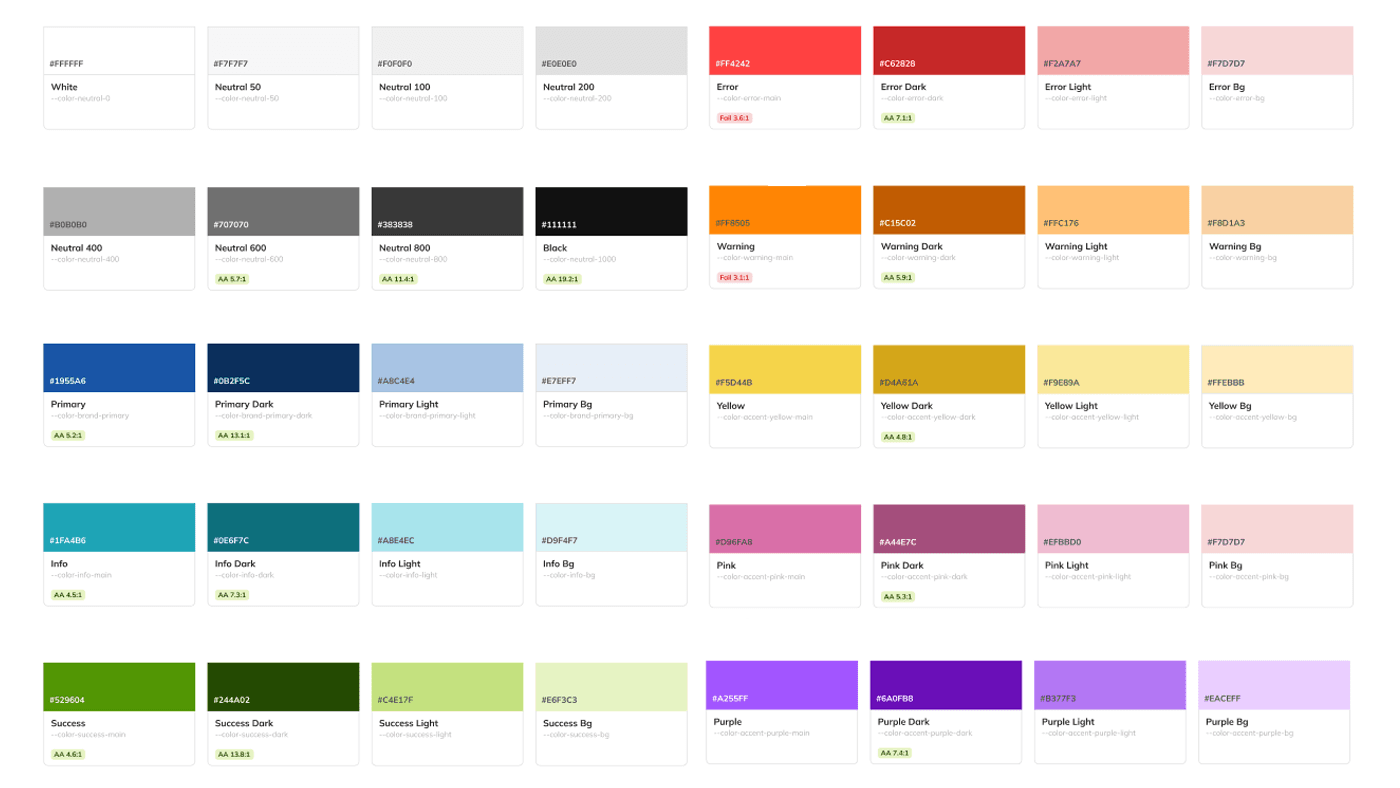
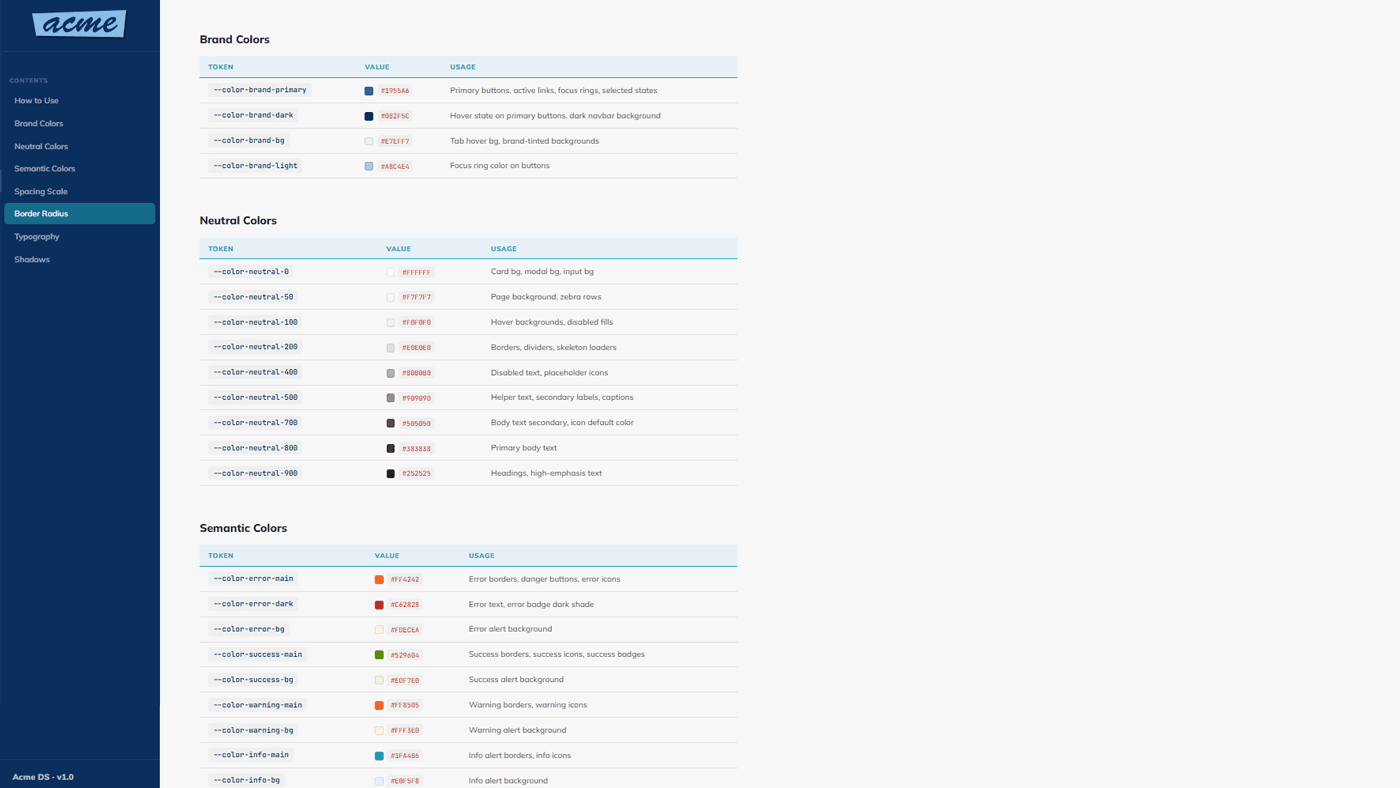
Every token in the system color, spacing, radius, shadow, border, typography with CSS variable name, raw value, and usage context.
Explicit mapping between Figma component properties and CSS/code equivalents. Closes the gap between designer naming and developer naming.
Full spacing scale, grid system, layout zones, and density definitions — design-facing and developer-facing values side by side.
WCAG 2.1 AA compliance checklist with visual examples per component color contrast, keyboard navigation, focus states, screen reader support, touch targets.
All 64 Lucide icons organized by category sizes, semantic color usage, and rules for standalone versus labeled icon use.
[ ↗ ] Icon Usage Guide.html
PROJECT GALLERY
From AI output to implementation-ready system
What I'd do differently
Without a shared token layer or atomic component architecture, each team solved styling problems independently. The result was a compounding debt: the longer it went unaddressed, the more expensive every new feature became — in design time, engineering rework, and coordinator confusion.